Exit
  • Global community
    • Language:
      • Deutsch
      • English
      • Español
      • Français
      • Português
  • 日本語コミュニティ
  • 한국 커뮤니티
0

Corrupted/glitched greyed out file, but only one specific .mp4 file

Community Beginner ,
Jan 23, 2021 Jan 23, 2021

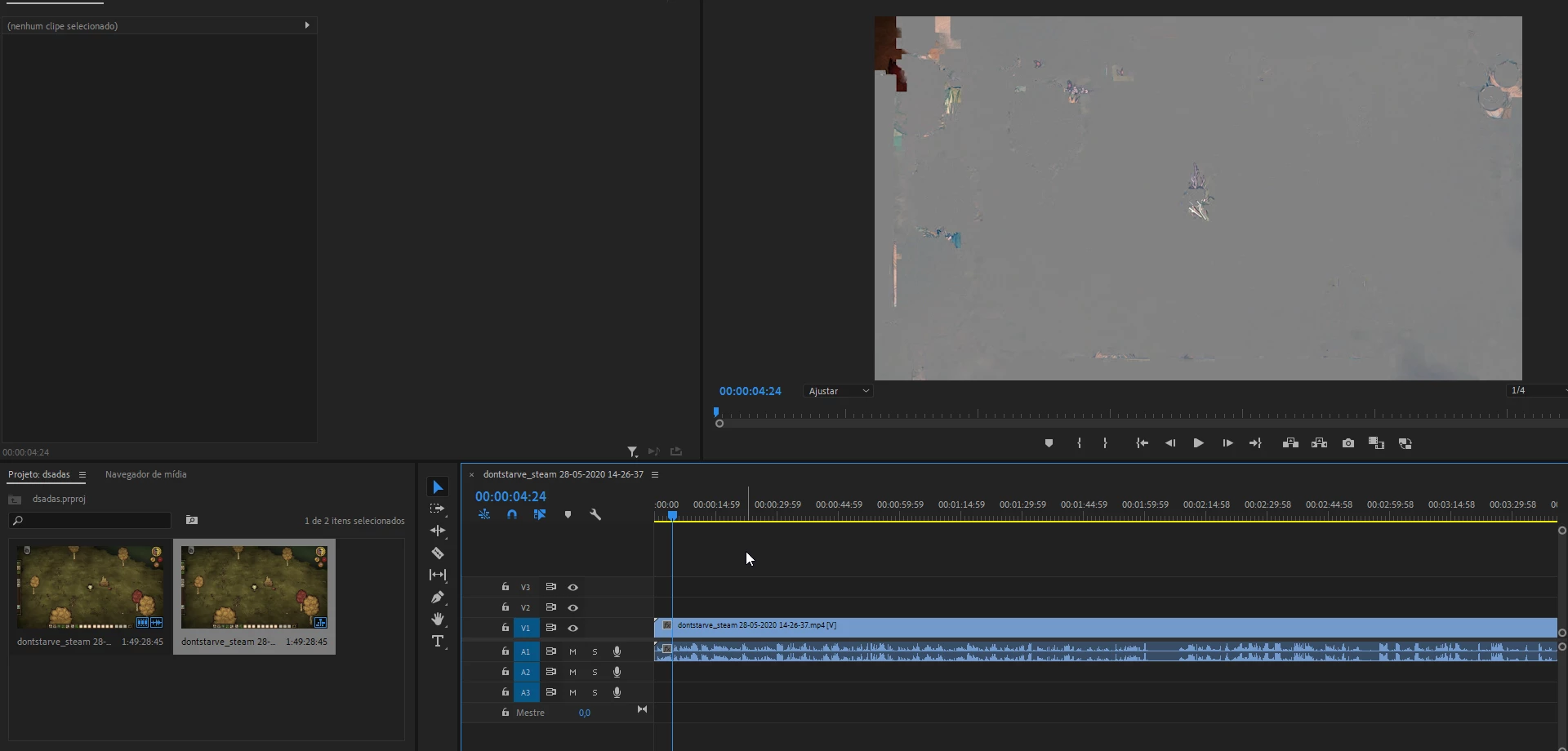
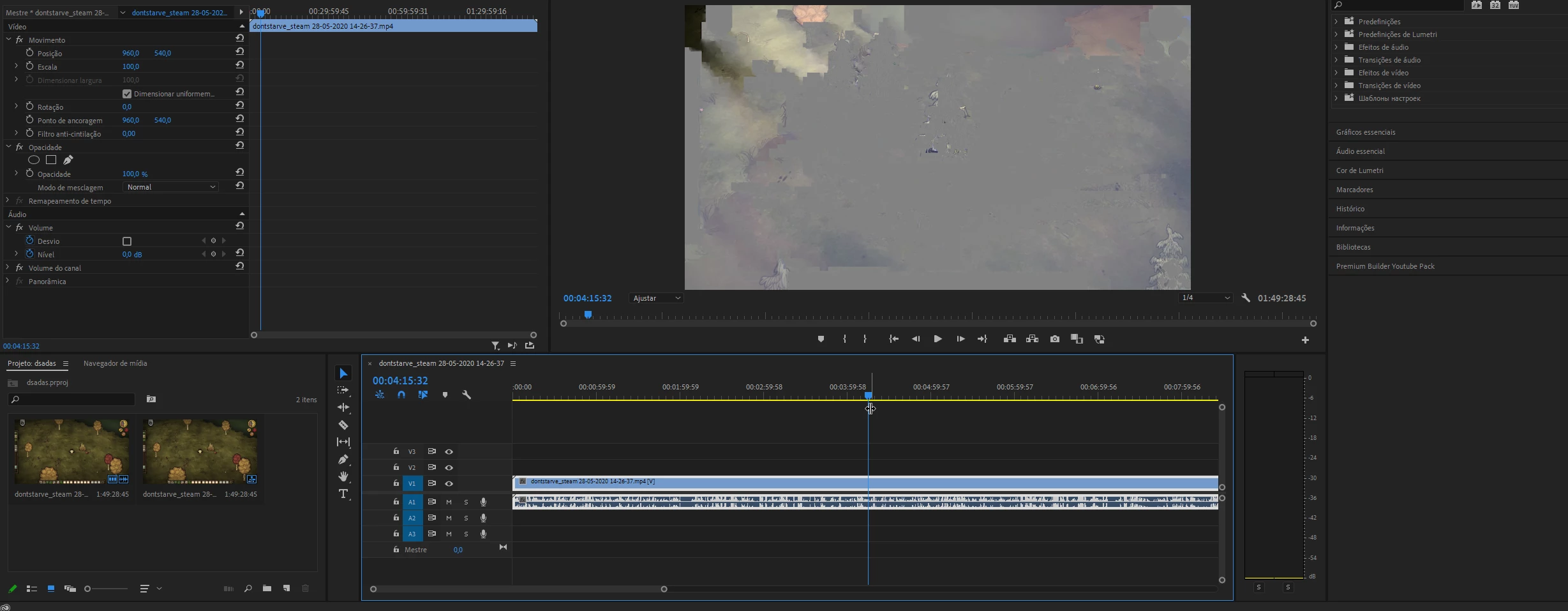
Hello, so, this happened after I updated my premiere to 1.4.5 (after that I upgraded to 1.4.8 and it still buggy)

It looks like it is corrupted inside premiere but the file itself OUTSIDE premiere is all right (outside of premiere I can open and visualize the footage normally, nothing wrong with it.) it's only inside of premiere that the screen is all buggy/greyed out (the entire footage)


Here i created a new project and just opened the buggy .mp4 file, nothing else, just the footage
Adobe_Premiere_Pro_Od1j4kASKL.png


Adobe_Premiere_Pro_6juyUvogxa.png


I already tried some things, here's what I've tried so far.

>Deleting media cache files

>Updated premiere to 1.4.8 (still buggy)

>Restarted my pc

>Updated drivers (AMD)

>Changed the name and location of the file (also made an copy of the original file and still didn't work)

>Tested the file on Premiere CC 2019 (which worked, but I can't open my CC 2020 project in it so it doesn't matter, and I also tried that one website that downgrades the premiere project to get it to work on previous versions, which didn't work)

And none of the things i tried worked so far.

It's just one single file that's causing the issue, if I add any other .mp4 file it runs normally, first, I thought the issue was that the file of this file is over 10GB (15GB to be specific) but I loaded some other footage and it seems to work normally, it obviously seems like a media cache bug, but I already cleaned the media cache a couple of times and it still doesn't work.

Maybe I am cleaning the wrong cache files? is there another "cache" folder that I should be aware of?

I already cleaned the "AppData>Adobe>common>media cache"

and the one it's linked to premiere "Edit>preferences>media"

I don't know what else to do, I would appreciate some help.
 

TOPICS
Editing , Freeze or hang , Import
1.2K
Translate
Report
Community guidelines
Be kind and respectful, give credit to the original source of content, and search for duplicates before posting. Learn more
community guidelines

correct answers 1 Correct answer

Community Expert , Jan 23, 2021 Jan 23, 2021

I just import the footage and go to the "output" session or do I need to do something else?


Yes, that´s how you do it. The error message indicates that there is something fishy with the video stream.


Do you think if I go back to premiere cc 2019, render the full video again, and then go back to the 2020 version it'll work?


Yes that will work. If you want to speed up everything you can render to ProRes or GoPro CineForm. This will give you a usable file quick but the file size will be huge.

...
Translate
Community Beginner ,
Jan 23, 2021 Jan 23, 2021

Sorry if there's any typo or grammatical error, I'm really tired 

Translate
Report
Community guidelines
Be kind and respectful, give credit to the original source of content, and search for duplicates before posting. Learn more
community guidelines
Community Expert ,
Jan 23, 2021 Jan 23, 2021

If its just one clip run it through Handbrake.

Translate
Report
Community guidelines
Be kind and respectful, give credit to the original source of content, and search for duplicates before posting. Learn more
community guidelines
Community Beginner ,
Jan 23, 2021 Jan 23, 2021

Thanks for the answer, I will give it a try!

Translate
Report
Community guidelines
Be kind and respectful, give credit to the original source of content, and search for duplicates before posting. Learn more
community guidelines
Community Beginner ,
Jan 23, 2021 Jan 23, 2021

Ok so, I think the file is the problem, not premiere, It's still buggy on the handbrake preview, should I still use handbrake or I'll just waste my time rendering 1 hour of footage for nothing?

explorer_ul4zB8TLfT.jpgThanks.

Translate
Report
Community guidelines
Be kind and respectful, give credit to the original source of content, and search for duplicates before posting. Learn more
community guidelines
Community Beginner ,
Jan 23, 2021 Jan 23, 2021

As you can see it's not buggy on the windows 10 media player, I really don't know what's happening anymore lol

YoTIw5lwTN.gif

Translate
Report
Community guidelines
Be kind and respectful, give credit to the original source of content, and search for duplicates before posting. Learn more
community guidelines
Community Expert ,
Jan 23, 2021 Jan 23, 2021

WMP is not Premiere Pro. WMP is just a player, Premiere Pro a NLE. Big difference.

Might need to use a different screenrecording program.


Translate
Report
Community guidelines
Be kind and respectful, give credit to the original source of content, and search for duplicates before posting. Learn more
community guidelines
Community Beginner ,
Jan 23, 2021 Jan 23, 2021

Hmmm, I get it, but why does the footage file work on premiere cc 2019? were there any changes? it loads normally, the only issue is that my project doesn't load on the 2019 version 

Translate
Report
Community guidelines
Be kind and respectful, give credit to the original source of content, and search for duplicates before posting. Learn more
community guidelines
Community Expert ,
Jan 23, 2021 Jan 23, 2021

Hmmm, I get it, but why does the footage file work on premiere cc 2019?


Something must have changed in Premiere Pro, such as the MPEG Importer that handles the footage. I have seen similar glitches with mp4 files for years in Premiere Pro.

Translate
Report
Community guidelines
Be kind and respectful, give credit to the original source of content, and search for duplicates before posting. Learn more
community guidelines
Community Beginner ,
Jan 23, 2021 Jan 23, 2021

I downloaded the program and... how does it work?

I just import the footage and go to the "output" session or do I need to do something else?


I went to the output tab and tried to hit the "start output" button and this error appeared 

TMPGEncMPEGSmartRenderer6_kgzMOM07Lm.png

damn, I'm so sad, all I wanted to do was just finish my video xD


Translate
Report
Community guidelines
Be kind and respectful, give credit to the original source of content, and search for duplicates before posting. Learn more
community guidelines
Community Beginner ,
Jan 23, 2021 Jan 23, 2021

I think I have one stupid solution that may work

Do you think if I go back to premiere cc 2019, render the full video again, and then go back to the 2020 version it'll work? this is a stupid solution bc it'll probably take 10 hours to render the full 1-hour clip in high definition but maybe it'll work

Translate
Report
Community guidelines
Be kind and respectful, give credit to the original source of content, and search for duplicates before posting. Learn more
community guidelines
Community Expert ,
Jan 23, 2021 Jan 23, 2021

I just import the footage and go to the "output" session or do I need to do something else?


Yes, that´s how you do it. The error message indicates that there is something fishy with the video stream.


Do you think if I go back to premiere cc 2019, render the full video again, and then go back to the 2020 version it'll work?


Yes that will work. If you want to speed up everything you can render to ProRes or GoPro CineForm. This will give you a usable file quick but the file size will be huge.

pr.PNG

Translate
Report
Community guidelines
Be kind and respectful, give credit to the original source of content, and search for duplicates before posting. Learn more
community guidelines
Community Beginner ,
Jan 24, 2021 Jan 24, 2021
LATEST

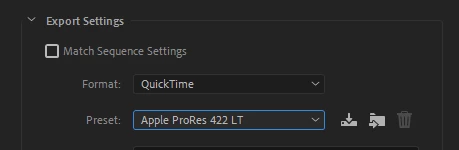
Finally got it! thank you so much for your time and help!

Adobe_Premiere_Pro_1JHQuqZtjy.png

Translate
Report
Community guidelines
Be kind and respectful, give credit to the original source of content, and search for duplicates before posting. Learn more
community guidelines
Community Expert ,
Jan 23, 2021 Jan 23, 2021

Download a free trial version of TMPGEnc MPEG Smart Renderer 6 and run the file through the app. It will take a couple of seconds to smart render the entire file and solve issues like this 99 times out of 100. No limitations in the trial version.

Translate
Report
Community guidelines
Be kind and respectful, give credit to the original source of content, and search for duplicates before posting. Learn more
community guidelines
Community Beginner ,
Jan 23, 2021 Jan 23, 2021

Ok, thanks for the answer, I'll give it a try!

Translate
Report
Community guidelines
Be kind and respectful, give credit to the original source of content, and search for duplicates before posting. Learn more
community guidelines