
Participant
August 24, 2020
Answered

Create favorites in Adobe Premiere Pro CC

  • August 24, 2020
  • 3 replies
  • 4047 views

I'm starting out on Adobe Premiere Pro CC after years on Final Cut Pro X. I'm looking for a feature that I can't find on Premiere Pro: mark a clip from a rush as favorites. On Final Cut Pro X, all you have to do is make an in and out point then press the F key. You will then find the favorite rush extracts in the bin as well as all the other favorite extracts of the same rush...
Do you know how to bookmark Adobe Premier Pro CC so you can keep all your favorite rush clips in one place?


On the screenshots, here is how it is organized.

+
Thank you

Louis
This topic has been closed for replies.
Correct answer Phillip Harvey

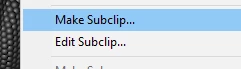
It sounds like the functionality of a Subclip. It would be roughly the same thing. Set in and out points, right click and Make Subclip (default shortcut Ctrl+U on PC).

You should be able to do this from the Project Panel in a Bin (in Icon View) or from the Source Monitor.

3 replies

Inspiring
June 23, 2021

I was trying it with Markers, since they can have ranges, but I don't see that markers can be used as ranges to add that selection into the timeline. Reminds me that Prelude showed subclip ranges as markers, which acted a bit like FCP favorites. What I like about favorites and Prelude subclip markers over Premiere Pro subclip clips is that you can see Favorites in context of the original clip.

Participant
July 14, 2023

Subclips don't allow for extension of the front or back in/out points...so subclips aren't actually that useful when it comes to creating a 'favorites' bin. Is there a way to extend the in/out points of a subclip?

Kevin-Monahan
Community Manager
Community Manager
July 15, 2023

HI @Zeej,

Good question. Choose Clip > Edit Subclip and "Remove Subclip Boundaries." Does it work now?


Thanks,
Kevin

Kevin Monahan - Sr. Community and Engagement Strategist – Adobe Pro Video and Audio
Phillip HarveyCommunity ExpertCorrect answer
Community Expert
August 24, 2020

It sounds like the functionality of a Subclip. It would be roughly the same thing. Set in and out points, right click and Make Subclip (default shortcut Ctrl+U on PC).

You should be able to do this from the Project Panel in a Bin (in Icon View) or from the Source Monitor.

MarekMularczyk
Community Expert
Community Expert
August 24, 2020

Yes, that's also a possibility, especially if they want just In and Out to be saved as part of the clip

Adobe Community ExpertAdobe Certified Professional
MarekMularczyk
Community Expert
Community Expert
August 24, 2020

I'm not aware of a feature that would allow you to make certain clips your favourites in Premiere.

How about creating a bin for your favourites in the Project panel?

Adobe Community ExpertAdobe Certified Professional