
Inspiring
October 3, 2017
Answered

creating two equally sized and spaced square masks

  • October 3, 2017
  • 4 replies
  • 3512 views

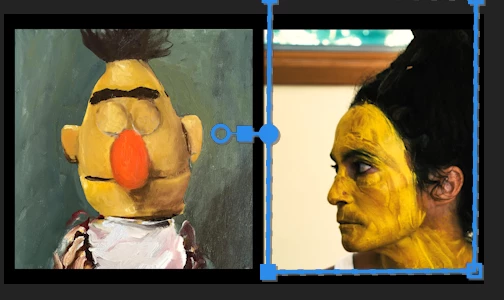
I want to have two different video clips playing on my screen--each taking half of the size of the screen, and framed by the blackness.  see rudimentary picture attached.  Essentially, I think I would want to create two masks that are equally sized squares.  How do I do this?  Why in the world is it not easier to make a square mask in premiere? 
    This topic has been closed for replies.
    Correct answer Richard M Knight

    You could make the black borders in Photoshop and just put it on a higher video track.

    4 replies

    Legend
    October 3, 2017

    I would probably do this with the Crop effect.  10% on three sides, and 55% on the fourth.

    R Neil Haugen
    Legend
    October 3, 2017

    There is an effect to show guidelines in the Program monitor (can't remember the name) and you can set it to the number of divisions you wish, horizontal or vertical or both. Find & use that to set your mask boundaries. Then delete the other effect. In looking it up, I think it's the Grid effect in the Video/Generate folder of effects. Set it to control by Width and Height controls, then use the sliders for height & width to get lines where you want them.

    I've used that to make a split-screen graphic for testing Lumetri, and setting it for a single division vertically divides the screen in half. to get borders, you could maybe set say 9 or 11 divisions, and some vertical ones, and use the appropriate guidelines to draw your mask.

    Neil

    Everyone's mileage always varies ...
    jasontcox
    Inspiring
    October 3, 2017

    Premiere’s masking capabilities are a tad limited as you’re discovering. You CAN make two identical sized masks, but you can’t Set precise sizing/spacing parameters on them. To make two that are identical size, simply make one of them, select “Mask (1)” in the Effect Controls panel and Hit Copy, Paste. It’ll duplicate the mask and you can move it (imprecisely with the mouse, that is).

    Richard M KnightCommunity ExpertCorrect answer
    Community Expert
    October 3, 2017

    You could make the black borders in Photoshop and just put it on a higher video track.

    Inspiring
    October 3, 2017

    good idea--