edit58989569
Inspiring
July 17, 2024
Question

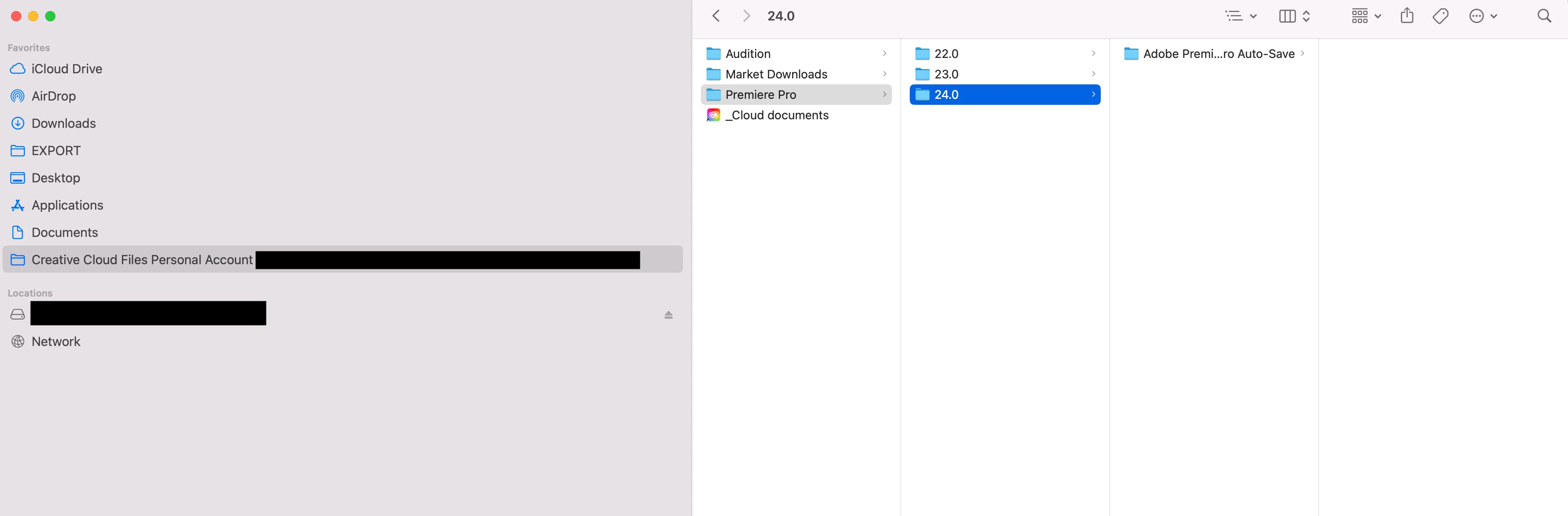
Creative Cloud Synced in Sidebar?

  • July 17, 2024
  • 1 reply
  • 436 views

When I run Premiere, this is always in my sidebar, what is it for?  I thought they discontinued Creative Cloud Synced files. Do I need to delete my old autosave files from the cloud? 
 

This topic has been closed for replies.

1 reply

Mike Dziennik
Community Expert
Community Expert
July 18, 2024

"All assets in your local Creative Cloud Files folder on your device will remain intact and under your complete control."

https://helpx.adobe.com/uk/creative-cloud/kb/eol-creative-cloud-synced-files.html 


These files are no longer on the cloud. They are still local on your system, its up to you as to whether you want/need them or not. You can check where your current autosaves are located by going to Project Settings>Scratch Disks

edit58989569
Inspiring
July 18, 2024

That's interesting; that folder only pops up when I'm running Premiere.  So I can just delete it? 

Mike Dziennik
Community Expert
Community Expert
July 19, 2024

Yes you can delet it. But as I say, check what's in there in case there are any auto-saves for current projects.
