Participant
April 6, 2025
Answered

Crop feature inside motion panel eliminates Drop Shadow.

  • April 6, 2025
  • 1 reply
  • 172 views

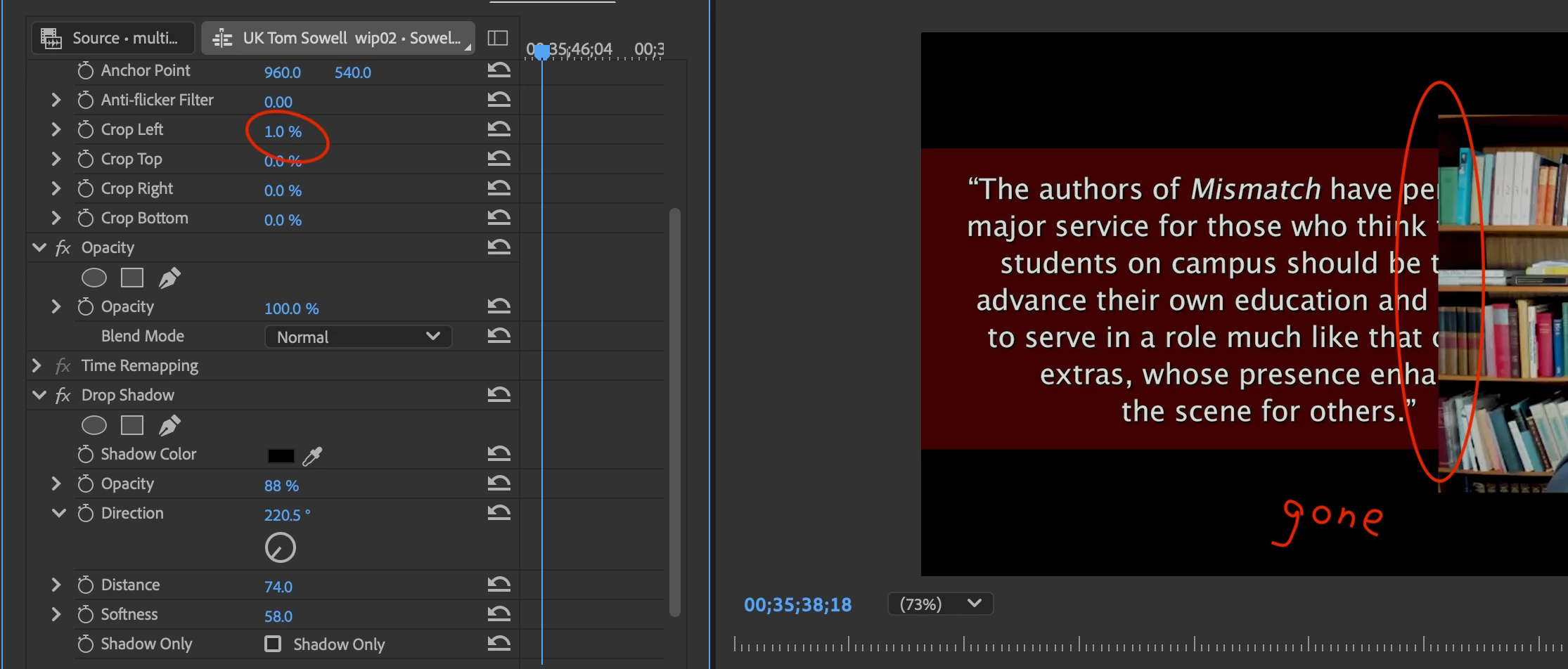
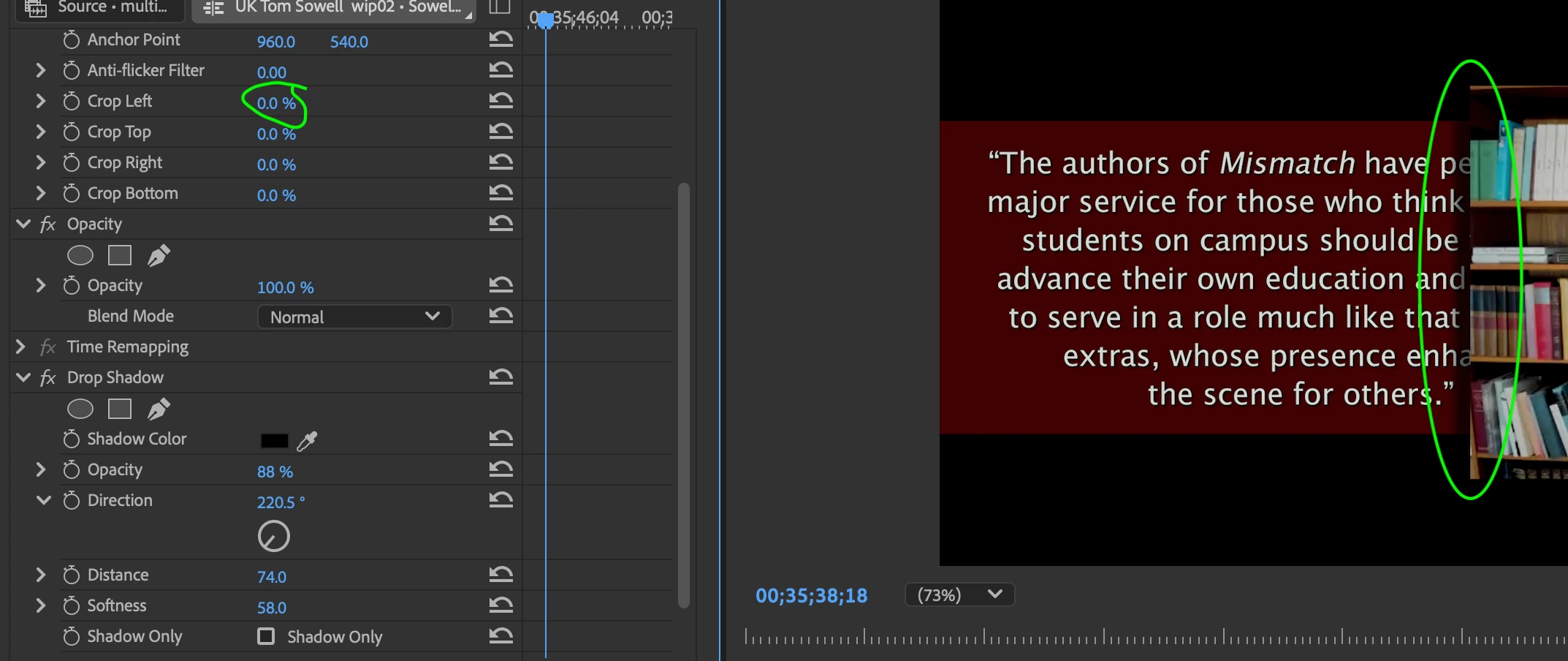
I have a drop shadow on a resized Multiclip.  If I engage the new 'Crop' inside the Motion panel, it eliminates the drop shadow.  So, 0% crop – the Drop Shadow is fine. But at 1% crop the shadow dissapears.


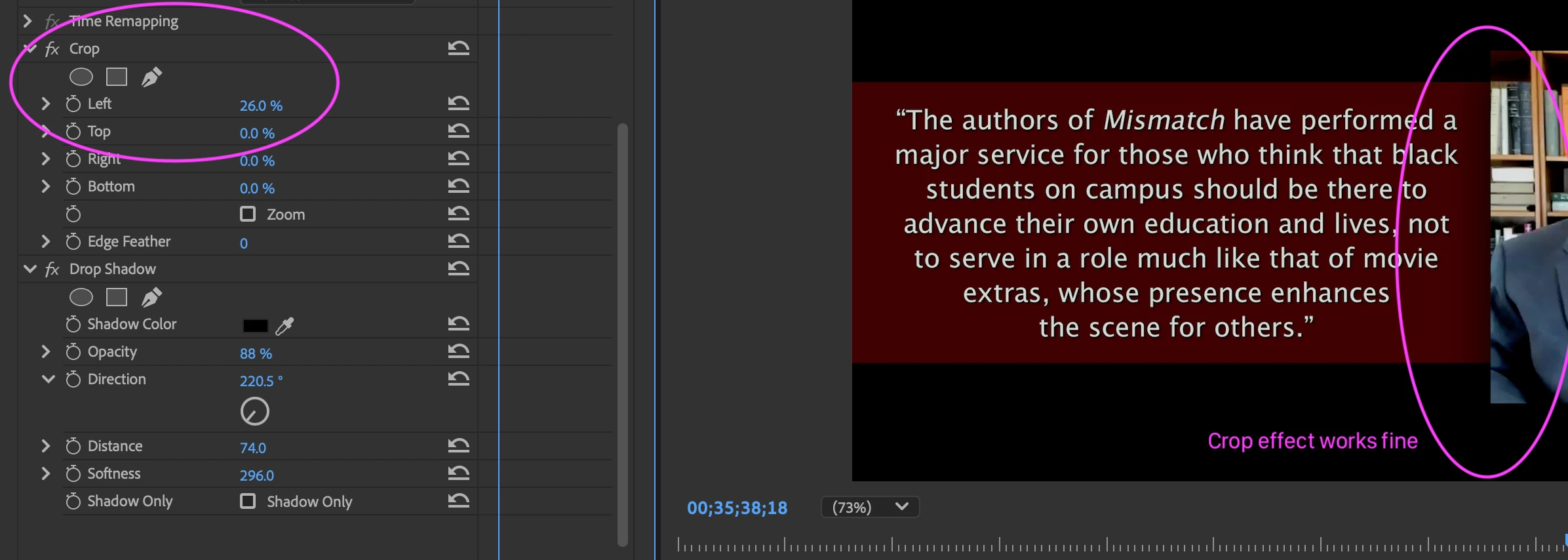
This is not an issue with the older 'Crop' effect that is drag and drop.  That builds out just fine above the Drop Shadow and works as expected.
 

Correct answer Ann Bens

Its not a bug: its by design.

If you want to use the drop shadow effect, you will have to use the crop effect from the Effects Panel.


Drop Shadow effect doesn't work if using new Crop ... - Adobe Community - 14865800

Please read Mike Berry's answer.

1 reply

Ann Bens
Community Expert
Ann BensCommunity ExpertCorrect answer
Community Expert
April 6, 2025

Its not a bug: its by design.

If you want to use the drop shadow effect, you will have to use the crop effect from the Effects Panel.


Drop Shadow effect doesn't work if using new Crop ... - Adobe Community - 14865800

Please read Mike Berry's answer.