
Participant
May 23, 2021
Question

cropping an image used as a layer in essential graphics

  • May 23, 2021
  • 1 reply
  • 2600 views

Hi, I'm new to Premiere Pro and I can't figure out if this is possible, and if so, how to do it.
I want to be able to add an image as a layer to a text (clip) I'm editing in essential graphics panel, and then to crop it.
I tried to add the crop effect to the image in the effect controls panel, but it is added and applied to the whole screen frame and not the wanted image.

What am I doing wrong?
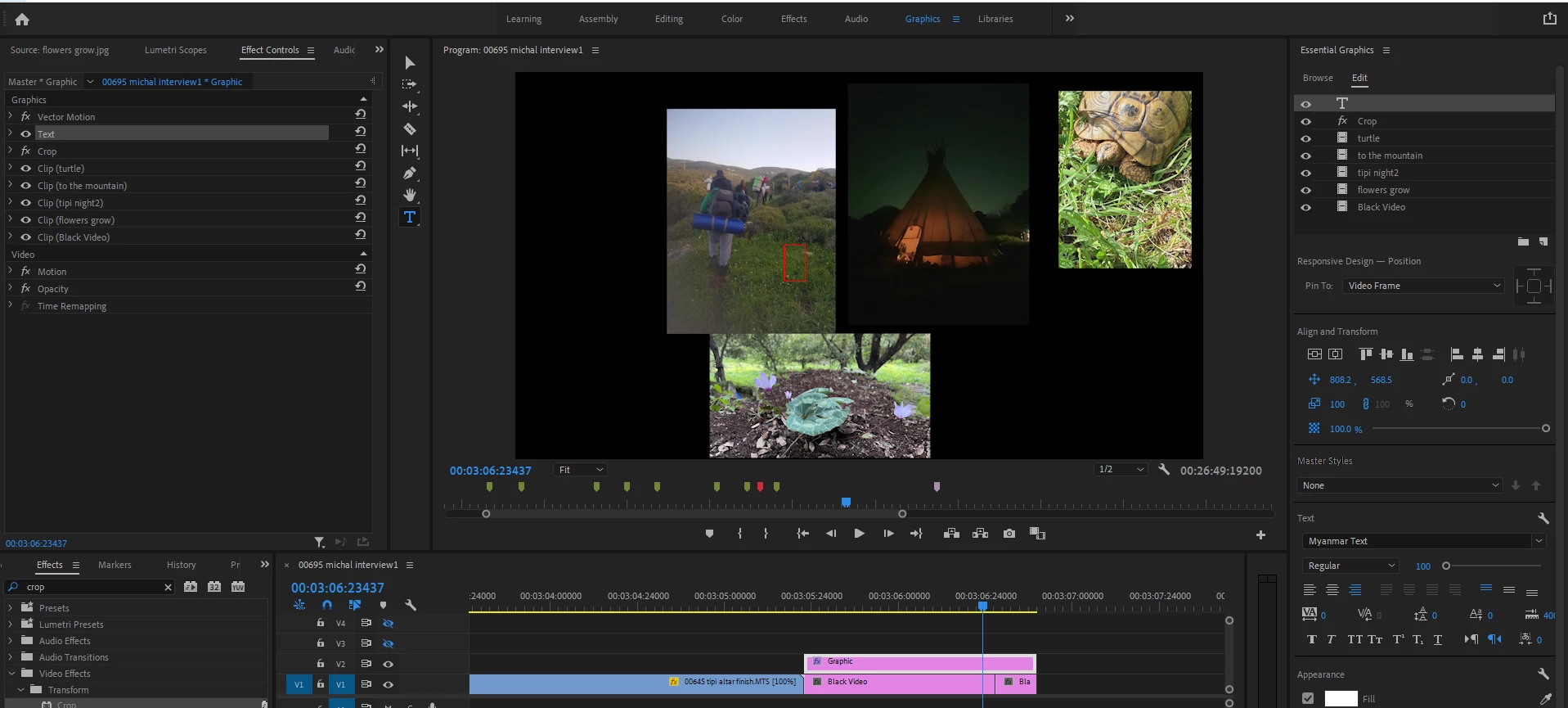


Thanks!

This topic has been closed for replies.

1 reply

Ann Bens
Community Expert
Community Expert
May 23, 2021

Put the image at the bottom of the stack and the crop just above

An39Author
Participant
May 30, 2021

Hi, thank you for your help! I tried it , but the crop still applies to the whole screen and not the image 😕😕 any more ideas?

Ann Bens
Community Expert
Community Expert
May 30, 2021

Put clips in timeline instead of Ess Graphics.

Put crop in image.