Answered
Crossfade does not work.
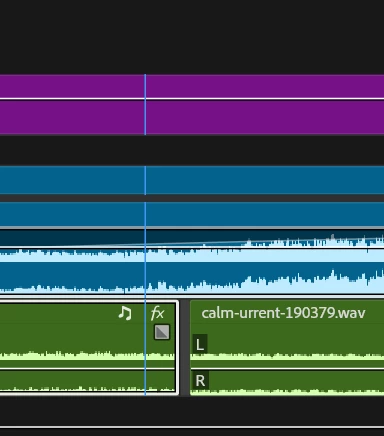
I need to make Crossfade, but for some reason the paths cannot become next to each other. This is the middle of the track if that

I need to make Crossfade, but for some reason the paths cannot become next to each other. This is the middle of the track if that
Close the gap first (might be due to using Audio Units) then add the crossfade.
Please next time show a little bit more screenshot of the timeline such render bar and header.
Already have an account? Login
Enter your E-mail address. We'll send you an e-mail with instructions to reset your password.
 AdChoices