
Participant
October 3, 2019
Pregunta

CS6: Videos are looking jerky when uploaded to Youtube

  • October 3, 2019
  • 2 respuestas
  • 543 visualizaciones

Hi All,


I have a video 1080 23,976f and ive followed loads of videos around best export settings for you tube uploads but im seeing a regular jump/jerk every few seconds of so, like a frame is dropped but my sequence settings are good also video. Its really bugging me as Ive done loads of work to get it looking smooth and just cant quite nail it. Export looks great on desktop and watching with very fast internet connection.


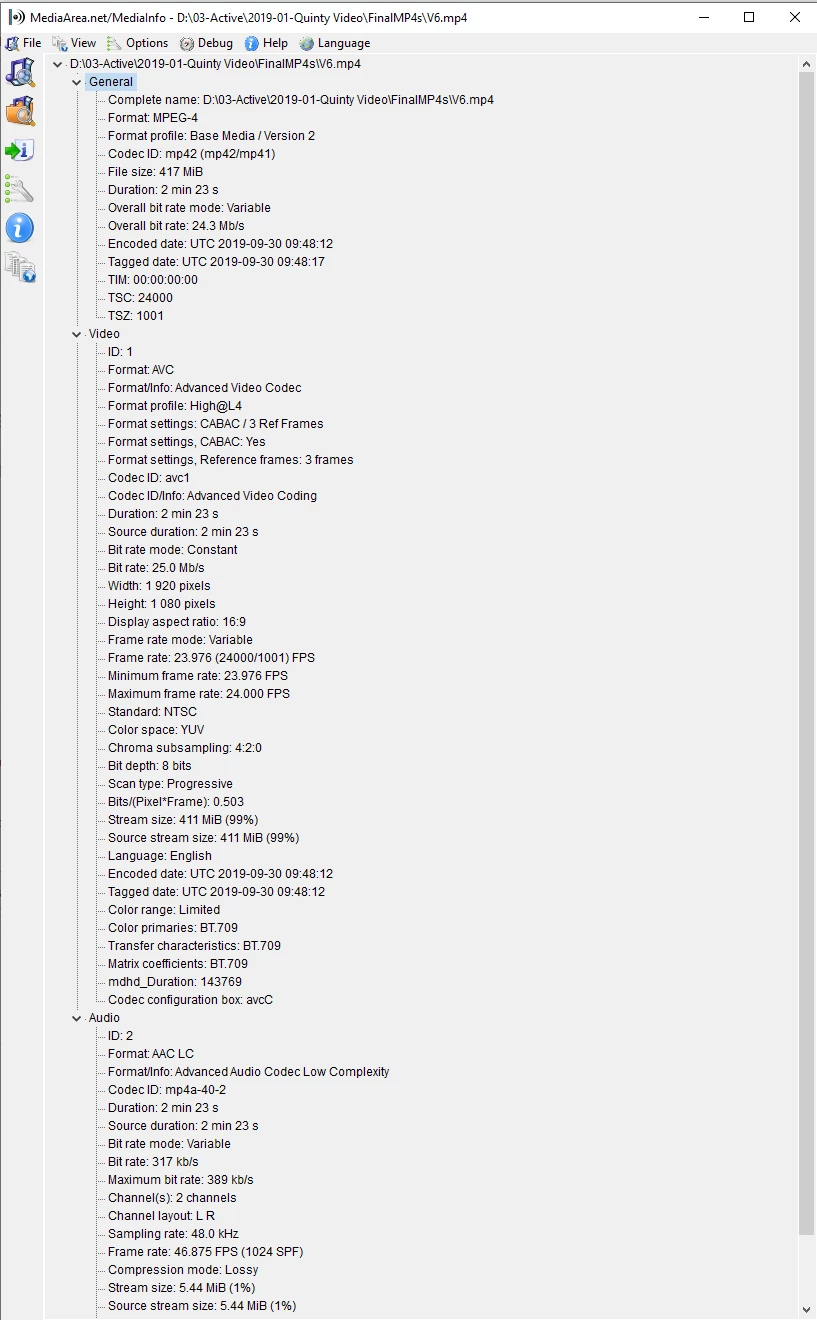
Below id a media info grab of the video after export. Any ideas? Im using premiere pro cs6 

Link to video

https://www.youtube.com/watch?v=GCC_McIs8-4


Thanks so Much!!!!


    Este tema ha sido cerrado para respuestas.

    2 respuestas

    Ann Bens
    Community Expert
    Community Expert
    October 3, 2019

    Turn off max depth, max render if you have a dedicated gpu.

    Is the source 23,97?

    Panning in such low framerate is a bit of a pita. Need to do that very very slow.


    Ann Bens
    Community Expert
    Community Expert
    October 3, 2019

    Have to wait some time before a movie is fully processed.

    Upload again. YT does not always gets it right the first time.

    Post link to the movie to see if we also see your issue.

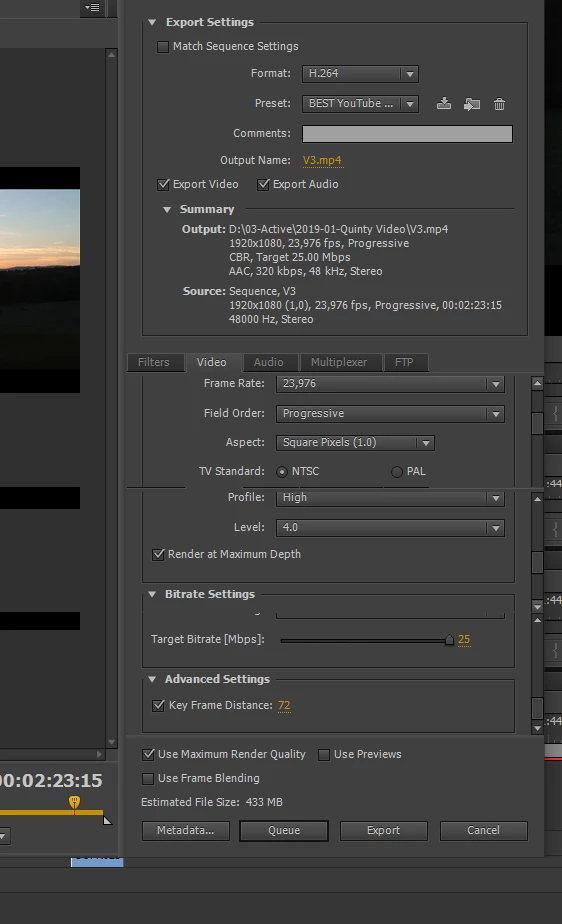
    Post screenshot of export settings.


    Did you make this movie with AME as the framerate mode is variable.

    Might want to make the source footage constant framerate before importing in to CS6.

    kier4nfAutor
    Participant
    October 3, 2019
    Added. Thanks so much!