nird94742797
Participant
May 10, 2018
Answered

Curved titles

  • May 10, 2018
  • 5 replies
  • 17215 views

Hello to all!

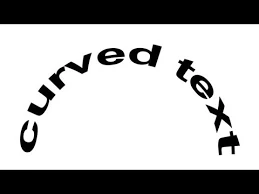
How do i create curved titles in essential graphics (cc 2018)

Thank you!!!

    This topic has been closed for replies.
    Correct answer premieregal

    Hi! For now, you can only do this in the Legacy Title Tool. Go to File > New > Legacy Title

    And use the Path Type Tool.

    5 replies

    Participant
    March 16, 2022

    I so hope that the path type tool will return to Premiere Pro.  Why remove tools in later versions Adobe I just don't get why you would make your customers work flow more difficult!

    Participant
    May 6, 2022

    Julie I agree its stupid. Adobe and all the other tech geeks are more like savants. Good at what they do in one specific area but flat out stupid in common sense areas. Parts of the gray matter just arent there. Apple does a great job at that like the two way flashlight on the phone (that is if you can turn it on without it bouncing away from your finger like the camera icon does for some crazy programming reason). You hit the flashlight button but the phone screen light continues to stay on blinding you while you try to use the "flashlight". Not ONE of those apples can figure out how to shut the screen light off when the flashlight goes on?? Then IF you want the screen on just tap it. Just a classic example of the tech geeks are way way WAY too cocky about the ability of AI and how it will take over......right just like the killer tomatoes took over NY. Keep on trying kids.....

    Participant
    February 25, 2022

    Ok, so now it's 2022 and Adobe is closing shop on Legacy Titles, which I'm totally fine with. BUT I still need to make curved text in Premiere, is there a way to do this with Essential Graphics now? Adobe has said that all the features of Legacy Titles will be available in Essential Graphics. It's just such an extra step to make the title in Ps or Ae. 

    R Neil Haugen
    Legend
    February 25, 2022

    @Ann Bens has posted about doing that, I think using another effect couple with the grahics.


    Neil

    Everyone's mileage always varies ...
    Ann Bens
    Community Expert
    Community Expert
    February 25, 2022

    Very limited but with some VR and Lens distortion effect you can fake it.

    Participant
    October 1, 2020

    For some reason when i go into the Legacy Titler, curved text buttons, and vertical text buttons are grayed out and when you hover above it , it says "Not supported by Indic". Any ideas?

    Ann Bens
    Community Expert
    Community Expert
    October 1, 2020

    I think the message is quite clear......

    Use Ae or Ps instead.

    Participant
    October 1, 2020

    What does Indic mean? Because there are tutorials of people doing it in Premiere...https://www.youtube.com/watch?v=Qks2BeK2znQ&ab_channel=chungdha 

    R Neil Haugen
    Legend
    May 11, 2018

    To stay within PrPro, PremiereGal is right.

    If you go over to AfterEffects, though ... you have far more controls for such things.

    Neil

    Everyone's mileage always varies ...
    premieregal
    Community Expert
    premieregalCommunity ExpertCorrect answer
    Community Expert
    May 11, 2018

    Hi! For now, you can only do this in the Legacy Title Tool. Go to File > New > Legacy Title

    And use the Path Type Tool.

    Participant
    January 22, 2021

    Hello. I'm trying to create a curved text in premiere pro. After creating the path and typing. The words are horizontal and not vertical. How can I fix this please