
AlexHU
Participant
August 19, 2019
Question

Customized workspace layout bugs (dual monitor)?

  • August 19, 2019
  • 3 replies
  • 837 views

Greetings,

I customized a layout and saved it as new workspace.

Then I saved the project and close it and open it . The layout is as same as I expected.

However, if I close the project , I create (New) a project and the layout is not as expected.

The layout I expected is the Project panel is float on the second monitor on the left:
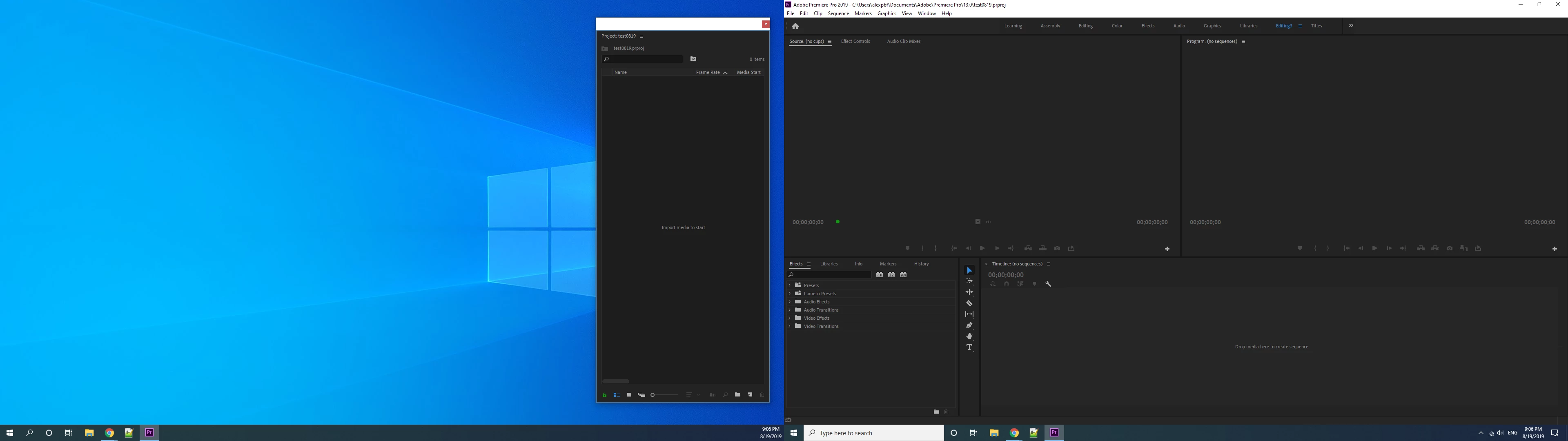
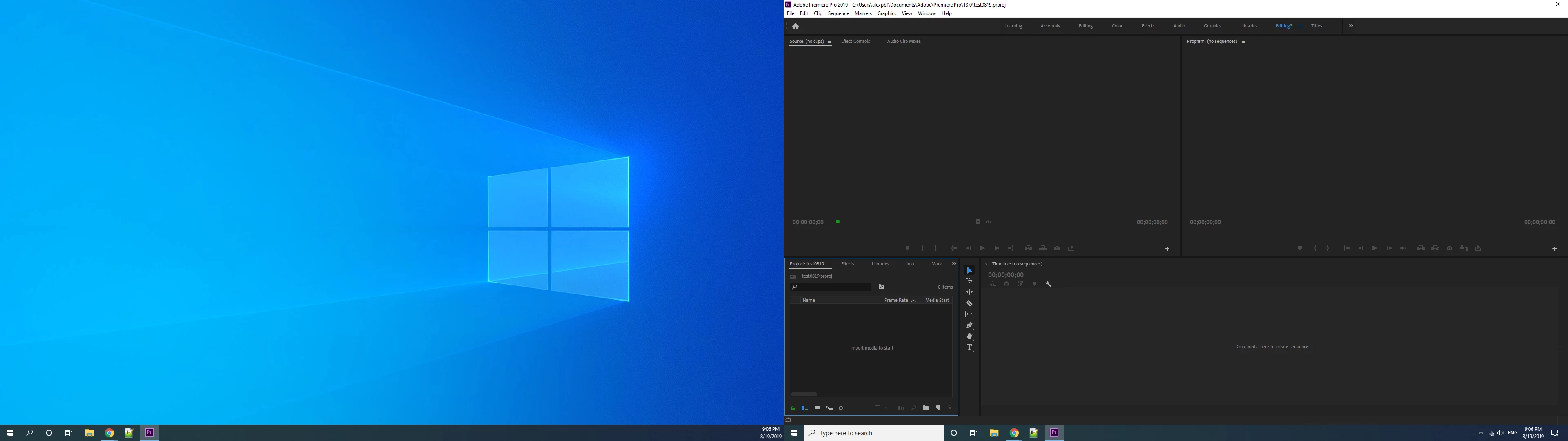
but it's still on the main monitor as picture shows below whenever I start with a new project:
I'm using the latest Pr CC 2019

I'm using the latest Windows10 build

There's no such problem while I was working with CC2018, although it's different pc.

Anyone knows how to resolve it ?

This topic has been closed for replies.

3 replies

Rob Ainscough
Inspiring
January 15, 2020

Did you ever get any solution for this?  I've inquired and got ZERO response ... is that a direct contact line/phone/email?


Cheers, Rob.

Jeff Bugbee
Community Expert
Community Expert
August 19, 2019

What happens if you load Window - Workspaces - Your Work Space?

R Neil Haugen
Legend
August 19, 2019

What's the option set to for importing layouts to new projects?

That may have changed between versions.

Neil

Everyone's mileage always varies ...
AlexHU
AlexHUAuthor
Participant
August 20, 2019

It's checked by default.  Even I unchecked it, the result is same.

also reply to Jeff Bugbee

I saved the layout. New a project , it loads the the workspace . Even I load other one and load it back , it's still the same.

I've tested it . There's a bug that I can't only drag the project panel to the second monitor .

I need to drag the effects panel along with the project panel.Then the layout is saved.

Otherwise the project panel is always grouped with effects panel on the main monitor every time I start a whole new project.

Rob Ainscough
Inspiring
December 13, 2019

I'm having this exact same issue in PP 2020 ... for some strange reason the Effects panel does NOT want to be separated from the Project panel regardless of my saved workspace and/or projects.  It's a 50/50 unfortunately, sometimes it works correctly sometimes it doesn't ... posted my thread here: 

https://community.adobe.com/t5/premiere-pro/saved-workspace-layout-not-restoring-correctly-3-monitor-setup/td-p/10801133


There doesn't seem to be any conclusion to this issue and it remains present in 2020.


Cheers, Rob.