
Participating Frequently
March 27, 2023
Question

DaVinci Resolve LUT not working properly in Premiere

  • March 27, 2023
  • 1 reply
  • 2751 views

Hello

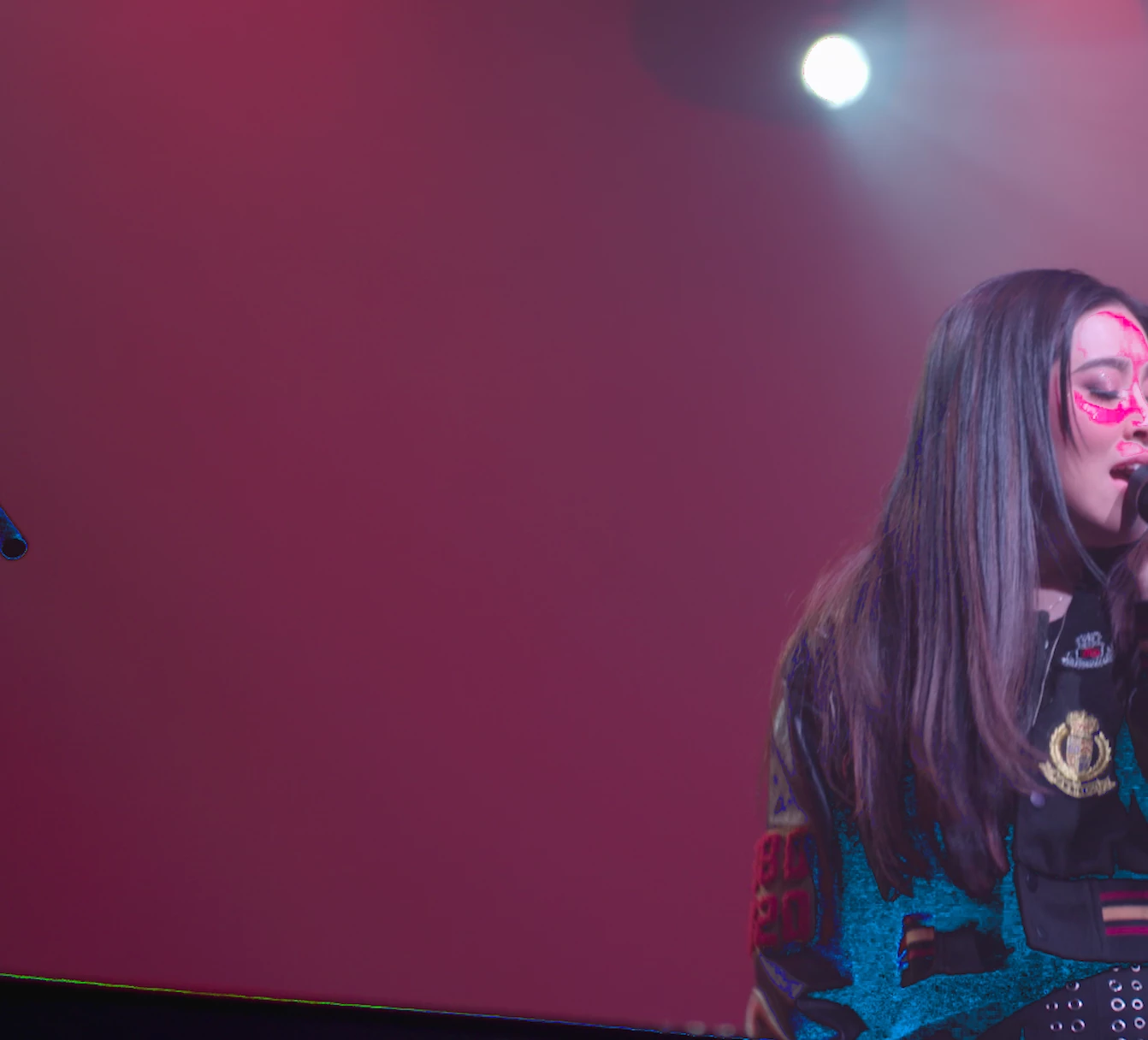
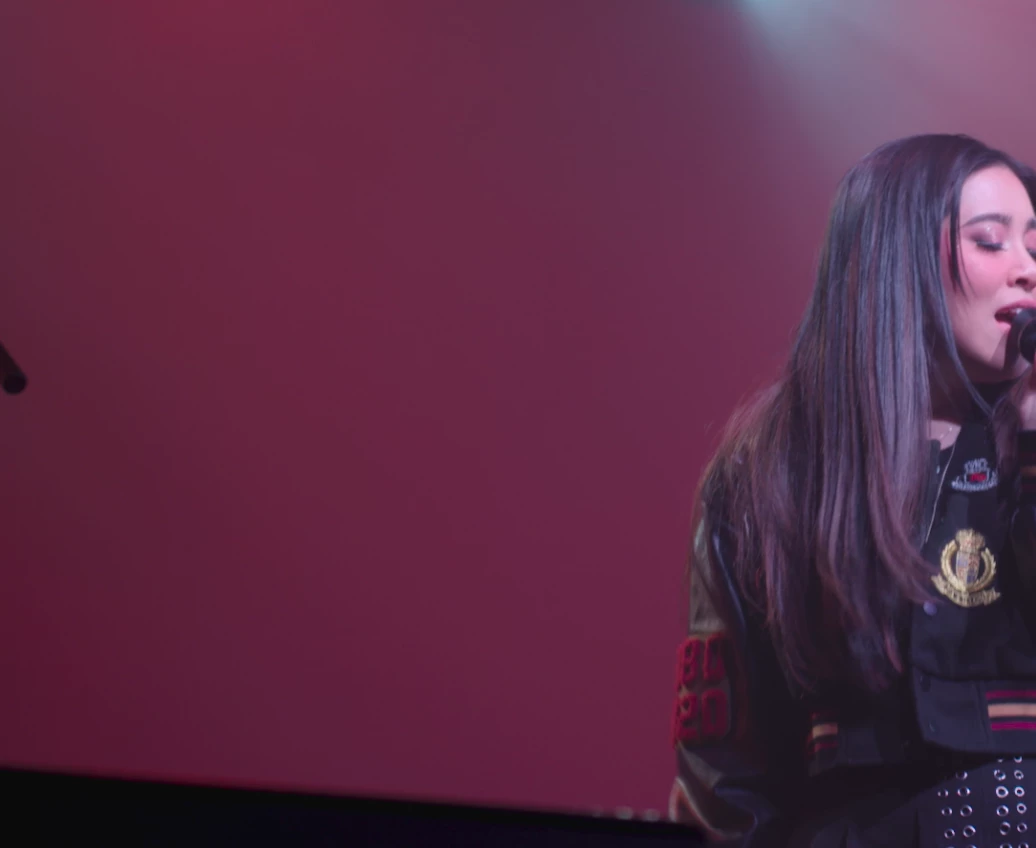
When I import my LUT that was created Davinci Resolve it creates color on the footage that is too extreme.

I've tried creating 17, 33, and 65pt cube LUTs... they all create different, but similar effects. Almost like a posterized effect.

I've tried importing the LUT with the Lumetri effect as well as through the interpret media tool.

Any ideas on how I can get Premiere to recognize the LUT properly?

Thanks very much

The top image is when the LUT is imported in Premiere
The bottom image is a screenshot from the same LUT in DaVinci Resolve


This topic has been closed for replies.

1 reply

R Neil Haugen
Legend
March 27, 2023

What is the color space setup in Resolve? Media, timeline, monitor?


And what color tools did you do what with in Resolve?


And this is for Rec.709 in Premiere?

Everyone's mileage always varies ...
martycgAuthor
Participating Frequently
March 28, 2023

Thanks, I'll try to answer as best I can...

Resolve's project/color settings are set to Rec.709 same with Premiere
The footage was show in raw.
The monitor is an Apple Studio Display.

I plan to just make the adjustments in Lumetri, but if you figure it out, it would be greatly appreciated!

R Neil Haugen
Legend
March 28, 2023

What color settings/tools did you change in Resolve to create the 'look' you were trying to capture in the LUT?


Neil

Everyone's mileage always varies ...