
November 6, 2016
Question

(De)interlacing problem in CC

  • November 6, 2016
  • 1 reply
  • 1569 views

Hello everyone,

Videocamera is Sony HVR Z1. I recorded footage in 1080i (50i). My problem is when i try to deinterlace the footage i still get a color ghosts. I tried deinterlace it in field options and while exporting changed to proggresive, but stil got the same results. The strange thing is that in CS3 it works fine, but in CS6 and CC doesnt.

You can see the ghost on the left hand. It looks like the ghost is part of interlaced footafe so the deinterlacing option doesnt work for me.
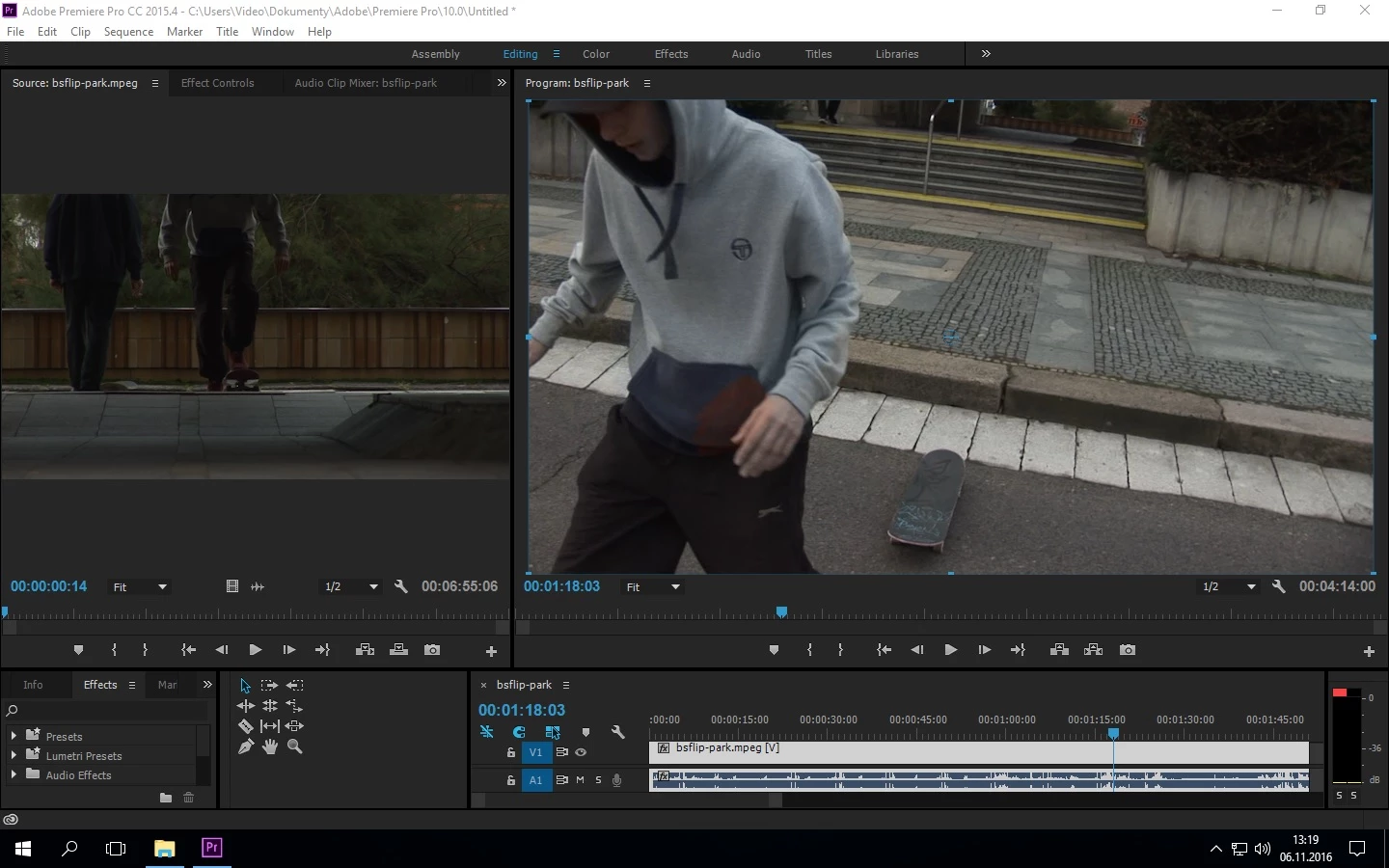
Thanks for your help!!!!!!!!!!!!

This topic has been closed for replies.

1 reply

Ann Bens
Community Expert
Community Expert
November 6, 2016

Make sure the sequence setting matches the footage.

Dont deinterlace on the timeline, do it on export by making it progressive.

What is the final destination of the file?

If the movement of the hand is very fast you will see ghosting you wont fix that with deinterlacing.

Set playback to full and set it to first field.

November 6, 2016

Yes settings are ok.

I tried make it progressive on export even before..no results

Destination is deskop and yeah theres always some ghosting when the movement of camera or object is too fast, but this is different, the red ghost above the hand shouldnt be there, because when I deinterlace or make it progressive in old version CS3 its just clean and deinterlaced like it should be. I even tried to export it as interlaced footage in CC and then the same file export in CS3 as deinterlaced, but still the same.

Ann Bens
Community Expert
Community Expert
November 6, 2016

Can you upload the original file to test?