
DE-NEST NESTED AUDIO TRACK DUE TO MULTI CAM EDITING MODE FOR AAF EXPORT
Hi everyone,
I am currently editing a project possessing 6 video tracks and 6 audio tracks, synched. To make the edit faster and smoother, I used the multi-cam editing mode, which nested all video and audio tracks. I now only have one video track and one audio track. I was able to edit perfectly, however, my sound designer now asks me an aaf export of the edit, and requires all 6 sound tracks, not being nested into one, in order to be able to do the sound design. However, I am stuck with the nested sequence, and do not know how I can get back my 6 sound tracks in the edited project. Any ideas ? Thanks 🙂
PS: I attached snap shots of the timeline before multicam mode and edit - and the final edited sequence, using multi cam mode, hence having 2 nested tracks.
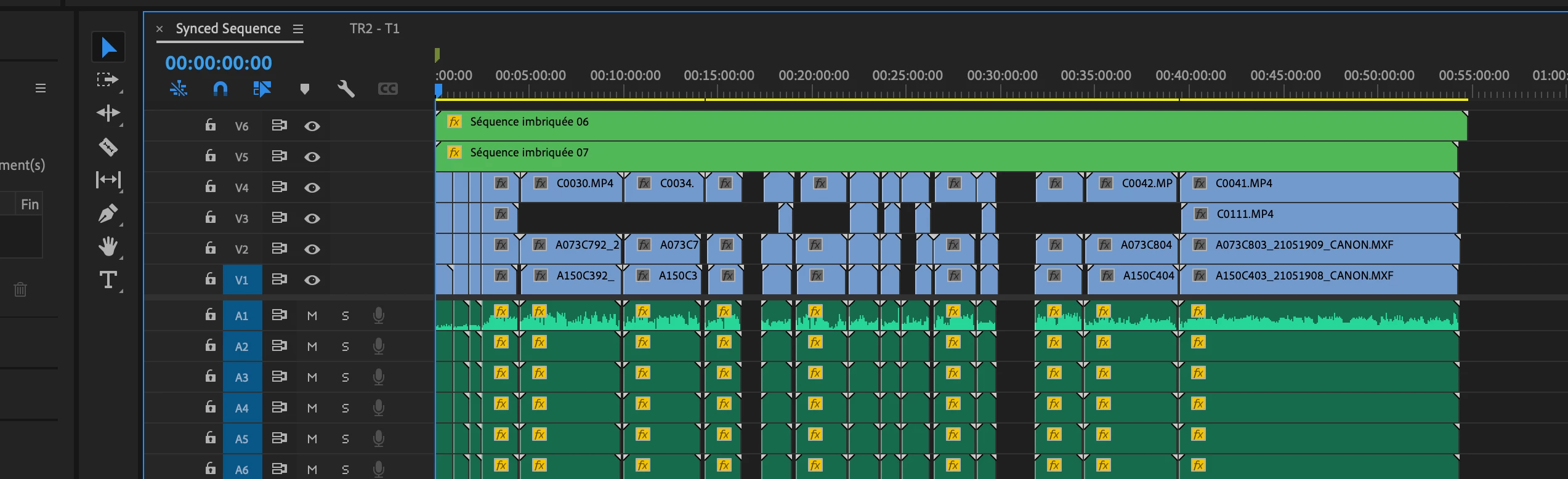
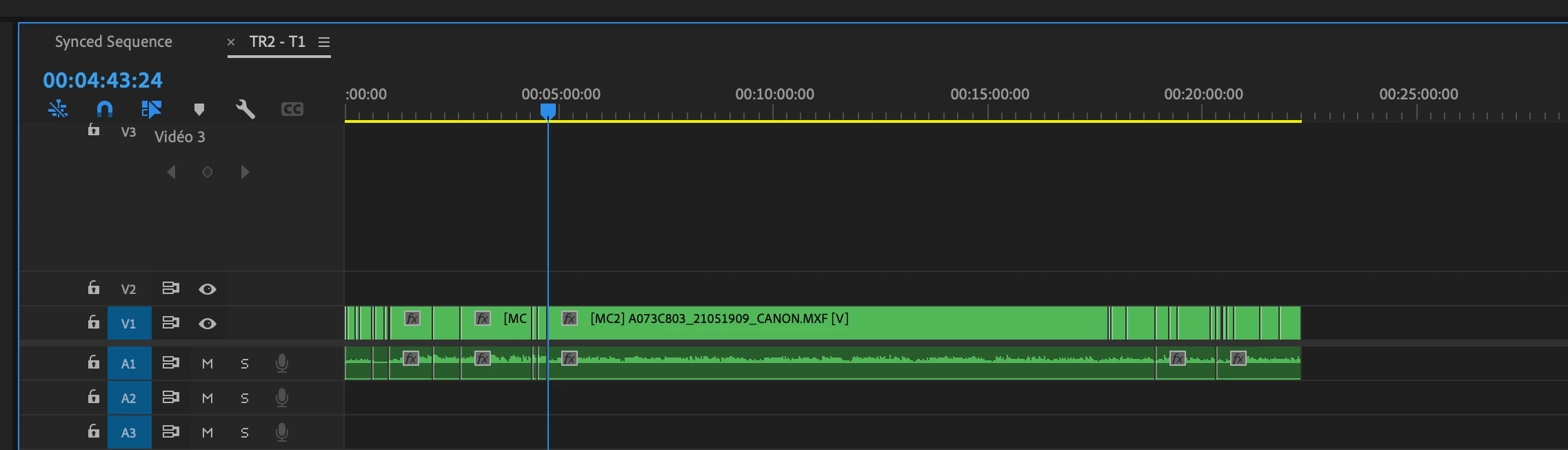
Best,
Lucas
 AdChoices