This topic has been closed for replies.
Correct answer Meg The Dog

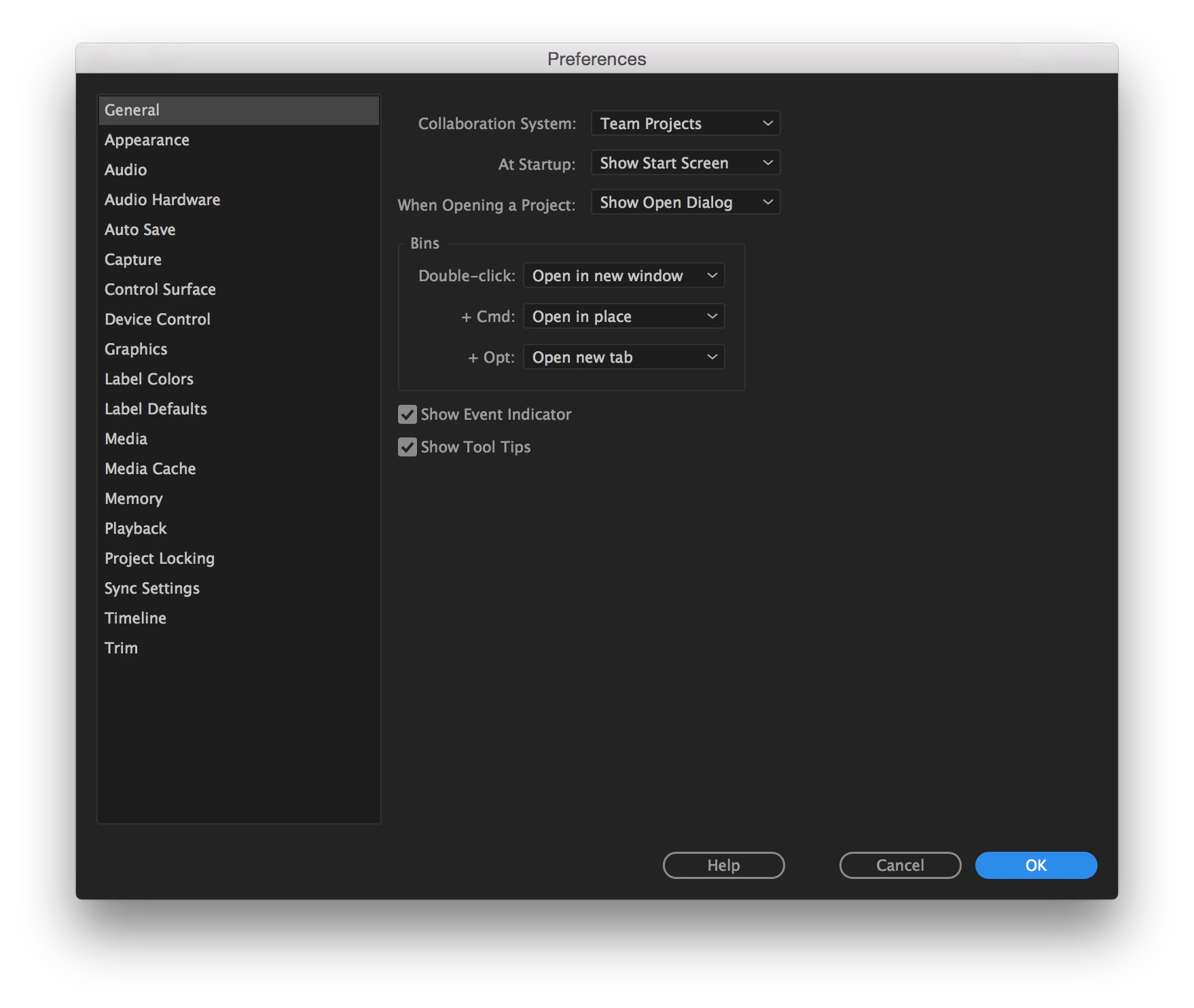
In the latest version of Premiere Pro:
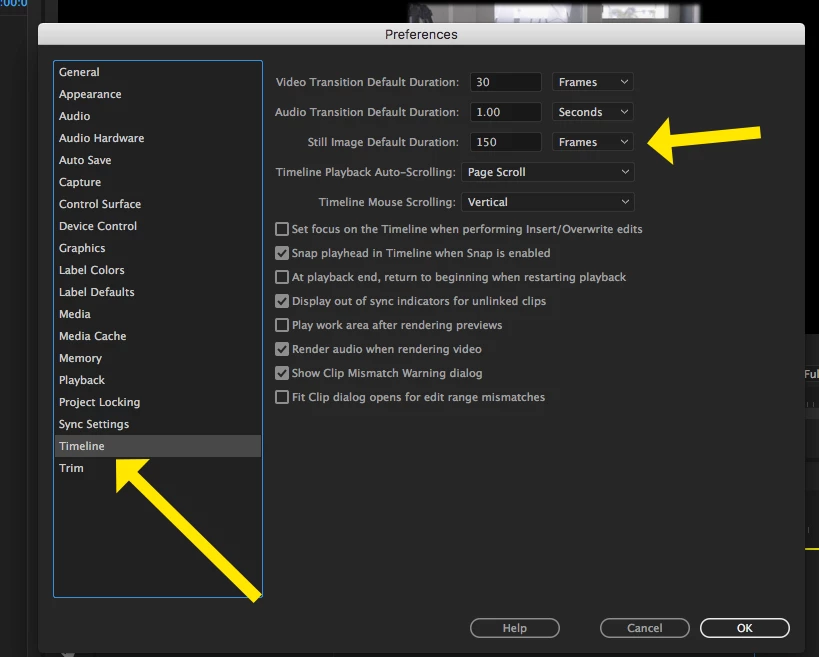
MtD

1 reply

Meg The DogCorrect answer
Inspiring
May 14, 2017

In the latest version of Premiere Pro:

MtD

Participating Frequently
March 1, 2018

BIGGEST problem with this seems to be that it is only applied to still images imported into the project AFTER you've made this change to the duration. If you imported an image into the project, without placing it on the timeline, and then change the duration before you put it on the timeline... it won't affect that image. I changed my duration to 1 frame, and the images I imported before that change still go on the timeline at 5 seconds/still. It's a very stupid way of handling it when you're working on multiple machines and importing tens of thousands of images. It's very frustrating. We should be able to change the duration, and drag any still at any time onto the timeline and have it adjust the still to that duration.

RuneKarlsen
Participant
March 7, 2018
  1. Select the stills in Bin
  2. Right click and select "Speed/Duration"
  3. Set duration