
stefanocps
Inspiring
February 9, 2020
Question

delete background

  • February 9, 2020
  • 2 replies
  • 622 views

Hello

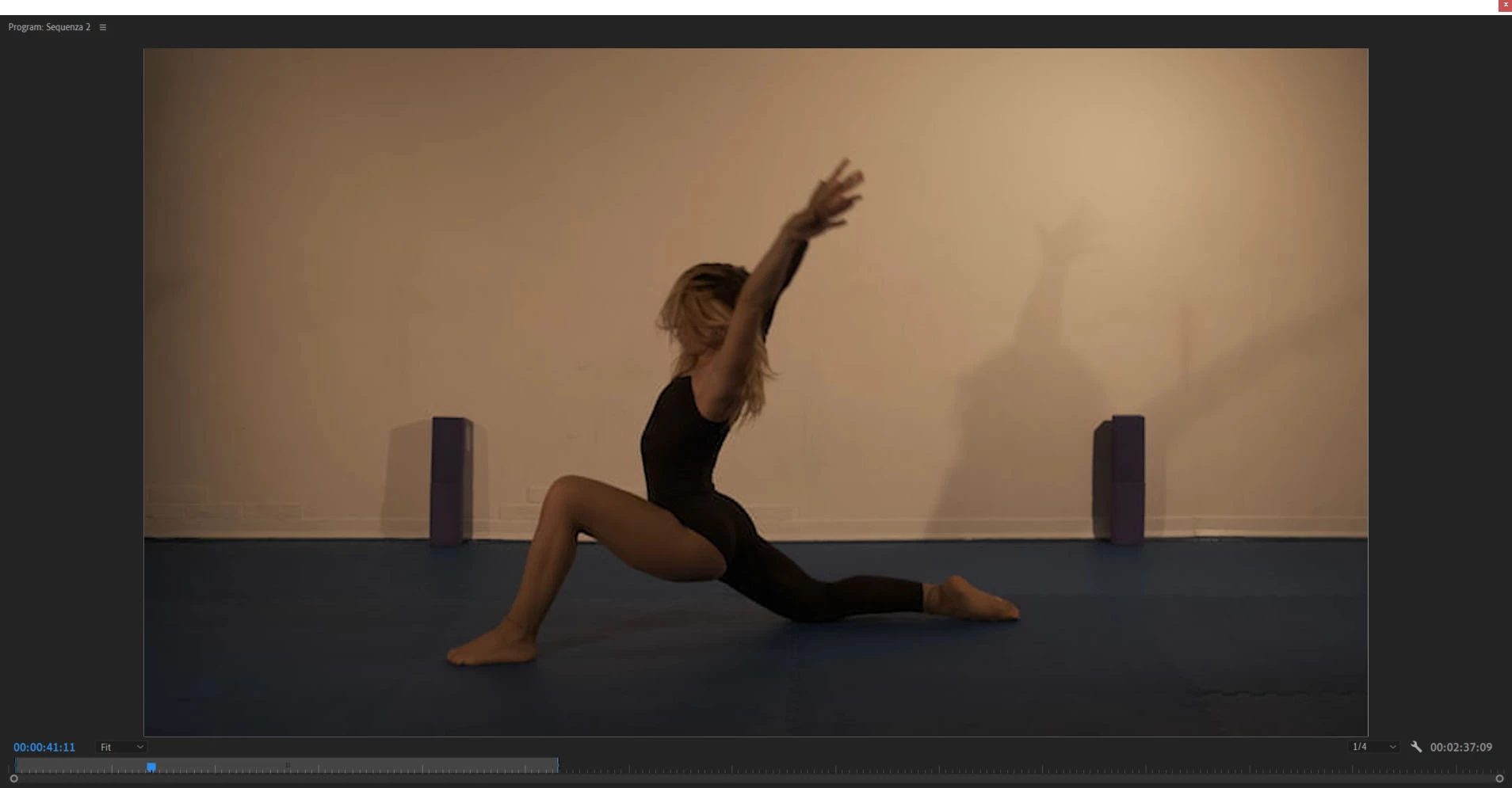
i have a footage with a background problem

I want to delete and be able to substitute with anything else, a color matte or any other kind of image or footage

The situation is difficult as did not shot planning to do that

Ihave done already some experiment, i see that if i kind of "spoil" the image of the dancer i might be able to delete all

So i say, i don t mind to have a kind of stylized figure for the dancer, could bve kind of videoart effect

But i want to delete the background

I attach a screenshot

Any help of different suggestion are welcome

thanks a lot
This topic has been closed for replies.

2 replies

stefanocps
Inspiring
February 11, 2020

about this photo

i want to use 2 mask for the 2 object in the back, those rectangula box

I put a mask on the first, on the left, to "delete it" and this is ok

Then i create a second mask for the pobject on the right but it has no effect

Why?

Ann Bens
Community Expert
Community Expert
February 9, 2020

To me that looks nearly impossible.

Background is very much skin tone so you probably cannot use Ultra key.

Rotoscoping would be a tremendous amount of work.


Reshoot?

stefanocps
Inspiring
February 9, 2020

reshoot is aalmost more impossible to get something out from it

I have applied several ultrakey and i am almost close to somehting usable.Of course body is not clean, have some fx at tomes and all the edges of the image are not perfect..but i can accept that, i could transform in something like oniric daNCE.So i said even if the dancer get somehow effectd could be ok

stefanocps
Inspiring
February 9, 2020

this is a sample of what i could achieve, i did not spend that much anyway, so i think can do litlle bit better.In other part the backgrounbd is not so (almost) perfect, though

But i could live with something similar