Answered
Delete library in Premiere Pro CC
I mistakenly created two libraries with the same name. How do I edit or delete a library?
Thanks.
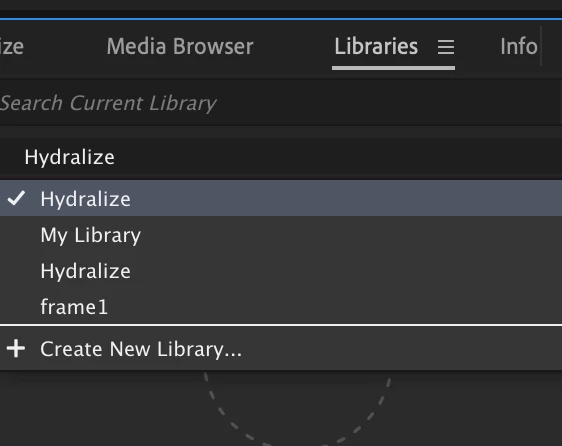

I mistakenly created two libraries with the same name. How do I edit or delete a library?
Thanks.
Hi Shortend,
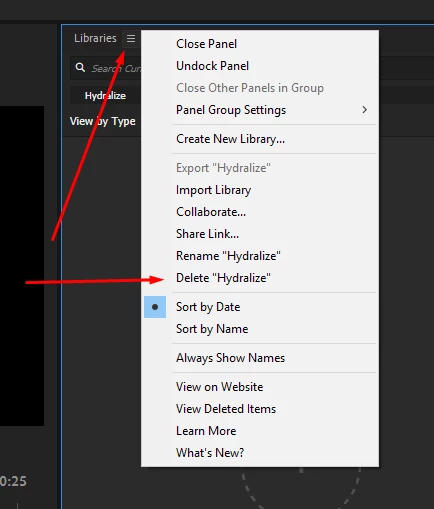
Click on the panel settings button and choose Delete "Library name".
Please let us know the status after trying.
Thanks,
Vidya
Already have an account? Login
Enter your E-mail address. We'll send you an e-mail with instructions to reset your password.
 AdChoices