
Dip to Black fades halfway through transition without being cut between 2 clips
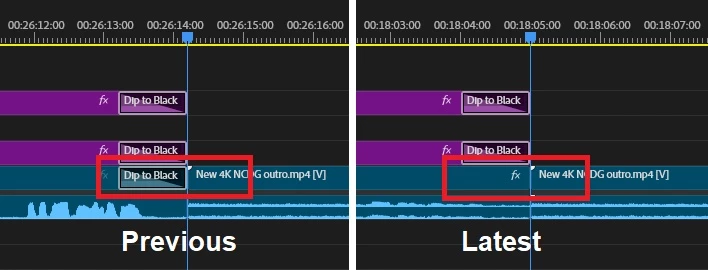
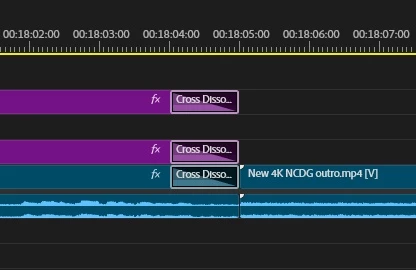
edit: This issue is resolved. How I resolved it is in my next post. Thank you everyone for your quick and informative responses!
I haven't edited a video in 2 weeks. Now when I try to use the Dip to Black transition effect on a clip to fade to black - the effect fades to black for half the transition, then fade out of black in the second half. I'm not putting half the transition on one video clip, and the other half on the other. It's supposed to end at the one clip. I can extend the clip to the end of the entire video and it works properly. Then move it back and it does it again. It doesn't matter when or where this effect is added. It only operates based on whether or not a video clip is next. I've attached an image showing this.
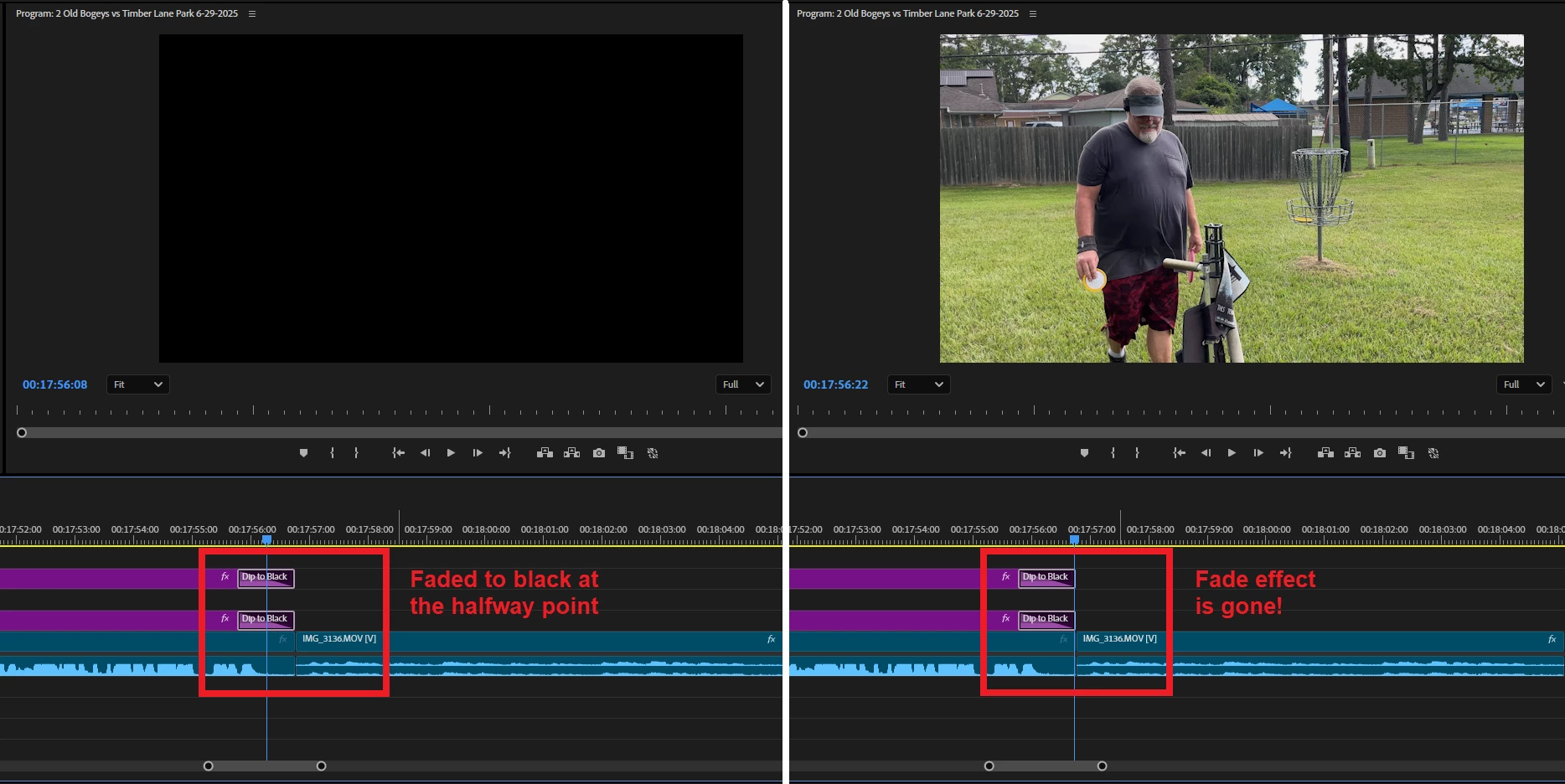 None of the previous Dip to Black fixes work on this issue, which is why I'm posting this new possible bug. You can't even go to Effects Controls, and change the Alignment. It already says End at Cut, but it's ghosted out. Additionally, there's no way to adjust the Start and End to fix this - they show it's starting at 0.0 and ending at 100.0.
If this change is intentional, it doesn't seem to have a workaround that I can figure out. I need a Dip to Black that dips to black and doesn't transition back from a halfway point. Thank you!
Premiere Pro Version 25.3.0 (Build 84)
Windows 11 Home
Version 24H2
OS build 26100.4484
 AdChoices