

Dip to White or Black transitions apply to Program Out instead of just between two clips
Premiere Pro ver 24.0.3 (Build 2) and 24.2.0.34 (Preview)
AMD Ryzen 9 5950X, X570 AORUS Master MB, 128GB RAM
NVIDIA GeForce RTX 4070 Ti
M.2 SSD 2 TB
Applies to various files and types working with 4:2:0 8-bit formats.
Windows 11 Pro Build 22621
This issue applies in both GPU Mercury Playback Engine GPU acceleration and Software emulation.
To recreate:
1. Create new project
2. Add any three clips.
3. Add any one clip to bottom layer of a timeline. (drag-and-drop to auto create)
4. Above, that layer, we are going to add the final two videos to create a picture-in-picture with a transition between them. So, resize them to 50% and leave enough handles for the transitions.
5. Add a cross-dissolve to prove it works as expected.
6. Change the transition to dip-to-white or dip-to-black.
EXPECTED: to just have the transition apply between the two clips.
ACTUAL RESULTS: dips to white or black apply to the entire Program output, not just the two down-scaled videos placed on a higher layer. It's as if applying a Matte on the top layer and dippig the opacity from 0 to 100% and back instead of between the clips.
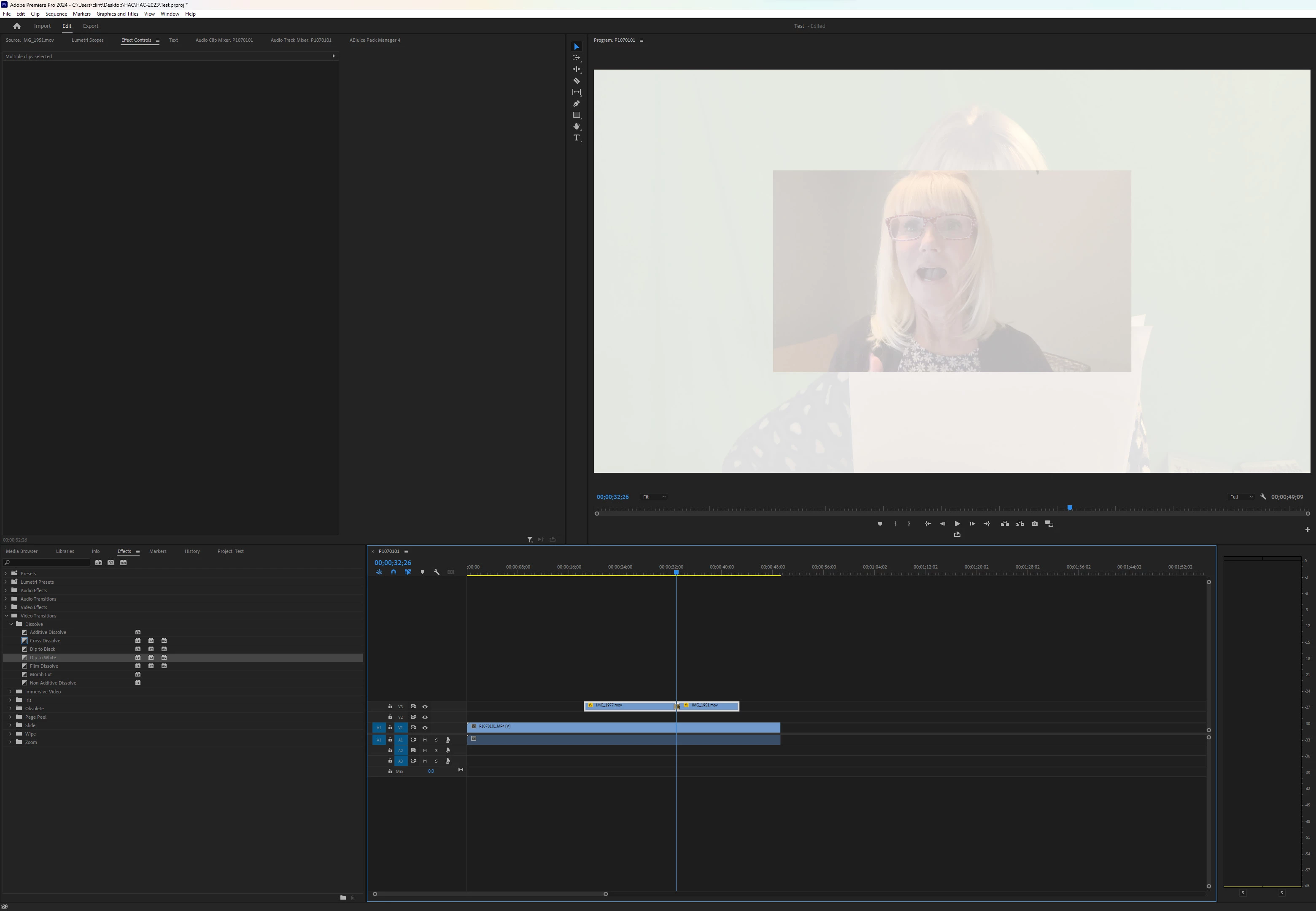
WORKAROUND: Nest clips. But this is inconvenient.
 AdChoices