
Participant
March 22, 2023
Answered

duplicate video clips in media bin

  • March 22, 2023
  • 2 replies
  • 1193 views

Premiere Pro 2023 -  Version 23.2.0 -  MacOS Monterey


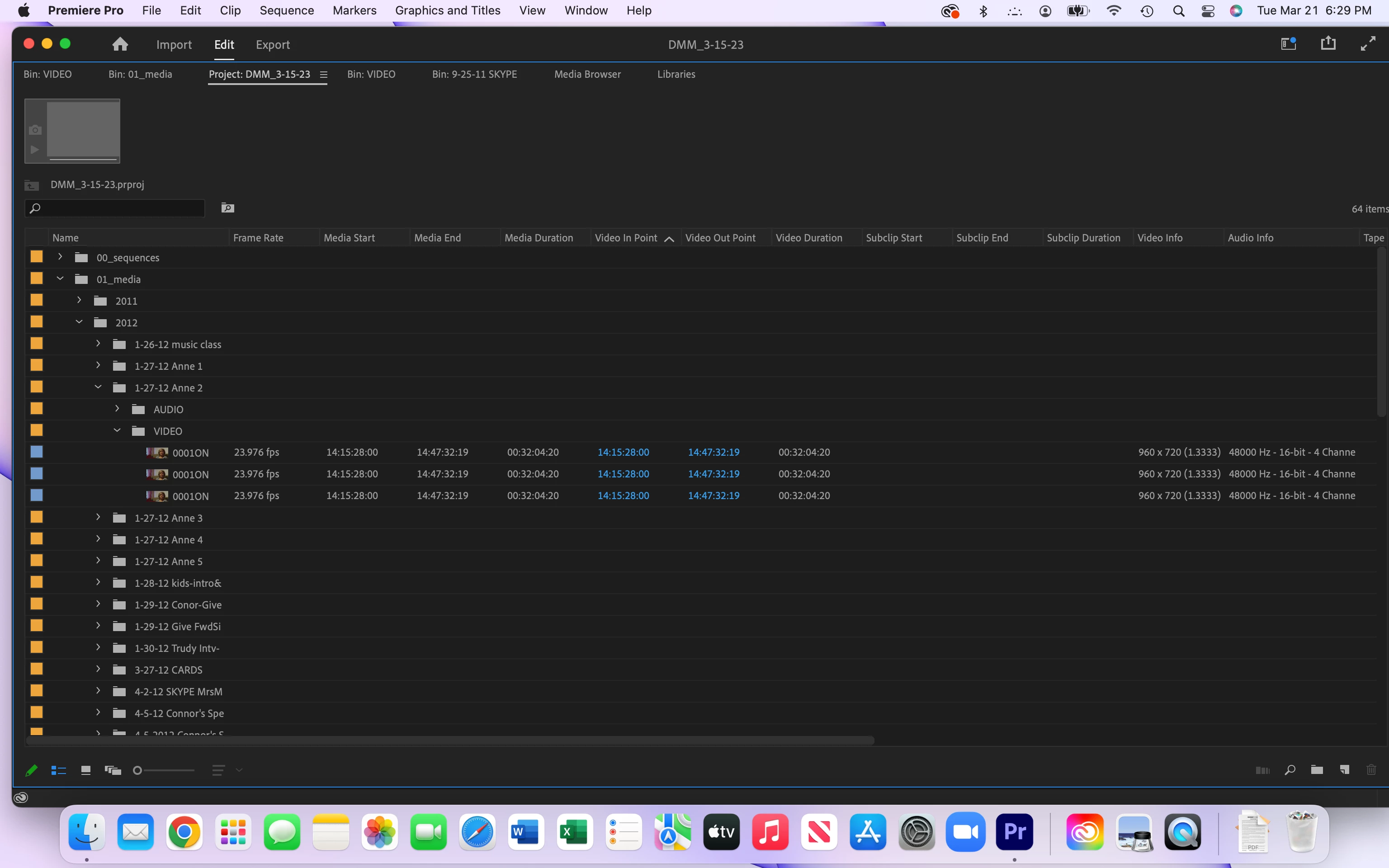
Finding duplicate and triplicate video clips in my media bin. First noticed when I saw them in timeline. Went back into media and deleted identical duplicates. Screen grab shows video bin with triplicate clips - but it happens with bins that have many video clips in them. 

FYI first time user of Premiere Pro. Came from FCP7. Holding my breath waiting for an answer since I deleted duplicates.

Thank you! Connie


This topic has been closed for replies.
Correct answer RobShultz

If you select one of those clips in your project panel there should be a drop down about by the preview icon telling you how many times it was used and you can click on the arrow and jump to those points in your timeline. If everything in the timeline is fine then you  should be OK.

2 replies

Participant
March 22, 2023

Rob, Thank you. I did see that. So, that's why I decided to delete the duplicates. (Any damage doing that?)

I need to redo quite a few timelines because the clips were also out of order from how they were shot. I resorted video in mediaby by video in point - 10 years worth! Whew... What in the world did I do to get this so screwed up? 

Really appreciate that you answered so quickly!

RobShultzCommunity ExpertCorrect answer
Community Expert
March 22, 2023

If you select one of those clips in your project panel there should be a drop down about by the preview icon telling you how many times it was used and you can click on the arrow and jump to those points in your timeline. If everything in the timeline is fine then you  should be OK.