
Exit
  • Global community
    • Language:
      • Deutsch
      • English
      • Español
      • Français
      • Português
  • 日本語コミュニティ
  • 한국 커뮤니티
0

Dv Capture Settings

New Here ,
Dec 30, 2019 Dec 30, 2019

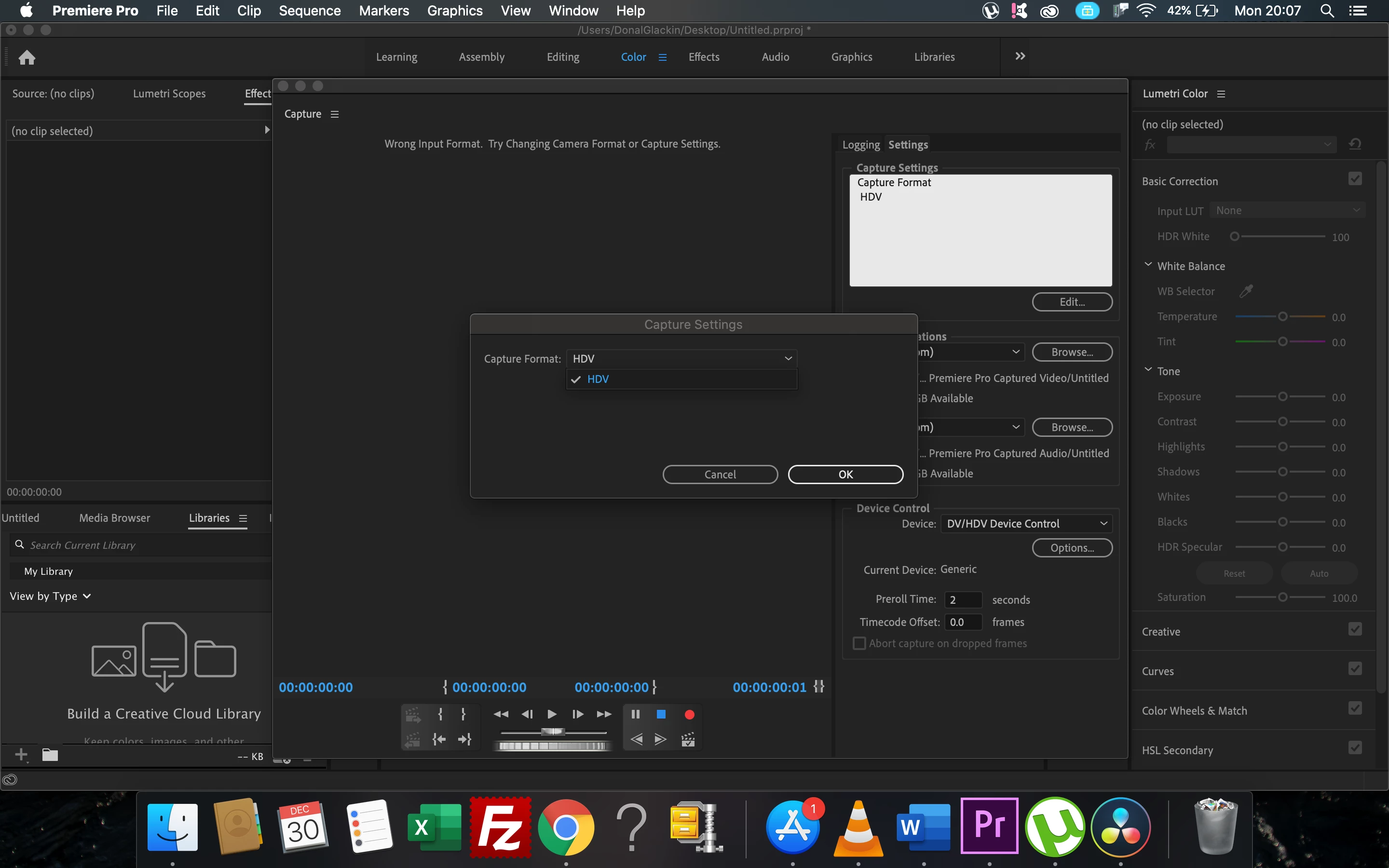
Hi Ive been trying to capture a bunch of old mini dv tapes i have, all the tutorials say that i need to hit dv in the capture settings i was just wondering would there be any reason why im not getting it as an option, im guessing i probably need to get some sort of dv codec, if so, does anyone know where i could get one.


thanksScreenshot 2019-12-30 at 20.07.17.png
TOPICS
How to , Import
1.6K
Translate
Report
Community guidelines
Be kind and respectful, give credit to the original source of content, and search for duplicates before posting. Learn more
community guidelines

correct answers 1 Correct answer

Community Expert , Dec 30, 2019 Dec 30, 2019

-i was just wondering would there be any reason why im not getting it as an option-

Because you are on a mac and probably using Catalina. DV is no longer supported.

Translate
Community Expert ,
Dec 30, 2019 Dec 30, 2019

-i was just wondering would there be any reason why im not getting it as an option-

Because you are on a mac and probably using Catalina. DV is no longer supported.

Translate
Report
Community guidelines
Be kind and respectful, give credit to the original source of content, and search for duplicates before posting. Learn more
community guidelines
Community Expert ,
Dec 30, 2019 Dec 30, 2019
Translate
Report
Community guidelines
Be kind and respectful, give credit to the original source of content, and search for duplicates before posting. Learn more
community guidelines
New Here ,
Dec 31, 2019 Dec 31, 2019

I am using a mac and catalina, is dv just not supported my premiere pro on mac anymore? i can get it going on imovie no problem but i find the process slow with the breaks on the tape, 

Translate
Report
Community guidelines
Be kind and respectful, give credit to the original source of content, and search for duplicates before posting. Learn more
community guidelines
Community Expert ,
Dec 31, 2019 Dec 31, 2019

just be aware that with timecode and/or control track breaks on the original tapes, you may have issues with audio synch.   Back in the day (in finalcutpro7 and earlier) you can set a preference to abort capture on timecode breaks.  Don't know if that's possible any longer.  You will also not be able to recapture the material with frame accuracy if you lose your captured media.  

Translate
Report
Community guidelines
Be kind and respectful, give credit to the original source of content, and search for duplicates before posting. Learn more
community guidelines
Community Beginner ,
Jan 13, 2020 Jan 13, 2020

Called support.  This is such BS. they said it was apples fault but it works on iMovie still. I have hundreds of tapes I need to archive and now I am stuck.  They (India Support) won't answer the question if it will be in an update.  Just talk in circles. 

Translate
Report
Community guidelines
Be kind and respectful, give credit to the original source of content, and search for duplicates before posting. Learn more
community guidelines
Community Expert ,
Jan 14, 2020 Jan 14, 2020

Dont count on an update this is an Apple thing.

Translate
Report
Community guidelines
Be kind and respectful, give credit to the original source of content, and search for duplicates before posting. Learn more
community guidelines
Community Beginner ,
Jan 14, 2020 Jan 14, 2020

Why is this the only program it impacts? Works on VLC, iMovie, and Final cut

Translate
Report
Community guidelines
Be kind and respectful, give credit to the original source of content, and search for duplicates before posting. Learn more
community guidelines
New Here ,
May 03, 2020 May 03, 2020

I really hope so!

I have plenty of DV-tapes that I have saved to work with "later on..." that I would like to capture. For example now, during Corona times.

Translate
Report
Community guidelines
Be kind and respectful, give credit to the original source of content, and search for duplicates before posting. Learn more
community guidelines
Community Expert ,
May 03, 2020 May 03, 2020

you could buy yourself a ouji board and ask Steve Jobs directly and it ain't gonna happen based on apple's standard behavior.

You'll need to find a 3rd party hardware solution that is compatible with the mac.  

Translate
Report
Community guidelines
Be kind and respectful, give credit to the original source of content, and search for duplicates before posting. Learn more
community guidelines
New Here ,
Jan 30, 2023 Jan 30, 2023

Because Apple McApple is pure kaka! they looooove planed obsolescence and have dropped support for DV and never supported bluray either...

Translate
Report
Community guidelines
Be kind and respectful, give credit to the original source of content, and search for duplicates before posting. Learn more
community guidelines
Community Expert ,
Jan 30, 2023 Jan 30, 2023
LATEST

Adobe Removed Legacy Tape Capture & Device Control from 23.3 beta windows..........


I am glad I still have CS6.

Translate
Report
Community guidelines
Be kind and respectful, give credit to the original source of content, and search for duplicates before posting. Learn more
community guidelines