
Participant
August 12, 2023
Answered

dynamic link picture cut

  • August 12, 2023
  • 1 reply
  • 647 views

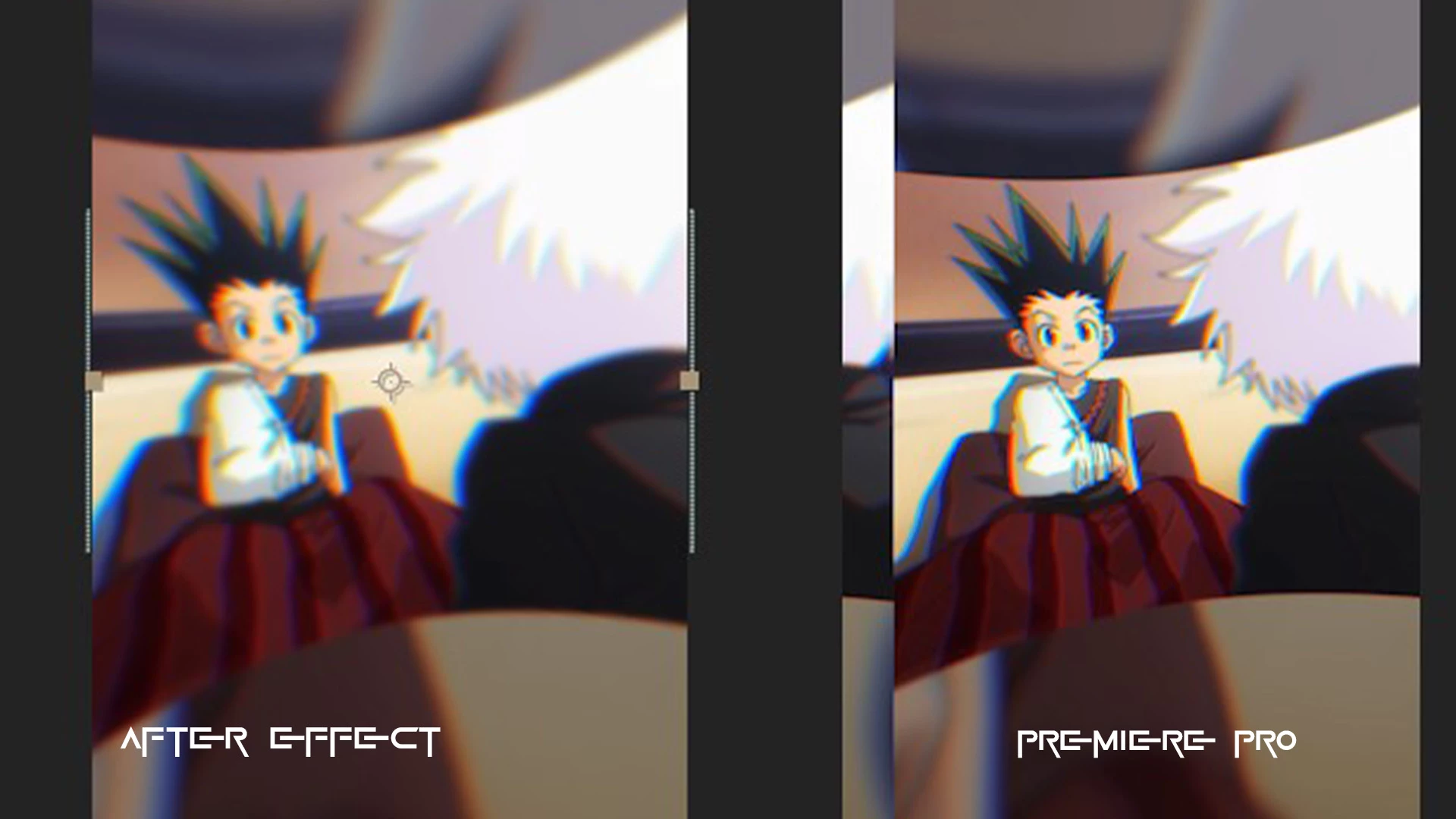
Hello, I have a problem with my dynamic link. When I make my transition in After Effects, save it, and go back to Premiere, you can see that the image is oddly cropped. I have both applications updated to the latest version, I have rendered it, but the same problem persists every time. Does anyone have a solution, please?
This topic has been closed for replies.

1 reply

Ann Bens
Community Expert
Ann BensCommunity ExpertCorrect answer
Community Expert
August 12, 2023
Participant
August 19, 2023

I'm having the exact same issue after moving a ton of files and relinking in both Pr and Ae. I don't see the solution in that link, can you clarify how to fix this issue?

Ann Bens
Community Expert
Community Expert
August 19, 2023

Copy/paste from the link


Dynamic link compatibility issues

Issue: Using Dynamic Link between app versions of 23.5 with lower versions of 23.x causes rendering issues in Windows.

Resolution: If using Dynamic Link in version 23.x, we recommend that all app versions (Premiere Pro, After Effects, or AME) have 23.5 or higher installed. Since there is no version of Character Animator 23.5, this is a special case. If you're using Dynamic Link with Character Animator 23.1, ensure the other apps are not at version 23.5. Instead, they must be at 23.0, 23.1, 23.2, 23.3, or 23.4.