

Exit
  • Global community
    • Language:
      • Deutsch
      • English
      • Español
      • Français
      • Português
  • 日本語コミュニティ
  • 한국 커뮤니티
0

Dynamic Link: "Could not connect to Adobe After Effects 2025" on draging comps from After Effects

Explorer ,
Nov 11, 2025 Nov 11, 2025

Hi everyone. 

Today I tried to drag some compositions from After Effects to Premiere on Windos 11, but I got an error message: "Could not connect to Adobe After Effects 2025. Please verify that Adobe After Effects 2025 is installed."
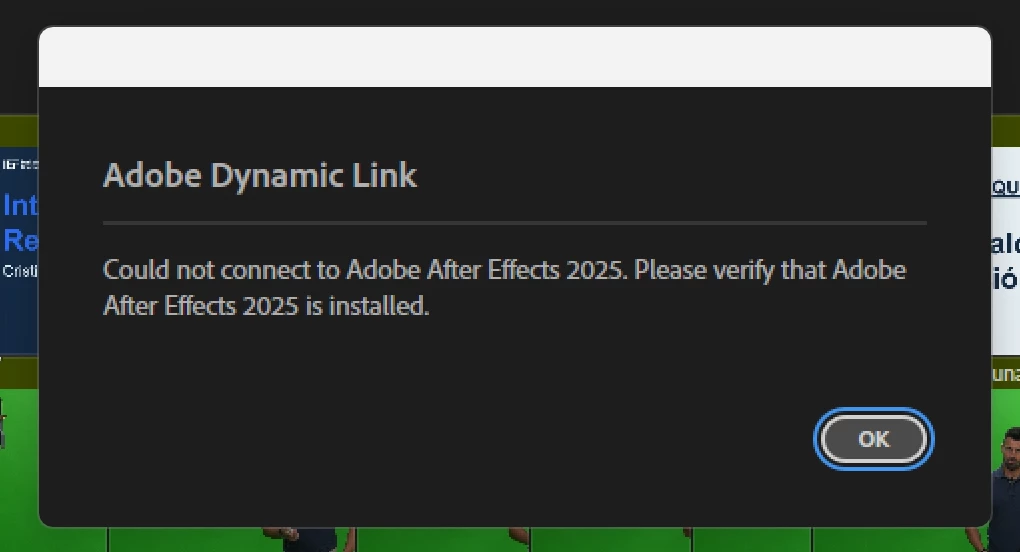
 

Captura de pantalla 2025-11-11 192918.png

I checked the Creative Cloud app, and all the apps—AE, PR, and ME—are on version 25.5, and there are no new updates. I tried uninstalling and reinstalling the apps, but nothing changed. I also tried repairing Creative Cloud, but that didn't work either. I also cleared the cache of both apps.


From Premiere's Dynamic Link menu, I can import the compositions, but sometimes it only lets me import them one at a time, and I need to connect about 50 compositions. 

Does anyone know what might be happening and how to fix it?

TOPICS
Error or problem , Import
182
Translate
Report
Community guidelines
Be kind and respectful, give credit to the original source of content, and search for duplicates before posting. Learn more
community guidelines
Adobe Employee ,
Nov 11, 2025 Nov 11, 2025

Hi,

Thanks for the post. That does sound odd. When did this start occurring? Does the same thing happen in v.24? Is there anything unusual about these comps? For example, were they created in the Beta version or anything like that? Has anything changed with your hardware or OS setup? I hope that a team member or community expert can offer some ideas. Sorry for the hassle.


Thanks,
Kevin


Kevin Monahan - Sr. Community & Engagement Strategist – Pro Video and Audio
Translate
Report
Community guidelines
Be kind and respectful, give credit to the original source of content, and search for duplicates before posting. Learn more
community guidelines
Explorer ,
Nov 11, 2025 Nov 11, 2025
LATEST

Thanks for replying!


It started happening today. The last time I dragged comps into Premiere was last week.


Today I got this error with some comps from a project with nothing special, no effects or anything, just some images. When it happened the first time, I tested it with an empty comp and the same thing happened. I also tried sending comps and sequences to AME, and that didn't give me any problems with dynamic link.


After a long while, it suddenly started working again, but... while I was working, I had to relink one of the compositions. When I selected the After Effects project in the relink panel, boom, another message appeared saying I need to install After Effects.

Captura de pantalla 2025-11-12 004216.png


I haven't changed anything in the hardware or the system for a while.

Translate
Report
Community guidelines
Be kind and respectful, give credit to the original source of content, and search for duplicates before posting. Learn more
community guidelines