
Participant
July 25, 2024
Answered

Dynamic Link Server Not Connecting

  • July 25, 2024
  • 2 replies
  • 721 views

Ever since the Cloud Strike thing, my media from my composition in Premire Pro has unlinked. I can relink my media just fine, EXCEPT for the After Effect compositions. 


I have attempted to just relink them, but I am met with an infinate "Connecting to Dynamic Link Server" loading bar.
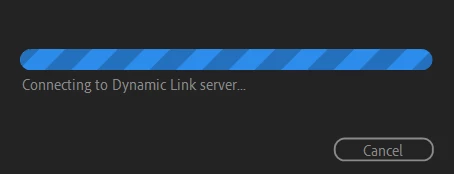
I tried manually re-uploading the AE compositions into PP and that just caused PP to freeze. I can open the AE comps in AE, but I cannot see them in PP. 


Do I have to delete them and try to relink them in order to get them working? Do I seriously have to go through the trouble of rendering these first and then importing them as baked videos? 


I've tried clearing my cashe, nothing. 

This topic has been closed for replies.
Correct answer defaultot57gmut37z6

Kevin,


I restarted my computer and now the AE compositions are working.


Thank you.

2 replies

defaultot57gmut37z6AuthorCorrect answer
Participant
July 25, 2024

Kevin,


I restarted my computer and now the AE compositions are working.


Thank you.

Kevin J. Monahan Jr.
Community Manager
Community Manager
July 25, 2024

Hi @defaultot57gmut37z6,

Thanks for filing the bug report. I see you have an issue with Dynamic Link not connecting Premiere Pro and After Effects. First, reboot the computer. Then, launch After Effects and open the comp in question. Then, launch Premiere Pro to see if the issue has subsided. Please report back if you are still having this issue.

If you cannot resolve this problem, please provide the devs with more information. See, How do I write a bug report?


I hope the team, an Adobe Expert, or a community member can help you soon. Sorry for the issue.


Take Care,
Kevin

Kevin Monahan - Sr. Community and Engagement Strategist – Adobe Pro Video and Audio