
Dynamic Link Workflow Inquiry
Hello everyone!
I'm posting here to ask for advice on my workflow, because I just want to ensure I'm editing as efficiently as possible. This may take some explaining, so thank you in advance for taking the time to read through it all!
So I primarily use the adobe suite to make video essays for Youtube on media analysis. Examples of my work can be found at Nick Lyskawa on Youtube if that would be helpful for anyone willing to help. I have been making these videos as such: recording the script, chopping it up to take out any errors, and then putting a black video over audio track that I want to comprise a scene. I then replace that black video and audio with an After Effect Dynamic Link and essentially create all of the video's visuals in there, because my editing style is one that utilizes the 3D camera in AE quite extensively and that's the program I learned first. Then I go back to premiere once I'm done editing the motion graphics and add in sound effects and music.
The issue I have with this set up is rendering times. I frequently get massive rendering times that have times said would take 12+ hours to render just one sequence. I was wondering a few things as a result:
1) Is this 3D intensive motion graphic style achievable in Premiere on its own? Should I even be using After Effects?
2) Is there a better way to be using the dynamic link? I've heard and read from other posts that most people don't typically have dynamic link scenes as long as mine in a single project timeline.
3) In general, what are some troubleshooting practices for dynamic link render times, and long premiere render times in general?
This is easily where I run into the most issues with my current workflow, and it makes exporting videos sometimes a days long process of brutal trial and error. Any advice is completely apprecitead, and I've attached a screenshot of my most current project's timeline as its rendering. It's going incredibly slow, maybe one frame every 20-30 seconds, but at least it's moving (i've had plenty of cases where it just freezes and I ahve to cancel the render) For specs, I have 32 gb of ram, and AMD Ryzen 7 57000x 8-core Processor, and a NVIDIA GForce RTX 3070 graphics card.
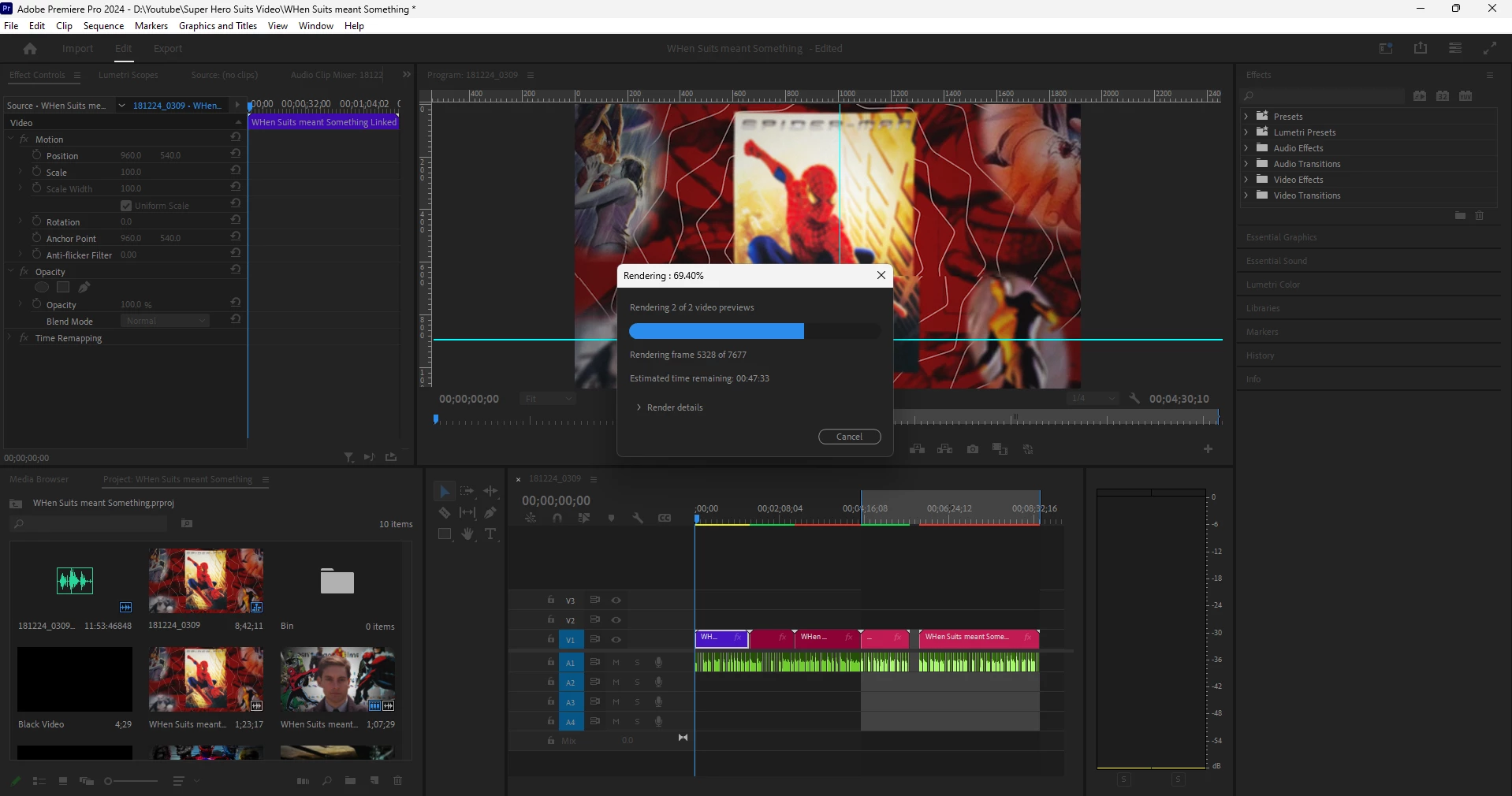
I'm not a complete master of the adobe suite by any means, so I apologize for any confusion in my explanation! Thank you again!
 AdChoices