
Participant
May 4, 2020
Answered

Echo while recording voice over... what can I do?

  • May 4, 2020
  • 1 reply
  • 18999 views

Hello! ...please excuse my poor English... I'm a German film maker and I have a problem... There's always an echo or delay on my headphones while recording voice over. It's ONLY while recording. My setup: windows pc - premiere pro - scarlett focusrite 2i2 2nd generation - rode-mic! And it's the same with macbook pro! What am I doing wrong? Maybe you can help me!? Thanks!!!!!
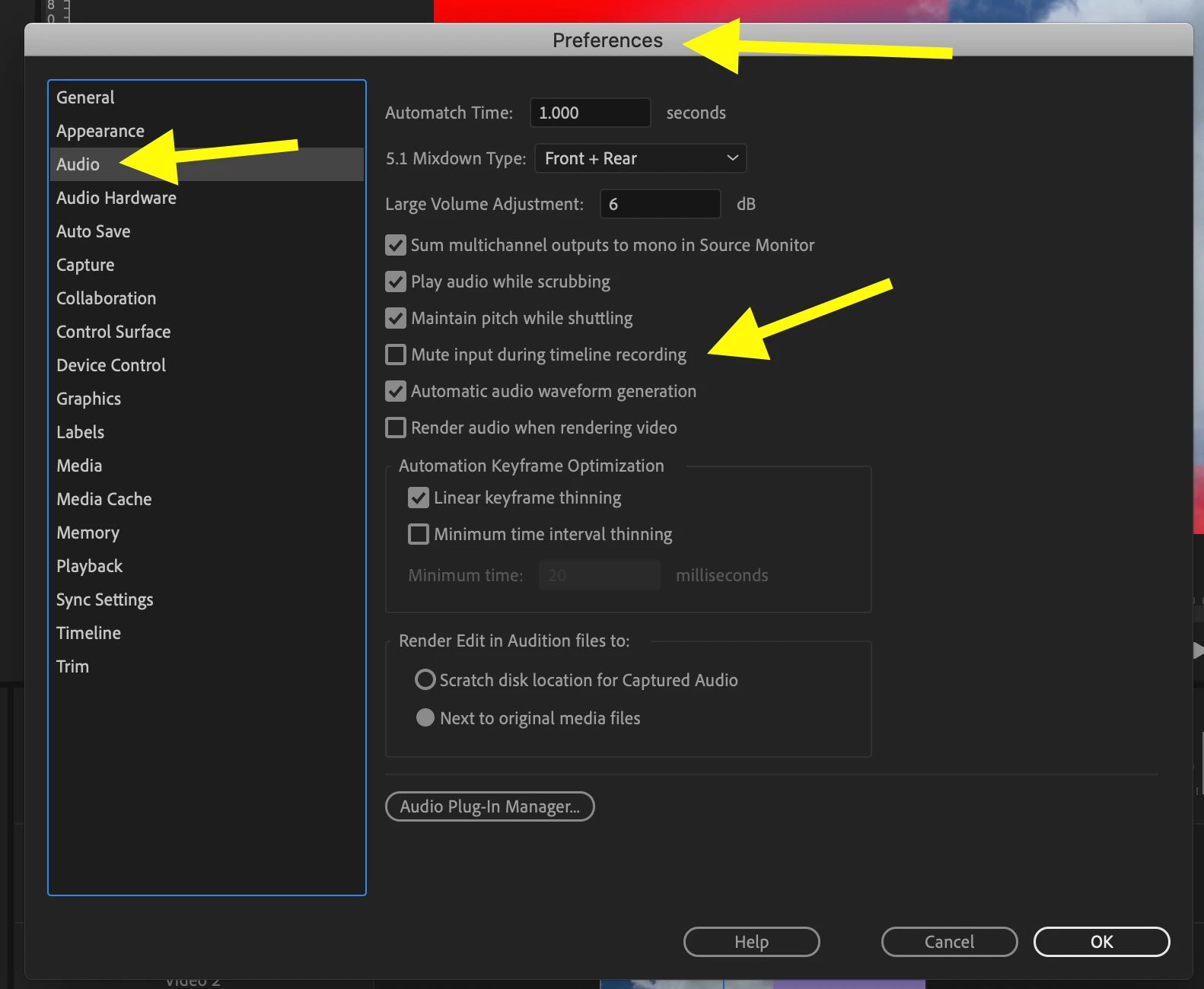
Correct answer Meg The Dog

Preferences > Audio, check the box for Mute Input During Timeline Recording:

MtD

1 reply

Meg The DogCorrect answer
Inspiring
May 4, 2020

Preferences > Audio, check the box for Mute Input During Timeline Recording:

MtD

Participant
May 4, 2020

Thanks! but if I do - there's no sound at all on my headphones anymore...

Inspiring
May 4, 2020

You don't hear the other audio tracks playing? You should, as it will only mute your input source on the output.


There is always latency to the output involved when using the voice over recording on the timeline, that's why you have the option to mute the recording input form appearing in the output.

If this is a problem and you need to hear your voice in your headphones while recording, record audio in Audition or other audio dedicated software - or record on a stand alone recorder and ingest that recording into Premiere.


MtD