
Known Participant
April 25, 2022
Question

Edge Artefacts on Import

  • April 25, 2022
  • 1 reply
  • 4374 views

Hi All,


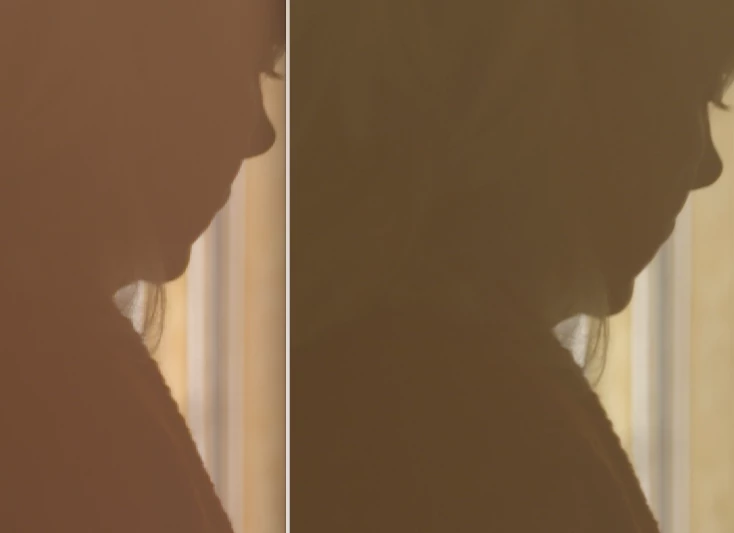
I would be very apprecative if somone can tell me what's goign on when import footage and get edge artefacts not seen in the original footage as seen below. This is showing in the source monitor and is 100% not present in the original files.


I'm already on sofware playback only etc.


Any heklp appreciated as i'm right in the middle of this shoot.


Thanks,


Simon
This topic has been closed for replies.

1 reply

Jeff Bellune
Legend
April 25, 2022

It may have to do with your media color space.

Worth a try: Context-click a problem clip in the bin and choose Modify>Interpret Footage. Check the color management section to see if all is well. If you are using bog-standard HD footage, you may need to override the color space to rec 709.

sadsharpAuthor
Known Participant
April 26, 2022

I exported the file and it seems fine. So the original file is fine, it has visible artefacts when imported into premiere but once exported out seems fine once again.


sadsharpAuthor
Known Participant
April 26, 2022

I'm glad the export went well!


What format and codec is your source footage, and what are your sequence and export settings? 

My thinking is that maybe Pr misinterpreted your footage on import, but that bad interpretation was canceled out by your sequence or export settings or both. 


Hi,


Source footage is 1080HD Pro Ress 422 HQ 10bit XAVCi.


Sequence is custom ProRes422 24p.


On export i usually do what looks best and so it varies. 


Not too sure about the interpretatioon from Pr as this is showing up in both the source monitor and on the sequence. It feels like Pr is not viewing/displaying it properly ?


Problem being i don't know what is not displaying correctly or what is incorrect until export. And perhaps more importantly Pr should be able to show the footage properly.