
SLWRTHNU
Participant
February 9, 2023
Answered

Editing 360 Footage Nightmare

  • February 9, 2023
  • 1 reply
  • 663 views

I have been fighting this issue for far too long, and I just can't figure it out. 


I am editing footage from my Insta360 X3 using Premiere Pro 2023. Everything looks fine if I export without editing (I can upload the video to YouTube and navigate around without issue). However, the composition is too close so I want to zoom out a little. Easy enough, right? Well, when I apply the GoPro FX Reframe plugin, I am only presented with a max of "4K DCI (4096x2160)" from the Projection option. If I select that, there is a big black bar and circles in the footage:
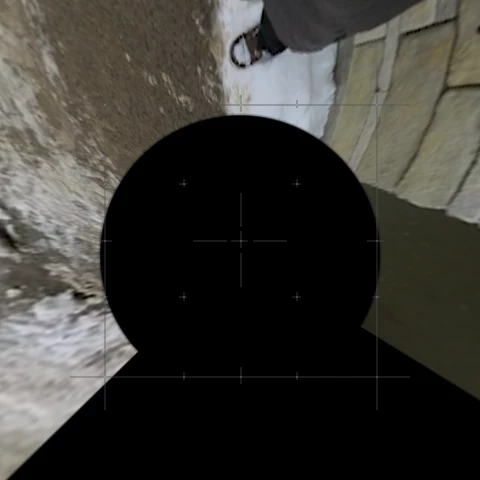


I found the cause to be my sequence settings are for a 5760x2880 clip. Ok so I changed the sequesnce settings to match the 

4096x2160 option. When I do that, there is a lot of area that is missing and now the top and bottom of the footage looks like it was pinched:
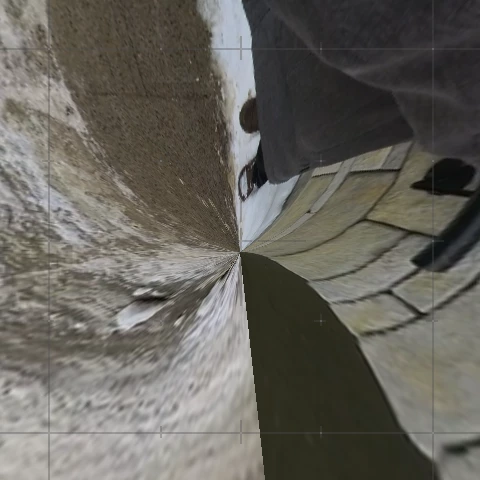
 

I want to stay out of the Insta360 Studio (I have been playing with that and can't get it to work using a combination of both programs either). I haven't seen any tutrial on how to fix this and can't figure it out myself. Has anyone found a fix for this? 


To note, this video will be interactive (immersive). 

This topic has been closed for replies.
Correct answer Chris Spiegl

To create an immersive video (aka it should stay 360 and navigatable when on YouTube), you have to use the Premiere Pro VR workflow which is not easy but dooable. You can find videos about this on YouTube.


When you use the GoPro FX Reframe Plugin, then you are essentially making the 360 into a "I choose the point that you want to look at and export a normal 1080p or 4k video". So, you end up with a standrad video file which the viewer can not navigate any more.

1 reply

Chris Spiegl
Community Expert
Chris SpieglCommunity ExpertCorrect answer
Community Expert
December 11, 2023

To create an immersive video (aka it should stay 360 and navigatable when on YouTube), you have to use the Premiere Pro VR workflow which is not easy but dooable. You can find videos about this on YouTube.


When you use the GoPro FX Reframe Plugin, then you are essentially making the 360 into a "I choose the point that you want to look at and export a normal 1080p or 4k video". So, you end up with a standrad video file which the viewer can not navigate any more.