
Participant
March 29, 2023
Answered

Editing caption crash Premiere Pro 2023 (23.2)

  • March 29, 2023
  • 7 replies
  • 1187 views

Hi all.


I am working on adding captions to my project, it worked fine at the start (I could enable caption track, added and edited a few) but now the error window pops up a minute after I proceed with my editing every single time when I reopen the program. I downloaded and ran the diagnostics as suggesed in the error window, but no luck. Please help!


FYI:

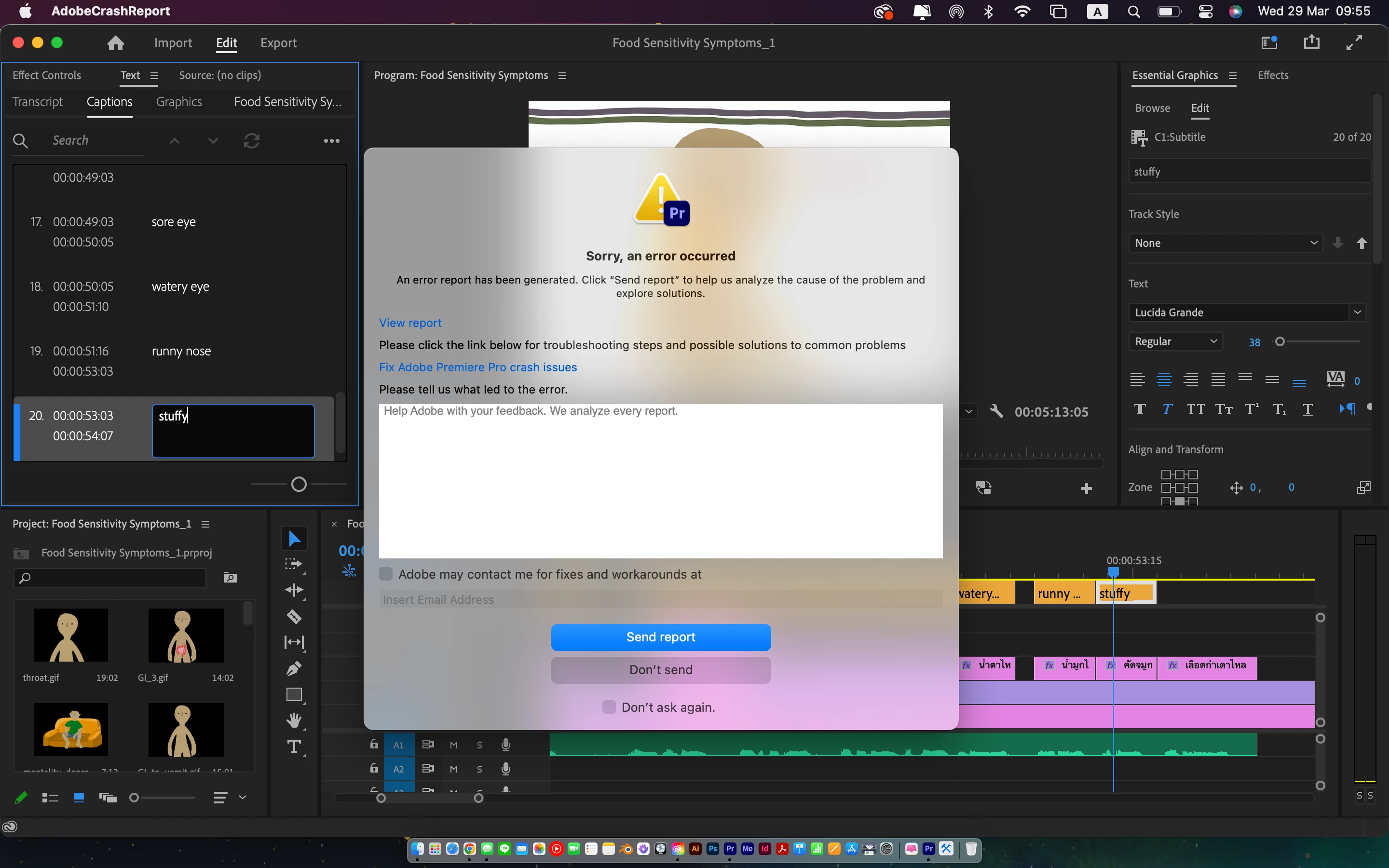
1) I tried both editing the text directly onto the monitor and in the text panel - both crashed. Strangely I could proceeded with editing a few sections after reopening, but it seemed to crash exactly at the point where I typed in the word 'stuffy nose' (please see the screenshot below) - should not be relevant but... well.

2) I worked on the lastest version of Premiere Pro (23.2) and on a Macbook Pro 13" M2 (2022) 8GB Ram with 516GB storage.
This topic has been closed for replies.
Correct answer Stan Jones

Sorry, it just didn't click at first: ff is a ligature combination.


See my three posts here, where a user reports the same problem in PR 22.5:

https://community.adobe.com/t5/premiere-pro-discussions/adding-caption-crash-premiere/m-p/13071298#M421567


In my test just now, contrary to my post, I do not see ligatures in Times New Roman.


The main workarounds are to turn ligatures off or to change font.


What font are you using?


Other than a bug, I wonder if it could be a corrupt font.


Stan


7 replies

Kevin-Monahan
Community Manager
Community Manager
May 18, 2024

Hi @Babbling Baboons,

Please check Premiere Pro Beta (24.5). This issue should be fixed there. Let me know if it is not.


Thanks,
Kevin

Kevin Monahan - Sr. Community and Engagement Strategist – Adobe Pro Video and Audio
Stan Jones
Community Expert
Community Expert
April 3, 2023

Excellent!

Participant
April 3, 2023

@Stan Jones Thank you very much for the lastest suggestion. Turning off ligatures solves the crash!

Stan Jones
Community Expert
Community Expert
March 30, 2023

I forgot to say: I am on Windows 10. The other user who reported this was also Mac


Stan


Stan Jones
Community Expert
Stan JonesCommunity ExpertCorrect answer
Community Expert
March 30, 2023

Sorry, it just didn't click at first: ff is a ligature combination.


See my three posts here, where a user reports the same problem in PR 22.5:

https://community.adobe.com/t5/premiere-pro-discussions/adding-caption-crash-premiere/m-p/13071298#M421567


In my test just now, contrary to my post, I do not see ligatures in Times New Roman.


The main workarounds are to turn ligatures off or to change font.


What font are you using?


Other than a bug, I wonder if it could be a corrupt font.


Stan


Participant
March 30, 2023

@Stan Jones thank you for the reply!


My install is in English, the keyboard is set in English but switched to Thai sometimes, and the graphic text is in Thai. Perhaps I could try checking again if the language setting matches my purposes.


Yesterday I tried skipping the word 'stuffy nose' since the program crashed every time I typed it, and weirdly I could proceed without crash! Anyway it did not last long though, it crashed again at some word later, but I didn't recheck if it would only crash at that particular word as it did with 'stuffy nose'.


I will try testing the program as you suggested. It is frustrating, but having receives some suggestions to try out makes it better! Thanks!

Stan Jones
Community Expert
Community Expert
March 29, 2023

You may be Babbling Baboons, but you write up a great bug report!


I see nothing that jumps out at me. That is a very frustrating problem!


I wonder what language your install is, the keyboard, and the language of the graphics text on the timeline.


I don't recall a report like this, so I would guess the project might be corrupt. Captions are stored in the project file. But it could also be something a preferences reset or workspace reset might fix.


As a test, I'd create a new project, simple timeline, and see if that avoids the crash. If not, that might make troubleshooting easier.


Workaround: use a third party app (Aegisub or similar) to create the captions and import srt. Since you're getting the problem at 20 or so, do 40 and see if that works.


Is there dialogue that would allow using the speech to text function?


Stan