
Effect Controls: How do I prevent an effect to affect a specific element/layer?
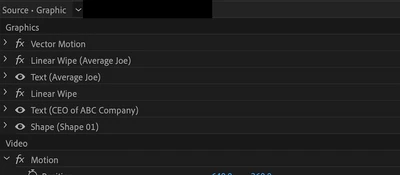
I am working on a motion graphic template in Premiere Pro and ran into a problem. The final result should consist of two textboxes and one shape (a rectangle that shall serve as the background for the text). For details see the screenshot below.
Here's the problem:
I want to add an effect (linear wipe) on both textblocks without affecting the shape that should serve as a background. Nothing that I tried so far has prevented from affecting the shape. Moving the shape several layers up also doesn't do the trick, since it should remain in the background.
And if I create a seperate clip for the shape/rectangle and place it below the text clip I won't be able to create a motion graphic template anymore, since for this you would require to have a single clip.
Any ideas on how I can fix this issue?
 AdChoices