
Effects masks with VR/360 footage
Hello,
I'm working on a 360/VR project and want to use a mask to selectively blur some phone numbers on a white board in one of the clips. If I try this in VR mode, the mask appears, but I can't move or alter the mask because the mouse seems to default to navigation only. Additionally the mask effect does not correspond with its position and shape, which you can see if the screen grab below.. If I turn off VR mode, I can see the effect of the mask, but the mask is not visible. I've made sure the mask is selected in the effects controls, and have tried different blur effects and have tried placing the blur effects on the clip and on adjustment layers. Nothing seems to work. I tried a number of google searches, but haven't found anything on this topic. My guess is that I may need a 360/plugin to do effects masks, but I wondering if there's a setting I need to check somewhere to enable masks to function on 360/VR footage. I am running with the CUDA GPU acceleration on.
Thanks,
Greg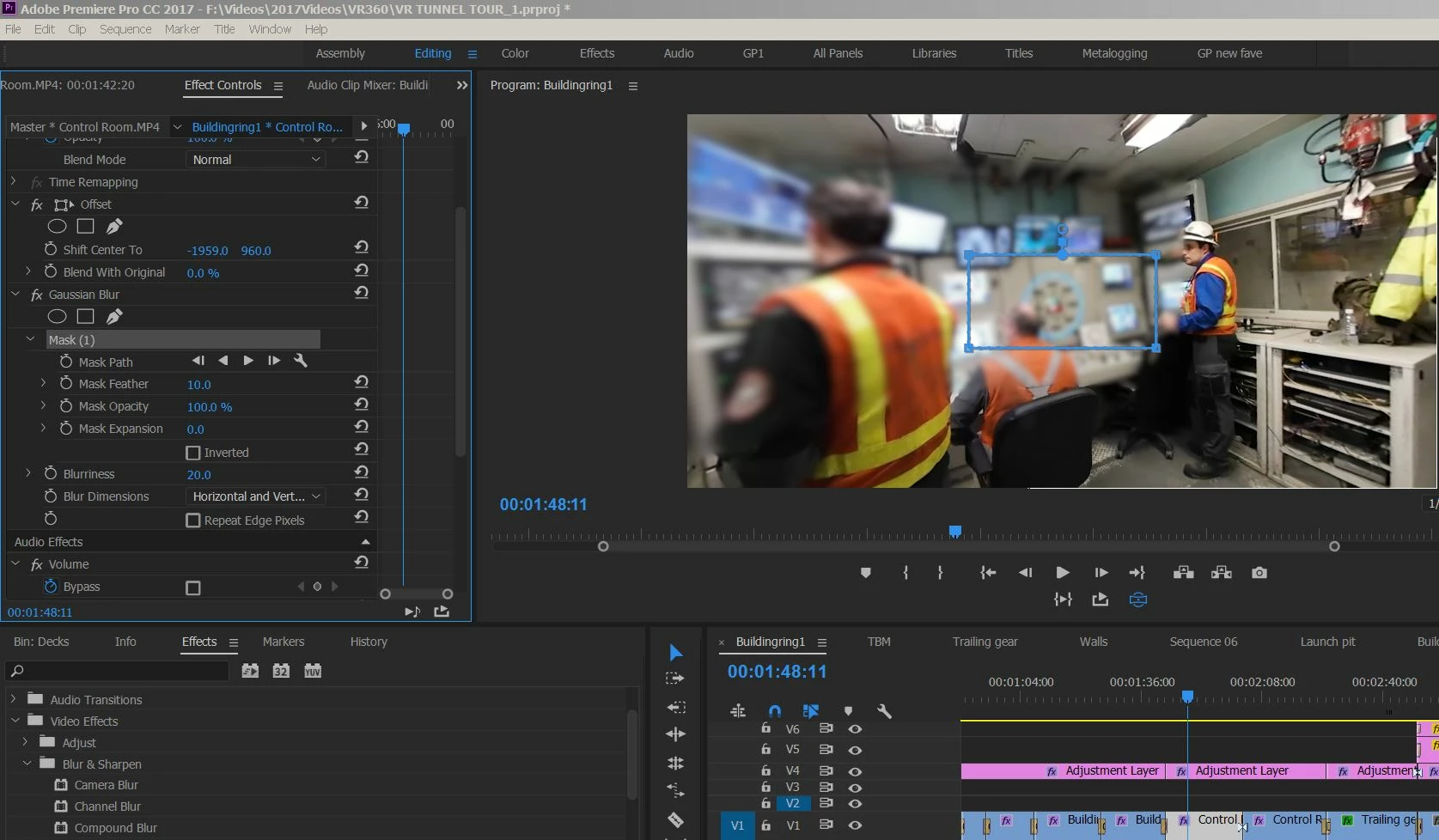
 AdChoices