Inspiring
November 3, 2016
Answered

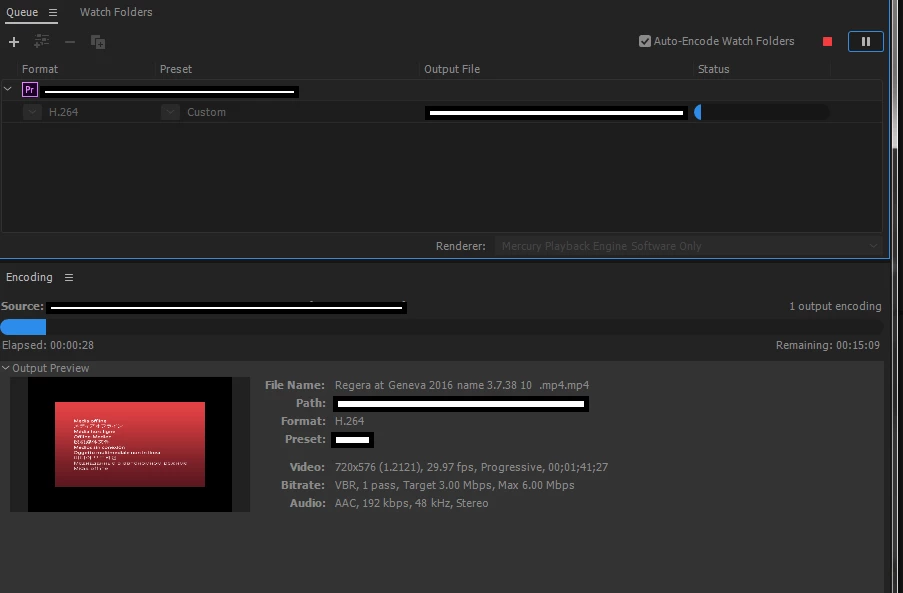
Encoded out put file from Media encoder shows "Media offline"

  • November 3, 2016
  • 2 replies
  • 1819 views

Hi All,

We have been using the app.encoder.encoder sequence  function to encode the sequences from our panel.

But in the cc 2017 the media encoding is not happening properly if there is video and audio in the file..

If there is only video the file is encoding properly.

Here is the code snippet we are using,

           app.encoder.launchEncoder();

            app.encoder.bind('onEncoderJobComplete', $._ext_Premiere.onEncoderJobComplete);

            var jobID = app.encoder.encodeSequence(app.project.activeSequence,full_path_to_file,full_path_to_preset,app.encoder.ENCODE_ENTIRE,1);

            app.encoder.startBatch();

Is there any new changes needs to be done to handle the sequence encoding in Pre pro 2017?

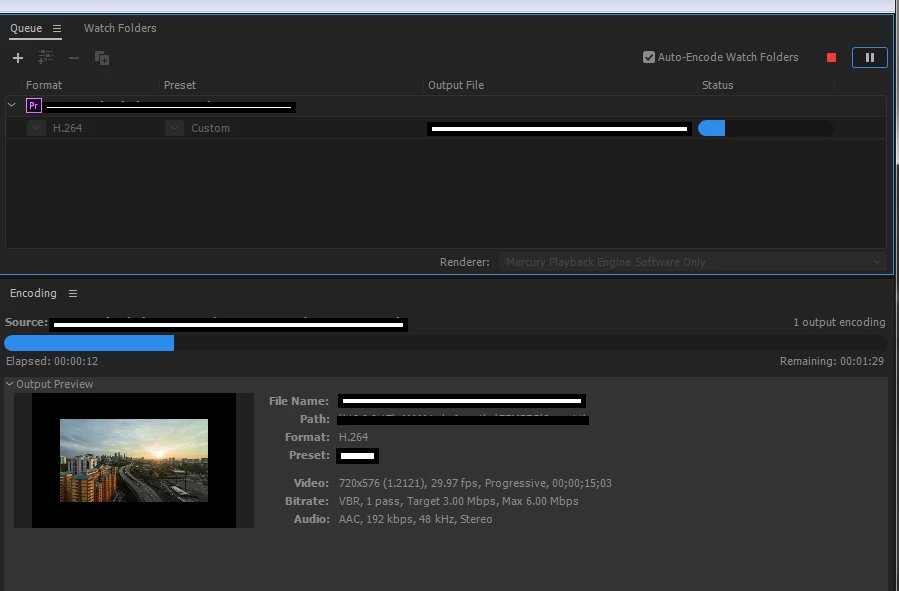
Here is the screenshot of video only and video+audio sequence export..
Thanks and Regards,

Anoop NR

This topic has been closed for replies.
Correct answer emam-dev

Does b.mp4 EVER output correctly? [please post me b.mp4, or a file that produces the same behavior.]


Hi Bruce,

Yes. The file is got processed successfully in coming days.

We will check in different environments and come back to you if we see the problem again

Thanks and Regards,

Anoop NR

2 replies

Participant
June 11, 2019

My encoder is warning me that there are missing media files even though the adobe premiere has no missing media files. Ive put everything onto my c drive and for some reason the encoder is not accessing these media files. Each time I try to encode, the end result looks different with different video missing in each one and twice the narrative got moved around and put in the wrong place in the video. About ready to have nervous breakdown. Suggestions?

Amy

Bruce Bullis
Community Manager
Community Manager
November 4, 2016

Is PPro finished conforming the audio, before the render job is started?

emam-devAuthor
Inspiring
November 4, 2016

Hi Bruce,

Conforming the audio- Is there any particular way to check this? We think the file loading is completed (since there is no progress bar in bottom right). -Do we need to confirm this from code too, before starting the rendering?

Also last time we were getting the issue for one file, but today that file is encoding fine.

But we are getting that error for some other file.

File Properties

Working

File Path: F:\songs\a.mp4

Type: MPEG Movie

File Size: 5.01 MB

Image Size: 1280 x 720

Frame Rate: 25.00

Source Audio Format: 48000 Hz - compressed - 6 channels

Project Audio Format: 48000 Hz - 32 bit floating point - 6 channels

Total Duration: 00:00:29:14

Pixel Aspect Ratio: 1.0

VR Projection: None

Not working

File Path: F:\songs\b.mp4

Type: MPEG Movie

File Size: 8.01 MB

Image Size: 640 x 360

Frame Rate: 23.976

Source Audio Format: 44100 Hz - compressed - Stereo

Project Audio Format: 44100 Hz - 32 bit floating point - Stereo

Total Duration: 00:01:41:20

Pixel Aspect Ratio: 1.0

VR Projection: None

Can you please advice what needs to be done to avoid this

Thanks and Regards,

ANOOP NR

Bruce Bullis
Community Manager
Community Manager
November 4, 2016

Does b.mp4 EVER output correctly? [please post me b.mp4, or a file that produces the same behavior.]