Exit
  • Global community
    • Language:
      • Deutsch
      • English
      • Español
      • Français
      • Português
  • 日本語コミュニティ
  • 한국 커뮤니티
0

Encoding in Premiere Pro

New Here ,
Feb 05, 2019 Feb 05, 2019

Hey everyone,

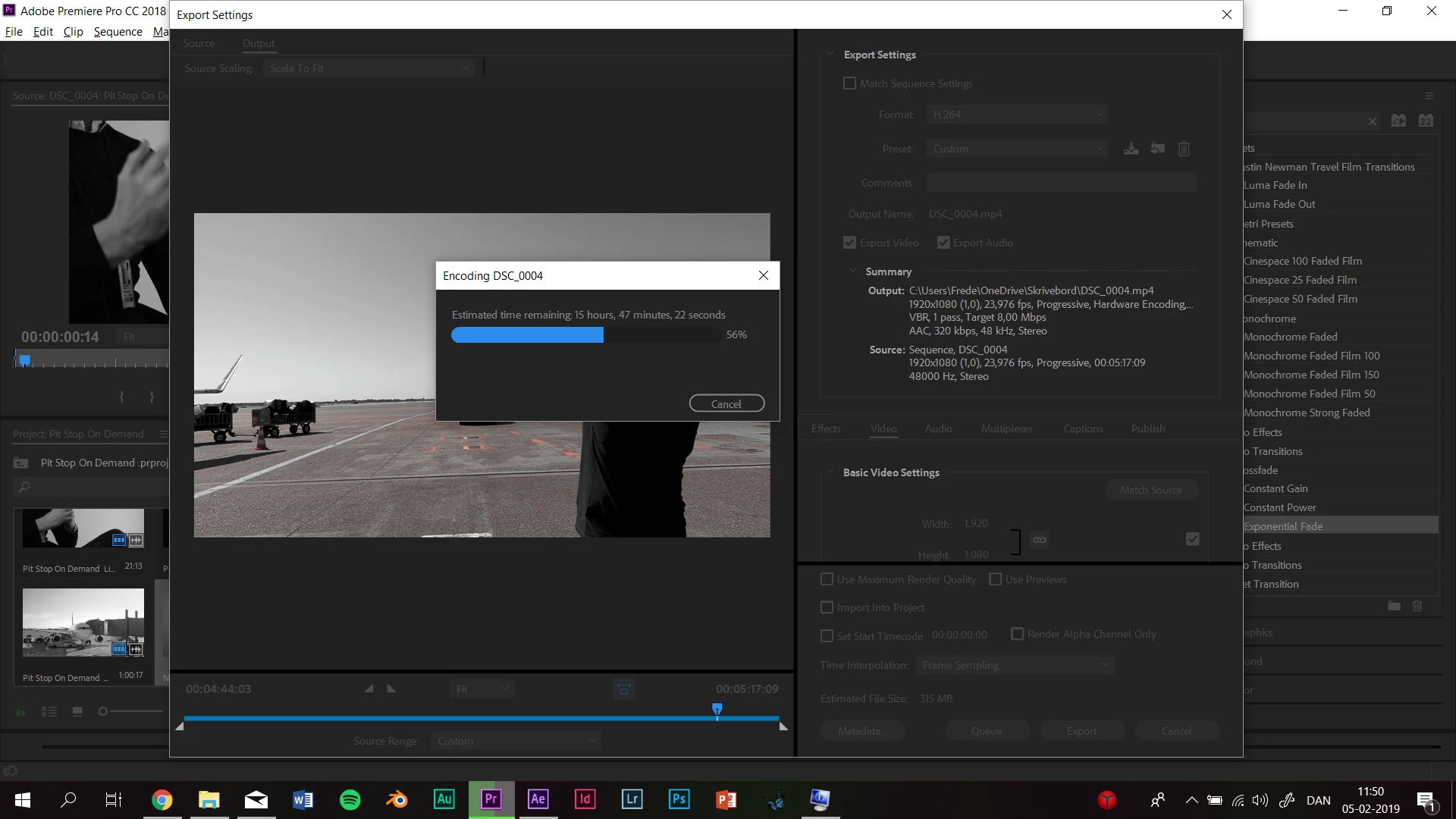
I'm doing a 5 minute video with multiple graphics and effects composed and edited in After Effects using Dynamic Links to PrPro. Normally it takes my computer less than a night to export a video at around 10-15 min depending on the load of effects etc. But this time it has been rendering for more than 18 hours, is only at 55% and STILL HAVE 15 HOURS LEFT? Whuuuut?? I'm exporting through PrPro and not Encoder.
I have already checked my GPU and CPU and as far as I can tell nothing odd there.

I have a Lenovo Legion y720 computer Processor Intel(R) Core(TM) i7-7700HQ CPU @ 2.80GHz, 2801 Mhz, 4 Core(s), 8 Logisk(e) processor(er). Nvida Geoforce GTX.


My questions
- Do I just have to stay patient and wait it out? Is it normal for a relatively complex video with lots of effects, colorgrading and scalling to take 2 days?


Best regards

238
Translate
Report
Community guidelines
Be kind and respectful, give credit to the original source of content, and search for duplicates before posting. Learn more
community guidelines
LEGEND ,
Feb 05, 2019 Feb 05, 2019

If it's still going, let it.

Translate
Report
Community guidelines
Be kind and respectful, give credit to the original source of content, and search for duplicates before posting. Learn more
community guidelines
Community Expert ,
Feb 05, 2019 Feb 05, 2019

As Jim said, but maybe before starting out if you tried encoding to GoPro Cineform instead of H.264 I guess it would have been faster

Translate
Report
Community guidelines
Be kind and respectful, give credit to the original source of content, and search for duplicates before posting. Learn more
community guidelines
Adobe Employee ,
Feb 05, 2019 Feb 05, 2019
LATEST

MarieA,

I would suggest you look into smart rendering. Just render as you go to an output codec, then export in that codec using previews. Makes exporting go like lightning speed: Premiere Pro Smart Rendering For Faster Exports | Welcome to kevinmonahan.net

Come back w/ questions.

Thanks,
Kevin

Kevin Monahan - Sr. Community & Engagement Strategist – Pro Video and Audio
Translate
Report
Community guidelines
Be kind and respectful, give credit to the original source of content, and search for duplicates before posting. Learn more
community guidelines