Participant
November 21, 2018
Question

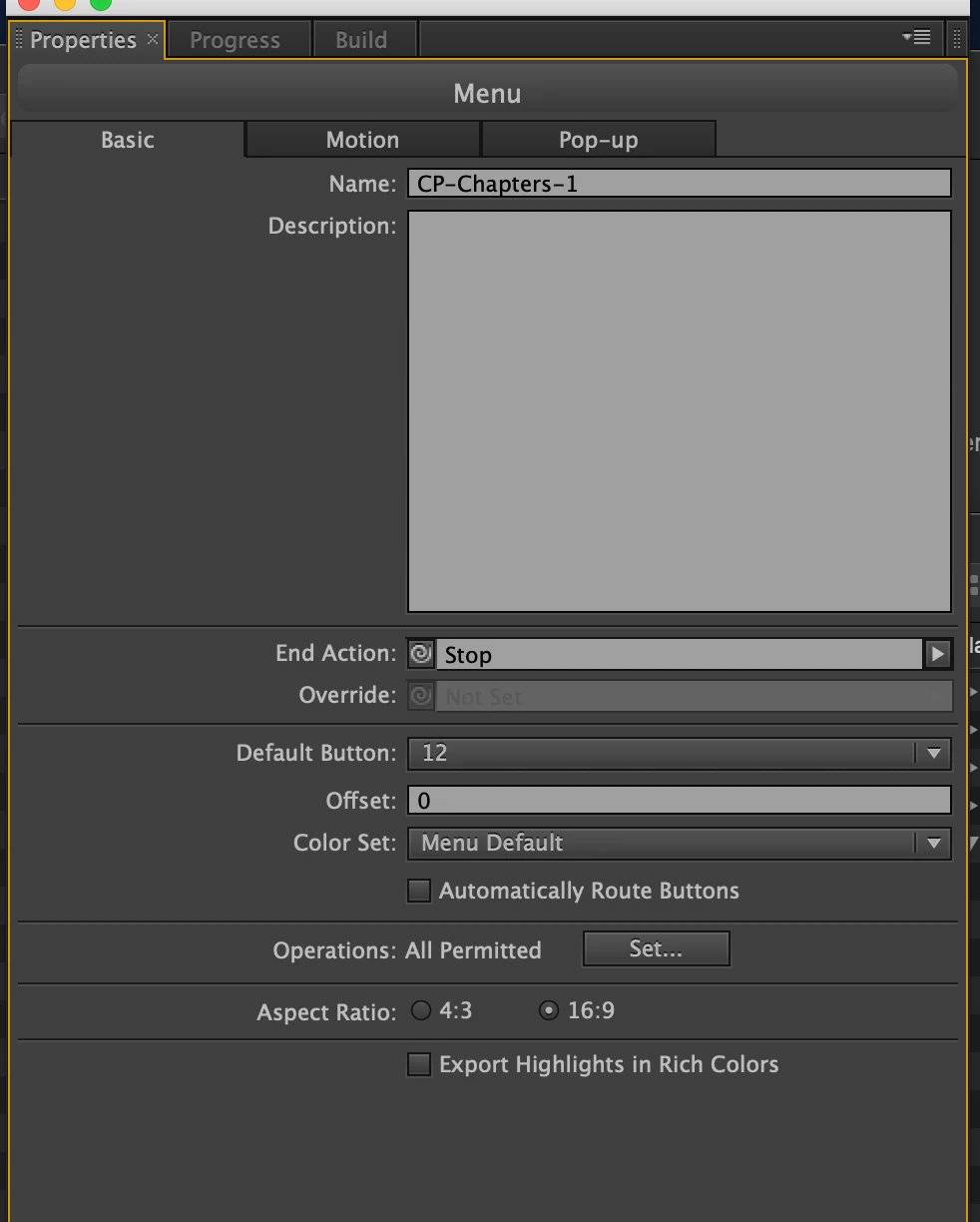
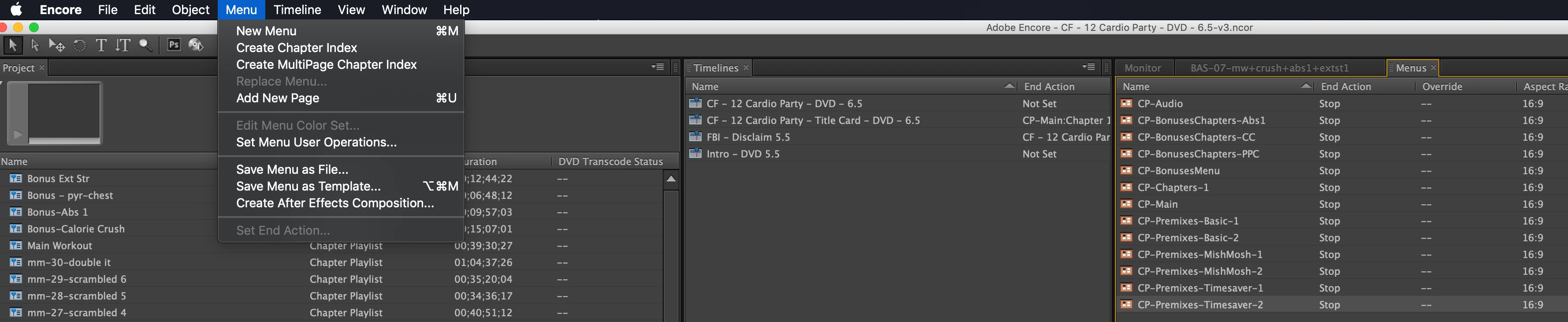
Encore CS6 Menu Color Set Greyed out (inaccesible)

  • November 21, 2018
  • 3 replies
  • 1436 views

I am on a brand new (only a month old) iMac Pro (loaded) running the latest version of Encore (cs6).  I also have a MacBook Pro (older) running the same software.

iMac Pro is running Mojave

MacBook Pro is running El Capitan

I loaded the project on both computers:

  • On the iMac Pro, the Edit Color Set Menu is Greyed out.  I have been using Encore for several years and have not had this issue.  I have set the Color Set to Menu Default on the Menu Properties.
  • On the MacBook Pro (El Capitan), everything works perfectly.

Does anybody know why the menu item is greyed out on one platform versus another?

Thanks,

Jonathan Donley.
This topic has been closed for replies.

3 replies

Known Participant
December 4, 2021

On Win10 (updated 04.12.2021) the color menu command is greyed out as well. undocking does not solve this. i have the menu selected i want to edit... 

Known Participant
December 4, 2021

Buggin out here.... I dont understand why Adobe is not supporting Encore anymore... DVD, Bluray its absolutely not an obsolete item. Plus Encore is still THE STANDARD when it comes to DVD Bluray Editing... nothing comes remotely close... just a matter of time before this old crumbles and falls and the bugs start eating away the last functionalities... such a shame!


Known Participant
December 4, 2021

but its even impossible to edit comments in this forum... so why even bother authoring dvds?


Stan Jones
Community Expert
Community Expert
November 21, 2018

It is true that the OS can be an issue. And I found only one other occurrence of "Mojave" in this forum, but related to a problem shared by PC and Macs. So while no one has reported they have Encore CS6 working on Mojave, my guess is they do.

Also, the problem you are having is hard to conceptualize as an OS issue.

What specific dot version of Encore? There was one update for Encore on Mac. The latest is 6.0.1. But I don't recall any bugs like this.

As a test, start a new project iMac. Add one menu, and see if the color set is greyed out.

When Macs have had problems (for several OS versions now), they are almost always related to permissions. Make sure that all Encore involved files and folders are each set to read write.

Participant
November 21, 2018

Hi Stan,

  We have created a new project and imported menus from psd cc 2018 and cs3 with the same issue.  I have also created menus within encore itself and have the same issue.

Color Set is always greyed out.

However, if I open the project on my macbook runing el capitan, the menu is visible.

Thanks,

Jonathan

Stan Jones
Community Expert
Community Expert
November 21, 2018

At a loss. I am on Win10, so not a parallel.

New project, add menu, select menu in Menu viewer, Menu -> Edit Menu Color Set is selectable. Does not appear to matter whether menu properties are "automatic" or default. It DOES appear to a matter that the menu is selected in the menu viewer, not just in the menu panel (as you have in your screenshot). I assume you have tried that. But when I select something other than a menu in project panel, for example, nothing in the File -> Menu is selectable. When I select a menu in a panel (rather than viewer), only Replace Menu and Edit Menu Color Set are NOT selectable.

As I said, I always think permissions, but I don't know what file/folder permission could have this effect.

Can you right click the menu and "edit in photoshop"?

John T Smith
Community Expert
Community Expert
November 21, 2018

You do know that Apple did not maintain backward compatibility with old programs in their newer operating systems?

I have seen it mentioned that an OLD version of Java must be installed to get an old program (CS6 and earlier) working with your new operating system https://support.apple.com/kb/dl1572?locale=en_US

If that doesn't work, I know of no way to get a program from 2012 to work with an incompatible operating system