Ezad
Inspiring
September 6, 2021
Answered

Encore M Disc Authoring

  • September 6, 2021
  • 3 replies
  • 802 views

Hello

Was unable to locate the Encore forum thus the imperative to post here....sorry.

In the past I authored DVDs using Encore.

The current effort is to author Blu-Ray M Discs using Encore. When I finished the work on the Menu and the  sub-Menu using chapter links to the films I ran Check Project. No issues. In the Preview I test the remote control buttons. All buttons behaved as expected. In the build I chose format – Blu ray; disc – Blu-ray disc. Disc info should 21GB out of 25GB size. I then engaged the Build sequence.

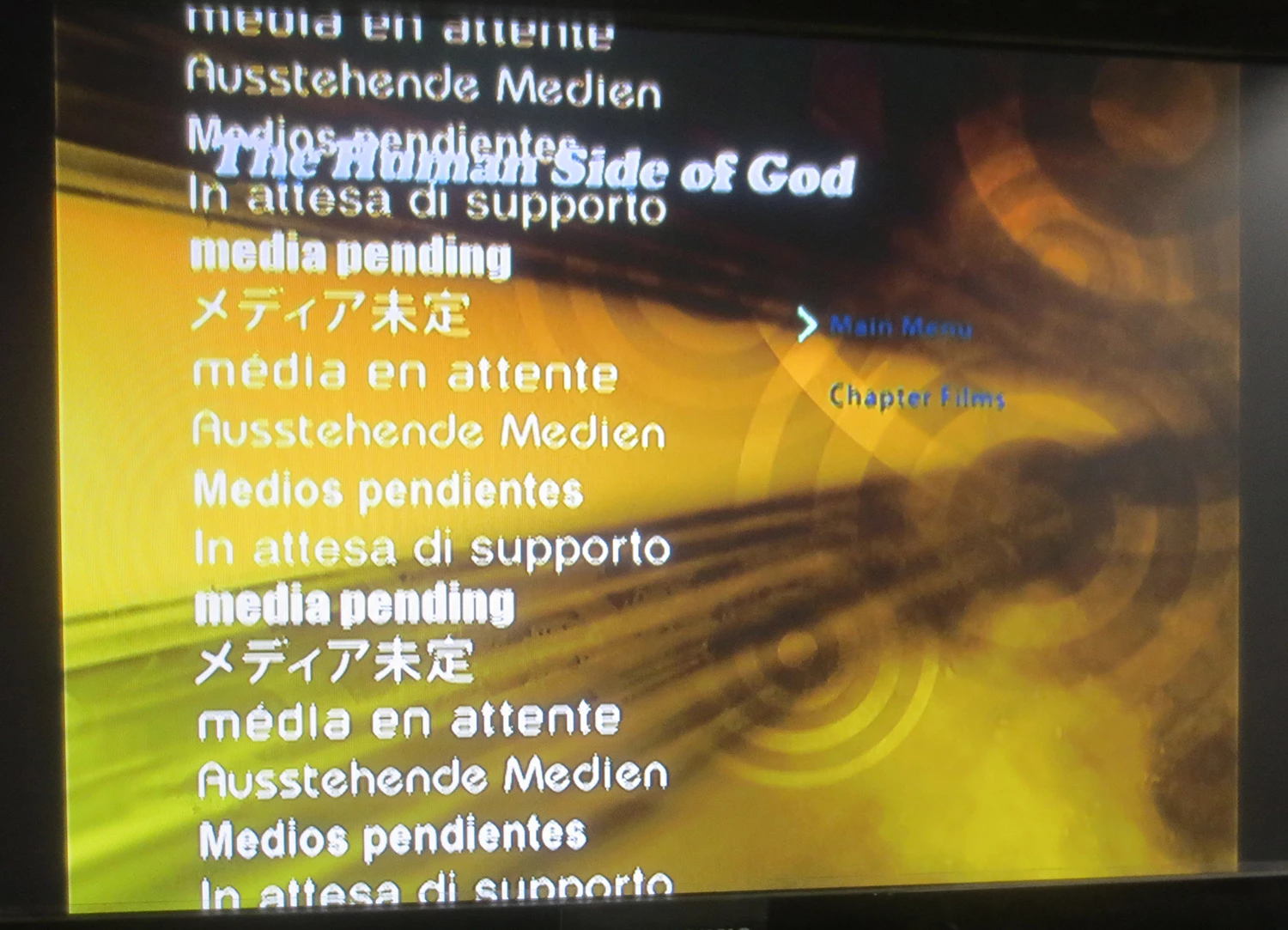
The outcome for this project is to distribute to clients an authored Blu ray disc that can be played on Blu ray players.  Running play with the Blu Ray player what I noticed with the Main Menu screen is populated with intrusive text. See attachment.  I would be unable to send these demo promo discs to customers knowing that their players may generate intrusive texting. Let me know what I need to do to this this.

Thanks!

PS the text on the Menu in this Build looks too small may need to increase size for viewing.
 

This topic has been closed for replies.
Correct answer Ann Bens

What kind of location is H:?

Do not use override feature.

Best is to have one file on the timeline instead of many short ones.

Might want to encode in Premiere to m4v so Encore does not have to encode.


3 replies

Stan Jones
Community Expert
Community Expert
September 7, 2021

What Ann said, including the flowchart.


It shouldn't matter, but since you are asking about M-disk, try a regular BD.


This looks like something that Encore is not previewing in the program that is missing media. (I think that may be Ann's thought.)


Stan


Ann Bens
Community Expert
Community Expert
September 6, 2021

Make sure you have an HD menu selected.

Do you have a movie file embedded in the main menu?

Post screenshot of your setup and flowchart.

Best is not to burn directly to disk but make an iso/image first and check if all is well.

Then burn to disk with 3rd party software like CDBurnerXP.

Ezad
EzadAuthor
Inspiring
September 7, 2021

A thank you to everyone for the feedback on this Encore situation. Hopefully I'll be able to send out to our clients a working authored discs.
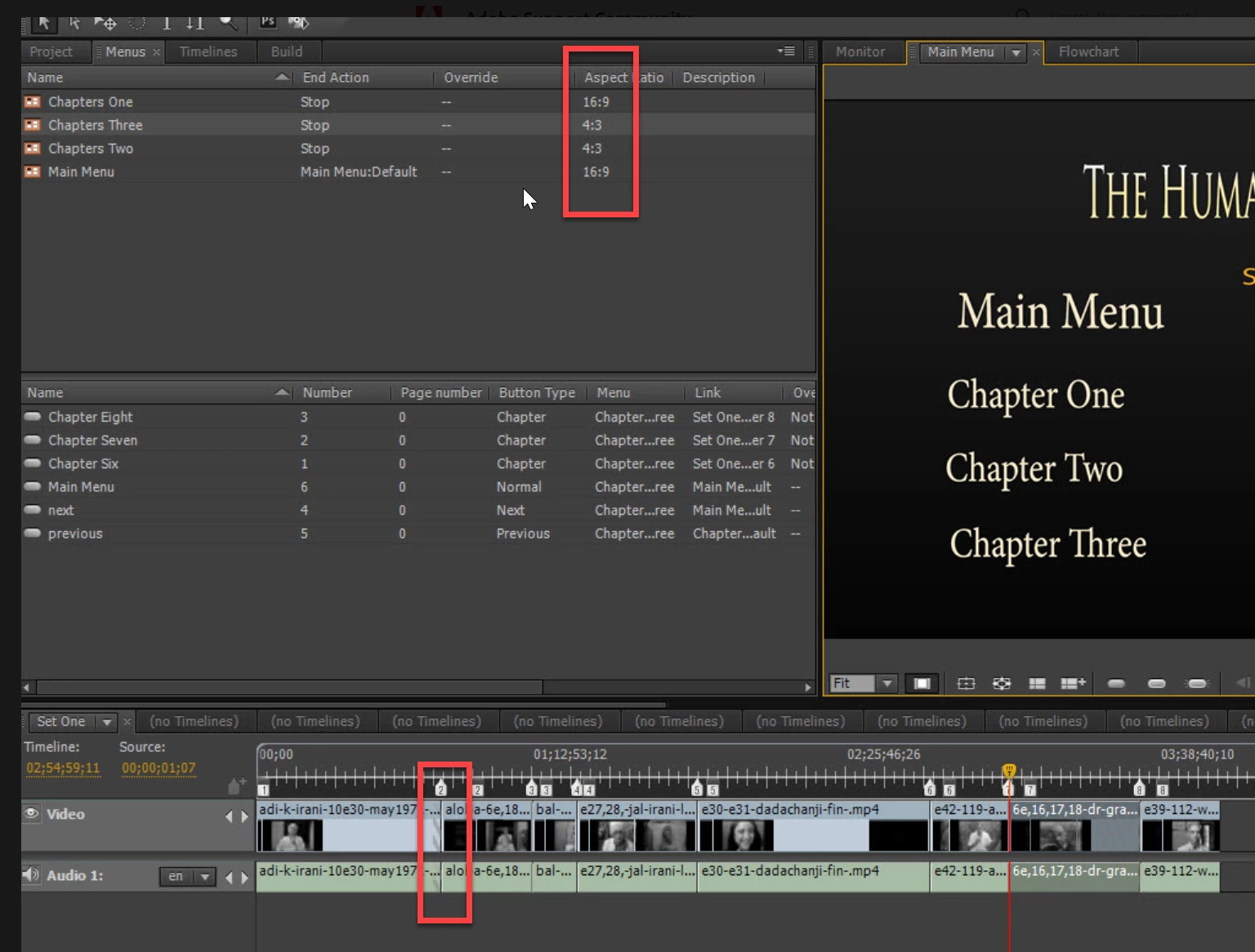
In the first experiment I ran Encore as 'Run as Administrator' and behold - the intrusive text was absent. The authored M Disc appeared as it should be - with the Main Menu.


My usual habit is to burn to DVD however I followed the posted instructions using the Build feature to create the ISO image. When I checked out the ISO using Cyberlink Power2Go  there was an issue whilst playing a chapter (a film piece). The film played as expected however I was unable to exit the film to go back to the Main Menu. Might be a routing issue. I then used Power ISO to burn the ISO image to 25GB M Disc.


Here are the screen shots attached. Again a generous thankyous for all the help on this work.


Stan Jones
Community Expert
Community Expert
September 7, 2021

Glad to hear you made progress.


I don't recall the problem, but in some situations, Encore did not like having the "end action" on the main menu to be itself. As long as it is a still menu set to run forever, just set it to "stop."


There is technically nothing wrong with setting it to itself, but in some players, it created a problem.


Stan 

John T Smith
Community Expert
Community Expert
September 6, 2021

There is no forum for Encore, since it is no longer supported


My only idea... right click the program icon and select Run as Administrator, which is NOT the same thing as running the computer with a Windows Administrator account, and which fixes several "odd" problems... To create a two layer DVD or a BluRay, you MUST have Encore set to use the Run as Administrator option
... and a Mac version http://helpx.adobe.com/x-productkb/global/troubleshoot-system-errors-freezes-mac.html