
Errors with R3D files in M1 MacBook Pro
Hi,
I edited the trailer for a documentary project on my old Intel iMac on Mojave this past August with no issue. The majority of the footage in the project is R3D files. I recently started editing the full-length film (same footage) with a new MacBook Pro with M1 Max, Mac OS 12.2, and Premiere 22.1.2, and I'm now getting a number of issues.
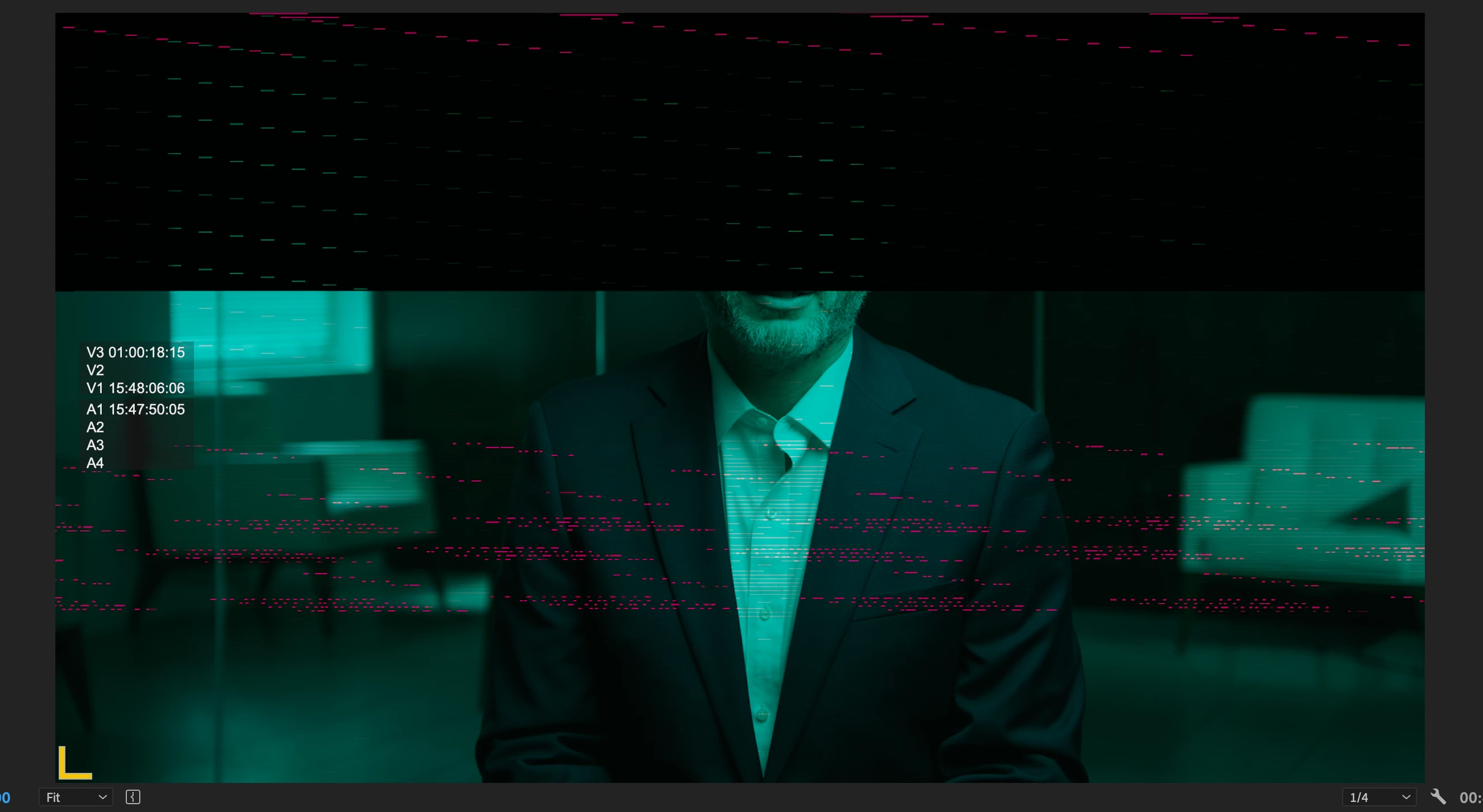
-Most importantly, I'm getting corrupted frames (see below) on export, and sometimes when just opening a sequence or pausing in the timeline.
-When loading Multicam clips in the source monitor, I see the two correct camera angles displayed while paused, but as soon as I hit play, it displays the B Cam (second video track) twice.
This is of course really troubling as I start a long-form edit, and hoping there's a fix on the way asap. A couple of notes/attempts I've made to fix it:
-This so far is only affecting the R3D files in the project, all archive plays/exports normally.
-I edited another project on this same setup that was shot on Blackmagic cameras (.braw files) without issue.
-I've created ProRes proxies of all R3D files, and I'm now using those for playback and during export (unfortunately). This seems to have improved, but not entirely solved, the issue.
-I had some success rendering using Software Only, though once had to create a new sequence, copy/paste from the original, THEN export using Software Only to fix it.
This is being edited in a large Premiere Production, and I'm dreading the prospect of having to dust off my 2015 iMac and XML all of my sequences back into an old version of Premiere to finish this project. Any help greatly appreciated!
 AdChoices