
Participating Frequently
May 6, 2022
Question

Essential Graphics black and white

  • May 6, 2022
  • 1 reply
  • 859 views

Hello everyone

I downloaded some Essential graphics / Animated transitions (.mogrt). After i import them, the preview is colored, but after i put them into my timeline, they are turning into black & white. I can change the colors in the "settings", but on the timeline its still black and white.. Even after i export the video, its black and white. 
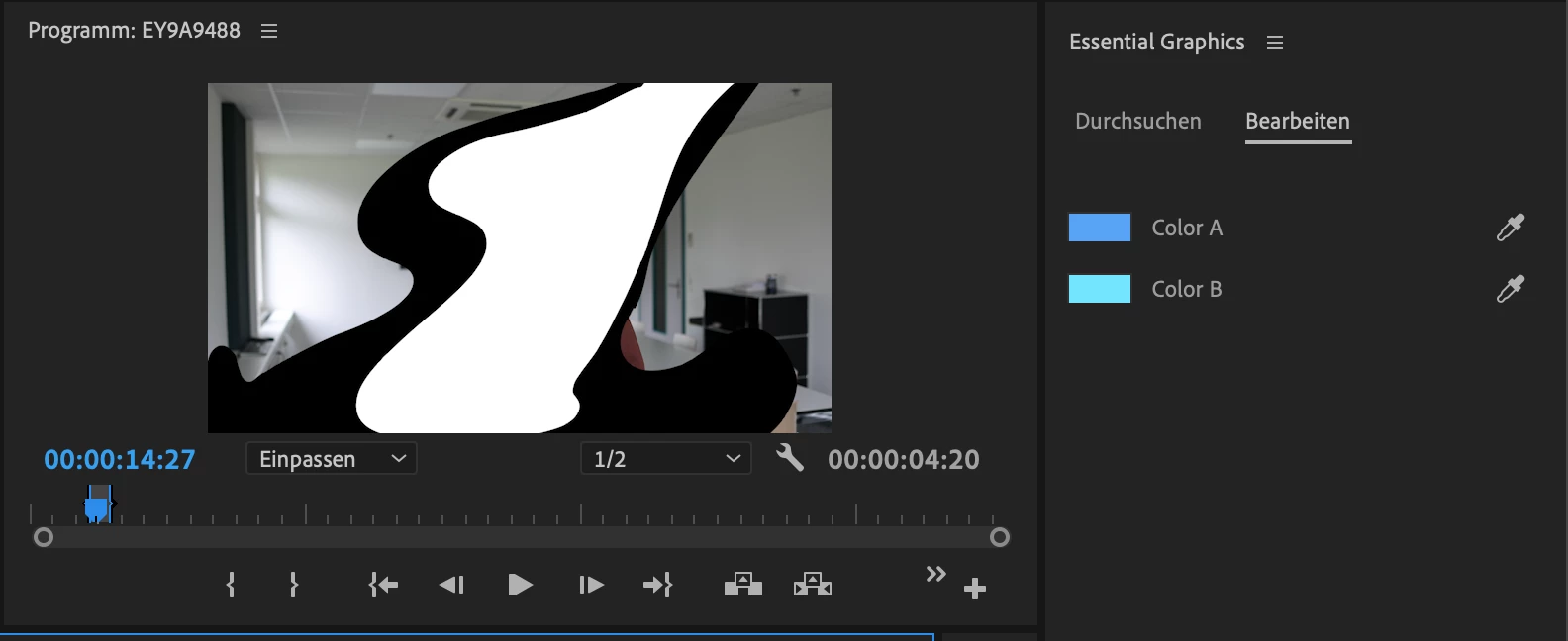


I hope someone can help me. 

Thanks for reading and have a nice day


Best regards

Loris 🙂

This topic has been closed for replies.

1 reply

Community Expert
May 6, 2022

switch renderers from project settings

if it doesn't work pm me the mogrt to fix it on after effects and send it back

Loris_CHAuthor
Participating Frequently
May 7, 2022

Thanks for your quick answer. 
I dont really know where i can change the "renderers from project settings".
And I use a Macbook by the way. Could you please tell me where i can change it? I would be really thankful! 🙂

Thanks and have a nice day!

Community Manager
May 8, 2022

I read this article, but i dont have a Nvidia GPU. I have the MacBook Pro 2020 with the M1 Chip. 


https://community.adobe.com/t5/premiere-pro-discussions/video-rendering-and-playback-premiere-pro-cc-grayed-out-after-pr-pro-update/m-p/10155715


Hi Loris_CH,


We're sorry about the poor experience. If possible, please share a download link for the sample mogrt with which you are experiencing this issue. Also, is this happening with multiple mogrts or any specific one? 


Thanks,

Sumeet