Stormadv
Inspiring
November 5, 2021
Answered

Essential graphics, create model with IN & OUT adjustable

  • November 5, 2021
  • 1 reply
  • 333 views

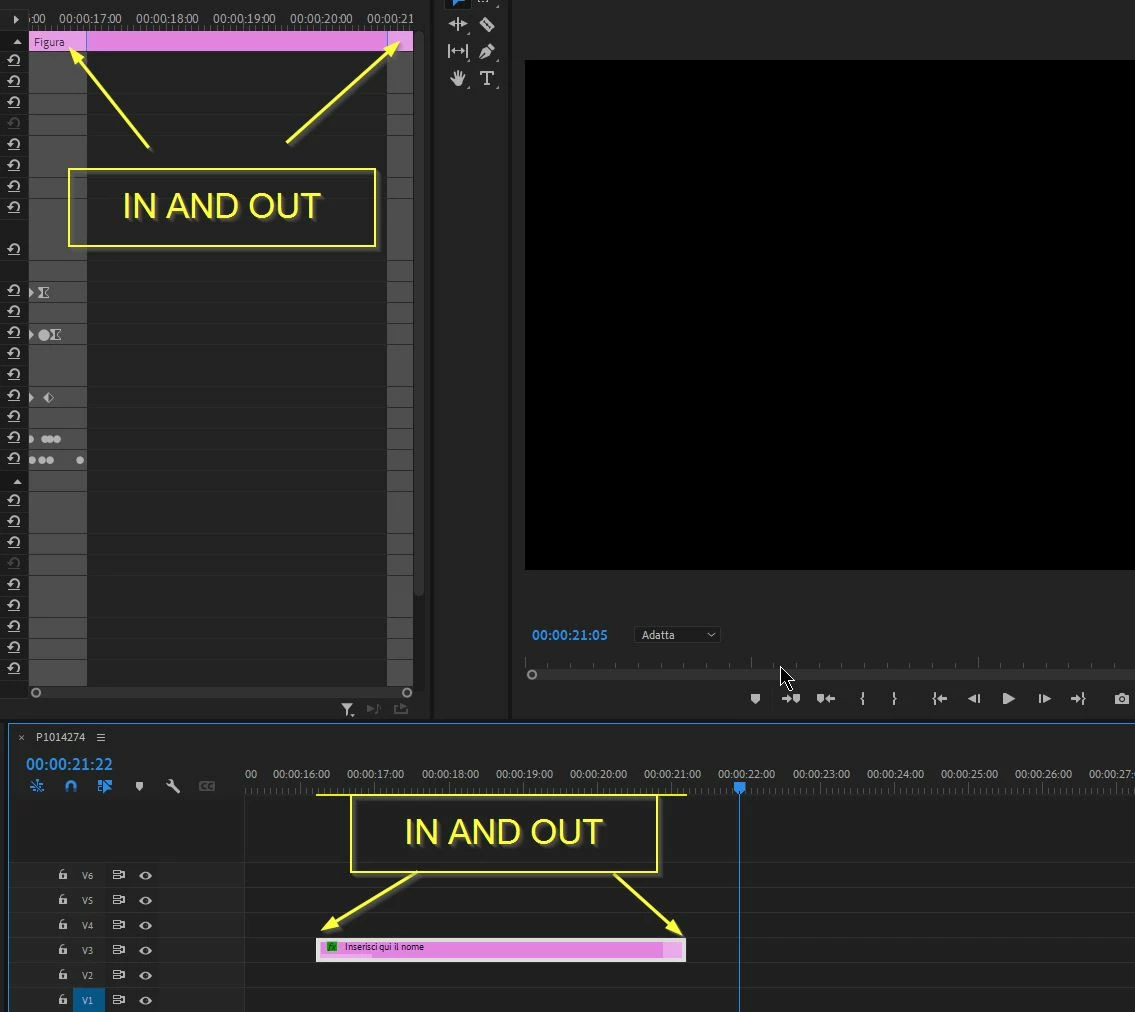
Hello everyone, I would like to create title templates to be used several times and save in the library, but I cannot set the adjustable IN & OUT points in the timeline, i.e. lengthening or shortening the title level also the input and output animations they have to adapt.

Thanks to those who will be able to elucidate me.

In example image you can see the Premiere templates already have this possibility of modification.


This topic has been closed for replies.
Correct answer gerikp

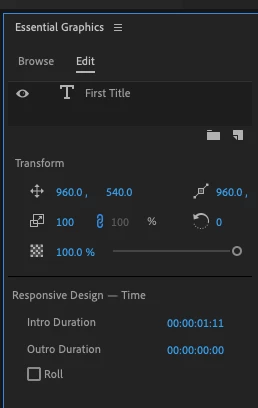
In the Essential Graphics Panel, if you don't select any layers like text, it should show you the Responive Design - Time menu with Intro and Outro Durations.


1 reply

gerikp
Community Expert
gerikpCommunity ExpertCorrect answer
Community Expert
November 6, 2021

In the Essential Graphics Panel, if you don't select any layers like text, it should show you the Responive Design - Time menu with Intro and Outro Durations.


Stormadv
StormadvAuthor
Inspiring
November 8, 2021

Thank you Gerikp!

gerikp
Community Expert
Community Expert
November 9, 2021

Hey! You are welcome. Glad to help.