
ramonk12792005
Participant
April 18, 2019
Answered

Essential Graphics (MORGT) render times

  • April 18, 2019
  • 2 replies
  • 4929 views

Hi All,

Every week i'm working on a radioshow, which is a two hour show. To put track titles in the video, I use essential graphics with some text layers and a 3s animation in the beginning. I stretch the essential graphics layer out till around 3/5 minutes.

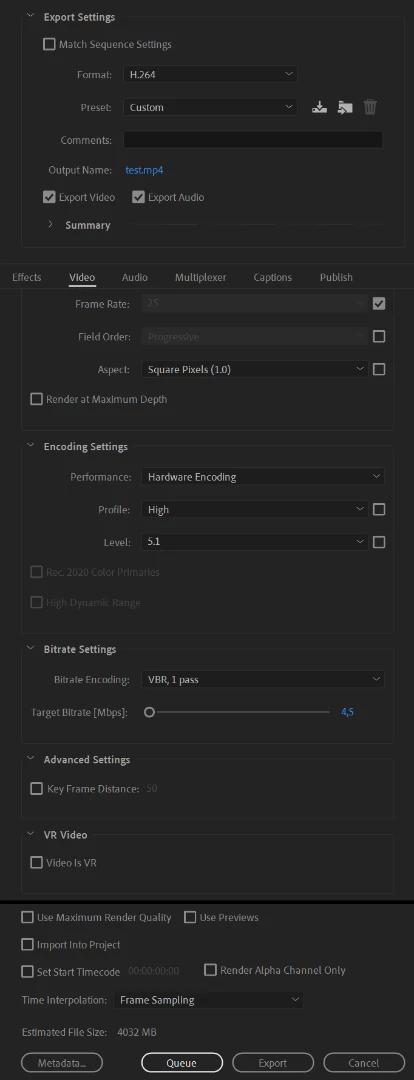
The problem is the render times, with approx. 30 tracks in two hours. With essential Graphics my render time takes around 6/7 hours. Without it's done in 40 minutes. That's a hell of a difference. Any idea what makes this essential graphics a mega issue with rendering times?

I use CUDA rendering.

Specs:

Intel i7-8700

64GB DDR4 Ram

RTX2080

Samsung SSD 970 EVO 1TB

Premiere pro 2019 (Latest version)
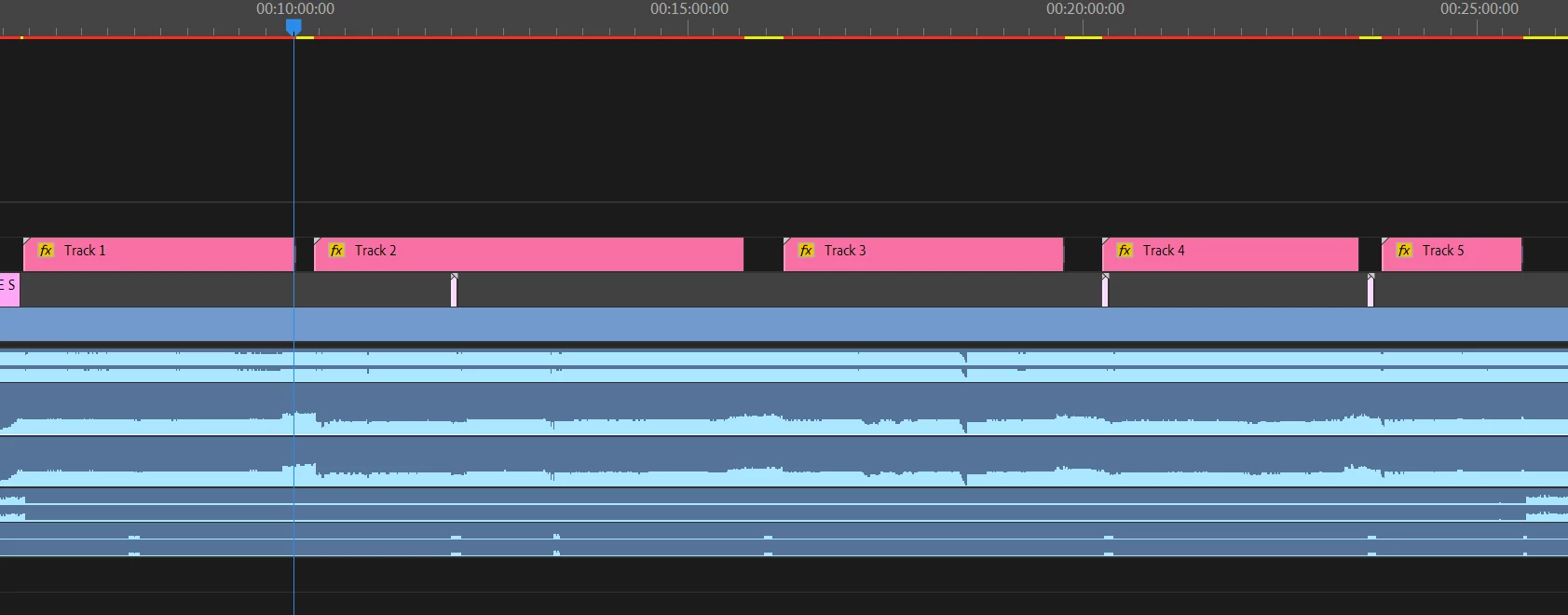
The now playing items are the essential graphics ones.
Thanks,

Ramon

This topic has been closed for replies.
Correct answer Roland Kahlenberg

Learn to work more efficiently with MoGRTs. Start using Render & Replace - apply this procedure while taking short breaks. Once a MoGRT has been 'rendered and replaced', it acts as any other footage type. If you chose an appropriate file format for the R & R clip, you can move footage below the R & R's track and still achieve realtime playback. And if you need to adjust or animated Transform properties for the R & R clip, look at the Effect Controls Panel's Motion Section instead of adjusting the properties in the MoGRT; assuming such properties exist.

Additionally, look at using Framehold options on your R & R clip instead of time-stretching or time-remapping them to achieve a longer duration for your MoGRT.

HTH.

2 replies

Participant
May 18, 2020

Hi Roland. I have the same problem. I'm trying to render and refresh in my Adobe Pr 2019 a short part of a graphic but It takes forever. I need help. Thank you in advance for your help.

Roland Kahlenberg
Legend
April 1, 2021

Just saw this post! I hope you've managed to find your way around. AeMoGRTs can get slow in terms of interactive performance if one is not careful during development - it's quite a slow platform. However, render times for AeMoGRTs in PPro and in AE are quite similar. We should see much better performance when AE's multiframe rendering gets plugged into the MoGRT architecture/platform.

Very Advanced After Effects Training | Adaptive & Responsive Toolkits | Intelligent Design Assets (IDAs) | MoGraph Design System DEV
Roland Kahlenberg
Roland KahlenbergCorrect answer
Legend
April 18, 2019

Learn to work more efficiently with MoGRTs. Start using Render & Replace - apply this procedure while taking short breaks. Once a MoGRT has been 'rendered and replaced', it acts as any other footage type. If you chose an appropriate file format for the R & R clip, you can move footage below the R & R's track and still achieve realtime playback. And if you need to adjust or animated Transform properties for the R & R clip, look at the Effect Controls Panel's Motion Section instead of adjusting the properties in the MoGRT; assuming such properties exist.

Additionally, look at using Framehold options on your R & R clip instead of time-stretching or time-remapping them to achieve a longer duration for your MoGRT.

HTH.

Very Advanced After Effects Training | Adaptive & Responsive Toolkits | Intelligent Design Assets (IDAs) | MoGraph Design System DEV
Inspiring
April 18, 2019

In addition to what Roland said, what's happening in the Animation and are you the one creating the MOGRT? If so, does After Effects need to be installed for it to work, i.e. is it using any third-party plug-ins? This is important because doing so changes the way MOGRTs are processed in Premiere, meaning they would then be rendered with Dynamic Link.

If you're only using native AE features then it will actually use a headless version of After Effects that now lives inside of Premiere which makes processing significantly faster. I just tried this on a project and saw better performance in Premiere than I did in After Effects.

You can check a box when exporting to warn you if AE needs to be installed when using a MOGRT and you'll get a message in Premiere, but even if you (or the MOGRT creator) don't check it, this will still be the case if you're using third-party plug-ins.

ramonk12792005
Participant
April 18, 2019

Thanks for the reply's guys. I'm the one who made them in AE, so AE is definitely installed. No third party plugins are used. I'll try to use the render and replace function. Didn't knew about the existence of R&R, so thanks for that!

@Roland,

Thanks for the tips, I'll have a look into frame hold as well!