
Exit
  • Global community
    • Language:
      • Deutsch
      • English
      • Español
      • Français
      • Português
  • 日本語コミュニティ
  • 한국 커뮤니티
0

Expanding the Ultra Key with solid block

New Here ,
May 13, 2023 May 13, 2023

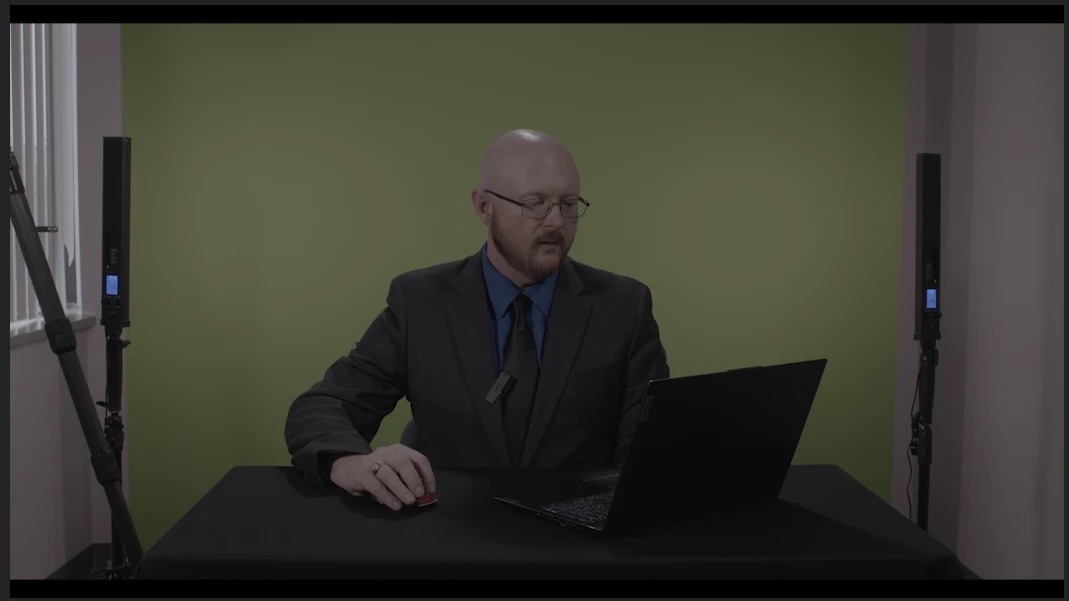
Having an issue trying to key out an area of green screen that was not shot in the original footage. So I have two areas on either side of the green screen that did not have full coverage. I need to expand my ultra key to include these areas without having to use the dropper tool to select the color I want to key. One idea was to fill the area with a solid color then select that to be keyed out in the green screen selection. Any input about this would be so helpful. Thanks. Screen Shot 2023-05-13 at 6.55.23 PM.png
TOPICS
Editing
410
Translate
Report
Community guidelines
Be kind and respectful, give credit to the original source of content, and search for duplicates before posting. Learn more
community guidelines
Community Expert ,
May 14, 2023 May 14, 2023
LATEST

You could try using the mask option for the opacity, then add the ultra key.

mask.png

Translate
Report
Community guidelines
Be kind and respectful, give credit to the original source of content, and search for duplicates before posting. Learn more
community guidelines