
Export a clip in exactly the same quality as the original
I have just tried importing a DSLR H264 file in premiere and export it back
1. At the question if i would like to create the new sequence i choose using the clip's settings
This generated a correct sequence (regarding the frame size the pixel aspect ratio and the field order) but it set the preview settings in i mpeg / 50% quality, while the clip uses the quicktime H264 codec (let us say that this will be used in the editing procedure and can be altered at the export)
2. I immediately exported the clip from the sequence using the match sequence setting option (which uses the I mpeg codec)
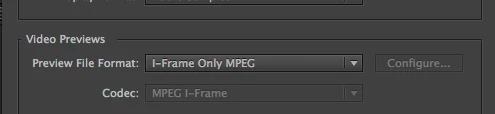
3. I Linked then to AMA in the Avid facility we have, (both the original and the -so called same as sequence = same as clip export - (I used link to AMA so that i could prevent Avid from trnascoding any of the clips.
4. the results (using Avid's Color Scopes) are that there is a colour shift to the exported video from Premiere vs the original.
5. I retried using H264 as the export codec and disabling the Limit data rate and enabling any time cost setting
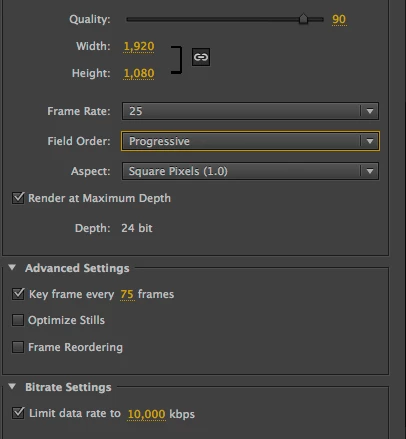
6. I tried many other possible solutions regarding the export codecs or the sequence settings and still having a different kind of shifting all the time
What is the official Adobe solution to import and export in a lossless way any material, or importing something in Premiere means you start shifting from original?
 AdChoices