
Known Participant
May 9, 2022
Question

Export colour coming out wrong

  • May 9, 2022
  • 1 reply
  • 1653 views

Hey everyone, 


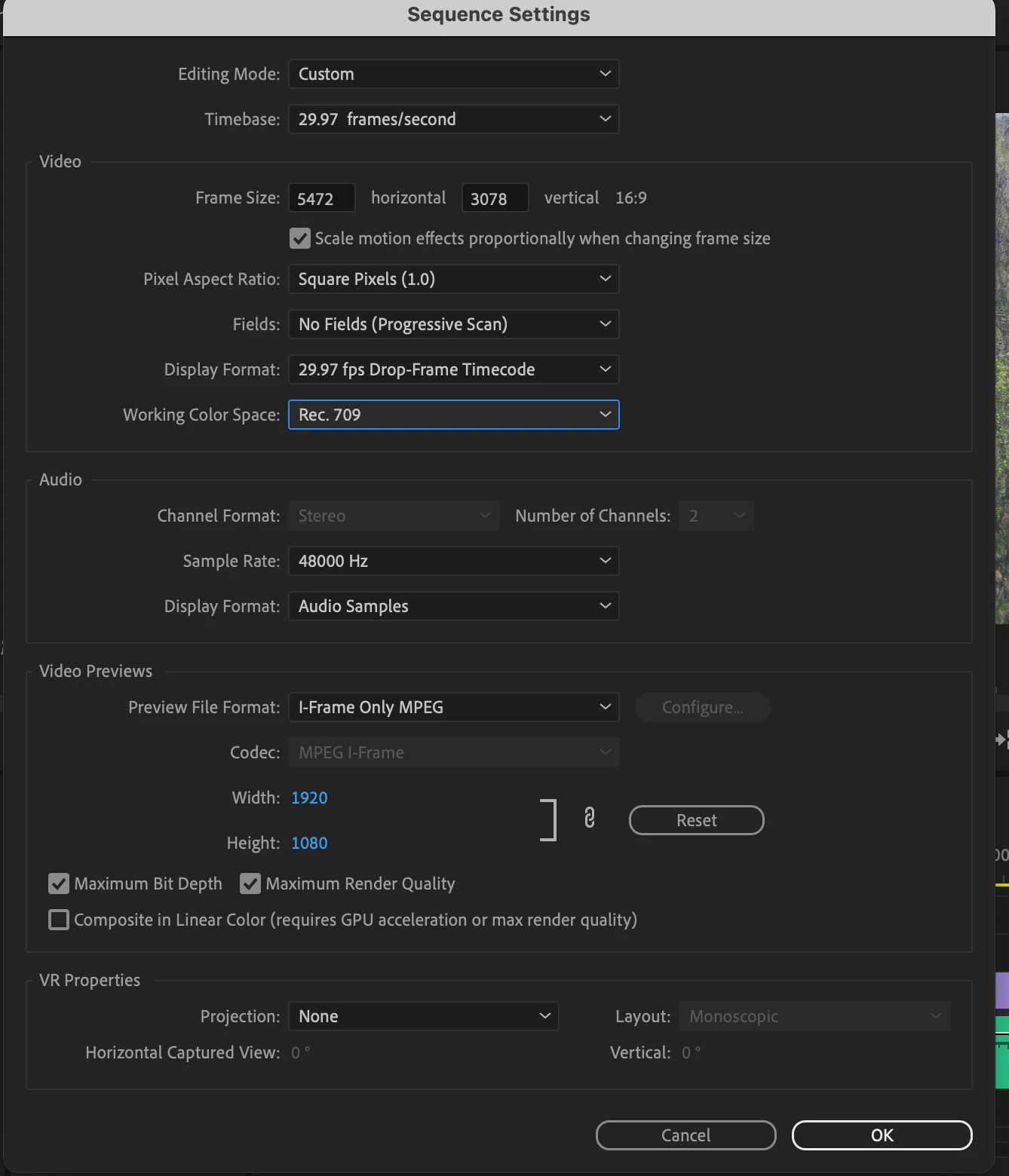
Im having an export problem. Really simple video, shot in 30 FPS, 5.2K. When i export, the colour is choppy, i dont really know how to texplain it. My sequence settings are attached, help as soon as possible is appreciated as i am on a deadline. 


Thanks 🙂
This topic has been closed for replies.

1 reply

Community Expert
May 9, 2022

I see that you're set to Rec709 there. What are the color space settings on the source media and the export?


A pic of export settings might be helpful as well. The summary area in the export window will show a decent amount.


Also, do you have a pic or link or anything to show what you mean by the "color is choppy"?

Known Participant
May 9, 2022

So i don't acutally know what that means, where would i find out what my colour rec is? It was shot on the DJI Air 2S, 5.2k, 30 FPS


Attached is a picture of my export settings, and what i mean by the choppy color. 


Community Expert
May 10, 2022

Your issue might simply be that you're exporting with a very low bitrate for a 5k clip. 10Mbps would be relatively low bitrate even at 1920x1080. You should be using more like 100 Mbps for what you have. And you can uncheck Max Render Quality. You aren't doing any scaling between your sequence and export.

But make sure your Export Color Space is set to Rec709. It should be locked to that unless you're using the High10 Profile. I don't think the DJI Air shoots HDR, but I could be wrong (Edit: I looked it up and it seems like it can shoot HDR. So for starters I'd turn that off on your drone unless you're trying to do HDR work. But in Premiere you'd need to select the footage in the Project Panel, right click, Modify > Interpret Footage, and change the color space to Rec709 down at the bottom if it's not already. And again make sure the media, sequence, and export color spaces are all Rec709)