

Export creating 2 unplayable files
I'll start this off by noting that this is my first time ever using Premiere Pro, and my first ever project is not as simple as many first-time users', but I don't see how what I'm experiencing can be chalked up to a "rookie mistake"....hopefully.
I have a 43 minute sequence, a medium amount of effects, graphics, etc., not the most complex movie ever made on PP. It's all GoPro footage, 30fps. The one "quirk" is that it's all shot in 1920x1440 (didn't realize until halfway through the trip that I was shooting in 1440....), but that shouldn't make this whole thing impossible, right?
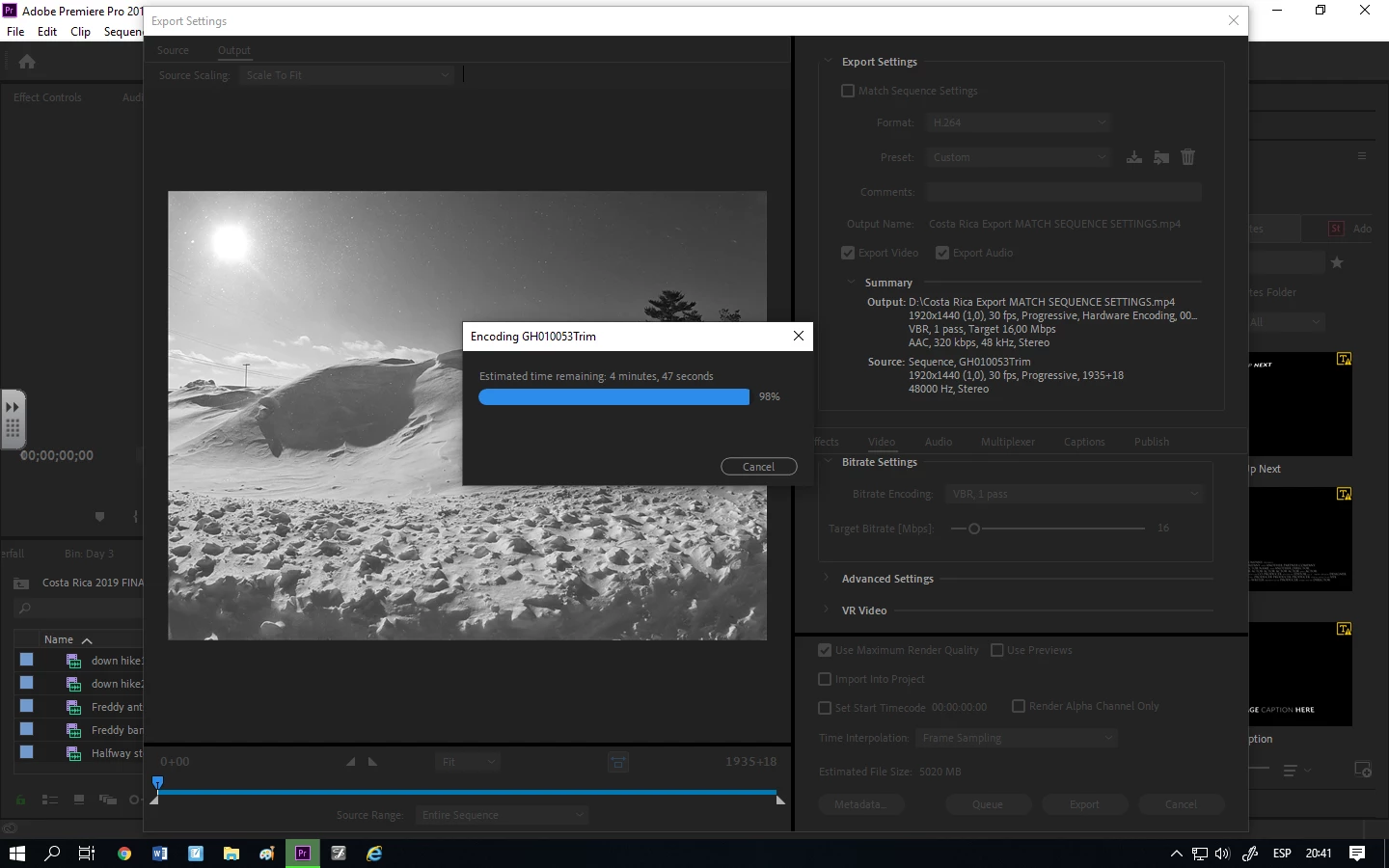
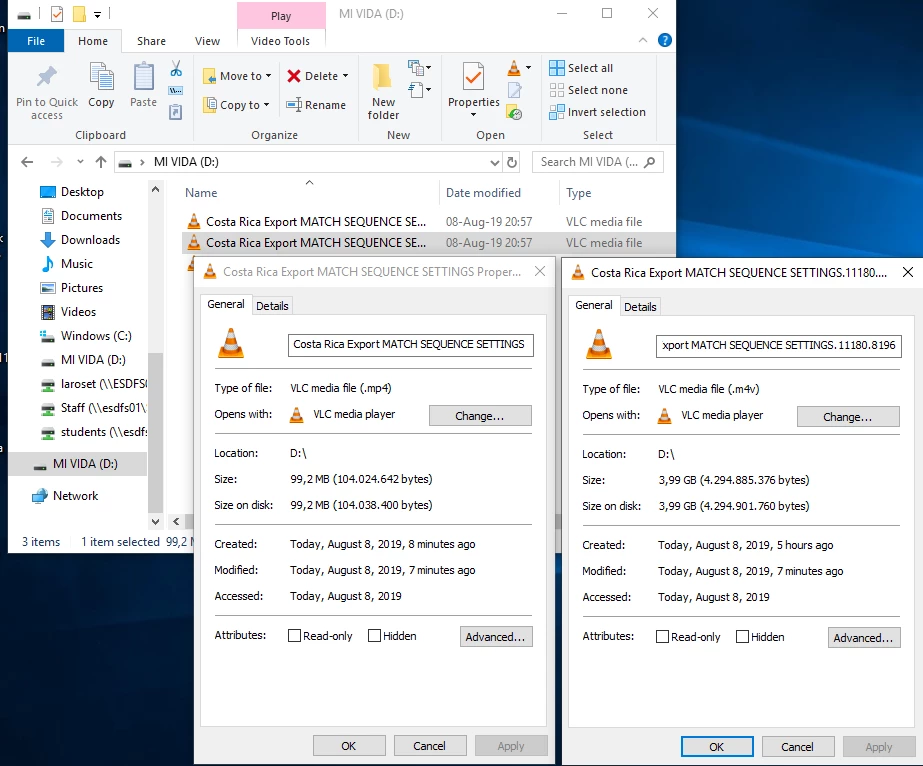
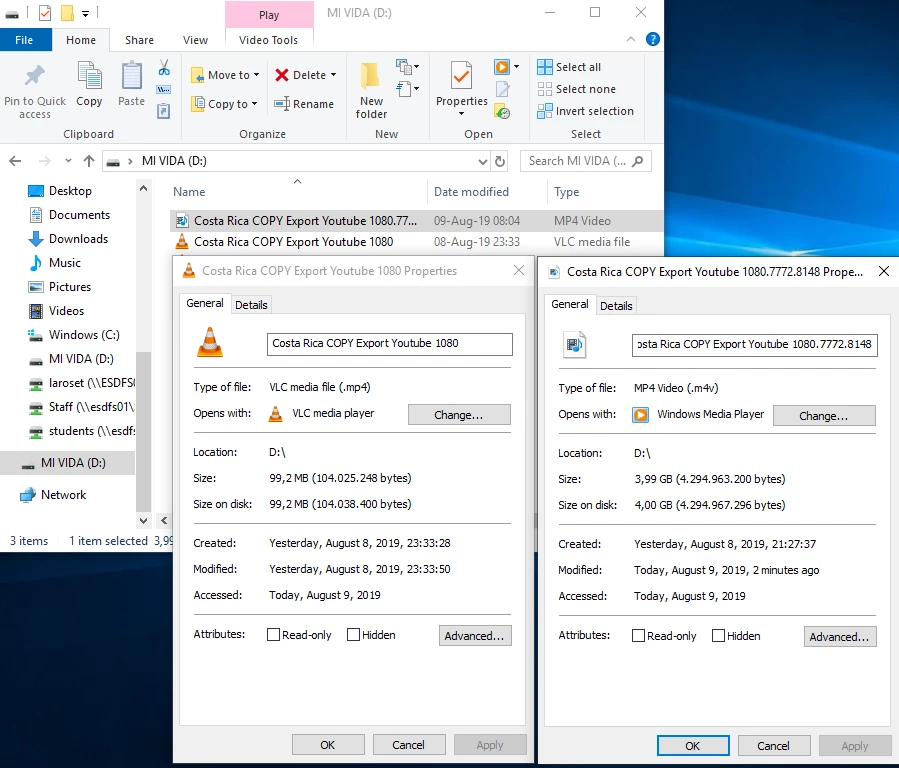
Anyway, upon exporting (to youtube), PP creates 2 export files, neither of them are playable h.264 videos. I've tried the stock youtube 1080p exports settings (literally not changed a thing; I've tried the same youtube preset, but tweeked the dimensions to 1920x1440 (which seems logical, yes?); I've tried "match sequence settings", and I keep getting the same 2 junk export files every time: a 3.99GB m4v file that I can't play in any media player or upload, and then a 99MB mp4 file that is the entire audio of my sequence, but with no video. Just for fun I tried uploading the latter yesterday, but youtube kept rejecting it, too.
I've tried at least 6 or 7 different exports, and screwed around with myriad permutations of settings, and keep getting the same results. On my very first export, though, I did get an mp4 file at the end that was the length of my sequence, and played for about 8 minutes with video and audio, but then I got an error message from media players at the 8 min. mark telling me that the file was not supported. I think for this export I was using "match sequence settings" in the exporter.
None of the audio or video in my sequence are missing or in any way corrupted. I can watch the entire movie perfectly within PP.
I've tried creating a new project and pasting my timeline, that didn't work.
I'm using Windows 10 Education from my classroom desktop (I'm a teacher with a monthly subscription, wasting a lot of my summer on all these exports).
Thank you, Community, for any help!
 AdChoices