
Participating Frequently
February 26, 2024
Answered

Export error ends up in a glitchy vid

  • February 26, 2024
  • 2 replies
  • 893 views

Ive been he whole day trying to export a video and its ending alqways like this...
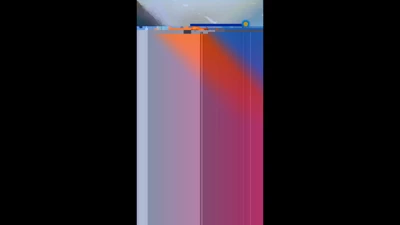


im using the version 23.6.2 
exporting in H.264 bitrate +20, in 1080*1920.
its using hardware aceleration with and nvidia *(4gb)

First i was trying to export it in premiere, when it didnt work i tried to sen to Media encoder and it ended up the same way, then I tried to send it to after effects with the adobe dynamic link or just importing the timeline and it didnt work either.

when I thought it was a problem with the Project I tried using and older project and it ended up the SAME WAY.

i uninstall and reinstall the three programs several times, using diferent versions below and none of this have helped.

Anyone with the same problem? or that knows whats going on?

This topic has been closed for replies.
Correct answer Kevin-Monahan

Thanks, @xTivux, for your advice. I marked your answer as the correct one. I'll add mine, too.


Hello @Raúl3565553261zn,

Thanks for the notes. I heard that the latest NVIDIA driver is not handling H.264 exports very well, so yes, HEVC will work, as will rolling back the GPU driver or choosing Software Encoding for your export. I hope this advice helps you. Please report back if it does.


Thanks,
Kevin

2 replies

Community Manager
March 29, 2024

Hi @Raúl3565553261zn,

Sorry for the problem. Many customers have reported similar issues with the recent Nvidia drivers. Nvidia released a hotfix driver to fix issues related to corrupted video with NVENC encode.


Please update to the latet drivers and let us know if this export problem gets fixed. 
Nvidia latest driver 551.86: https://www.nvidia.com/Download/driverResults.aspx/223498/en-us/
Nvidia hotfix driver 551.68: https://nvidia.custhelp.com/app/answers/detail/a_id/5525

If this doesn't solves the problem, you can always use Software Encoding in the Export window as a workaround for the time being.

Moreover, please let us know the Nvidia card/driver version you are using so we can try to replicate the prolem in-house in case the driver update doesn't fix it.

Thanks,
Mayjain

Inspiring
February 26, 2024

Hola amigo, ese problema por ahora lo solucionas de la siguiente manera: cambias el formato H.264 a HEVC H.265

Participating Frequently
February 26, 2024

eso quiere decir que es un problema general de adobe y el h264?