Exit
  • Global community
    • Language:
      • Deutsch
      • English
      • Español
      • Français
      • Português
  • 日本語コミュニティ
  • 한국 커뮤니티
0

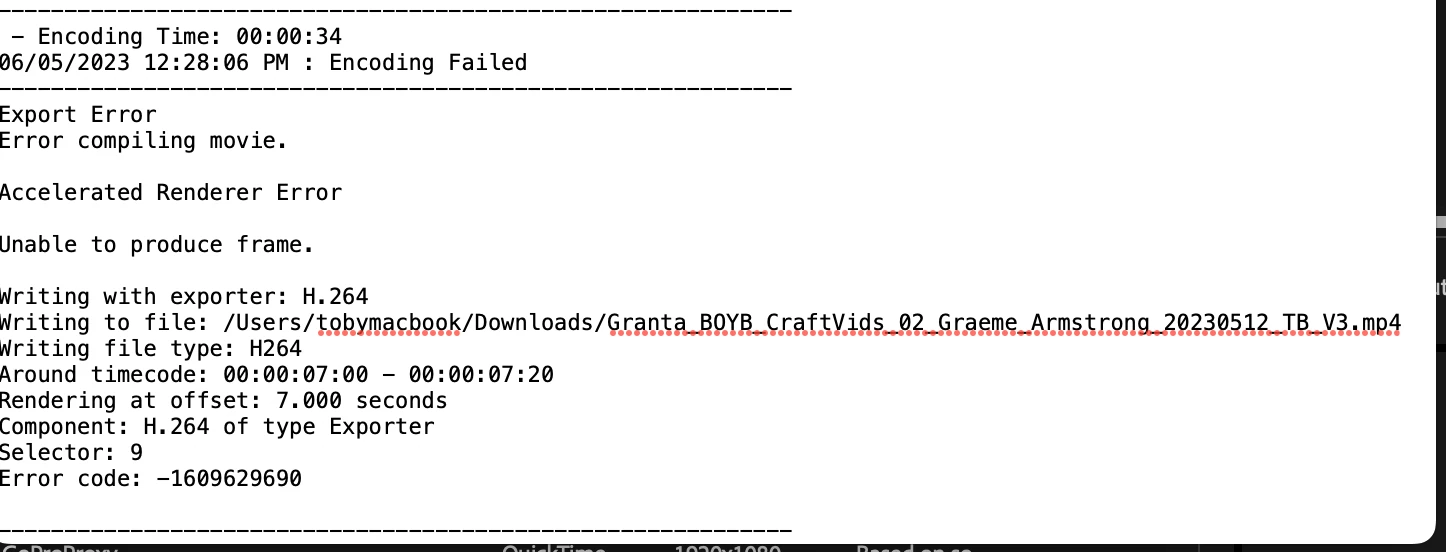
Export Error: Error Compiling - Error code: -1609629690

New Here ,
Jun 05, 2023 Jun 05, 2023

I'm trying to export a video - across either Premiere Pro or Media Encoder - and neither will export it. I can't find any info about the error online. Does anyone know what's happening nad how to solve?


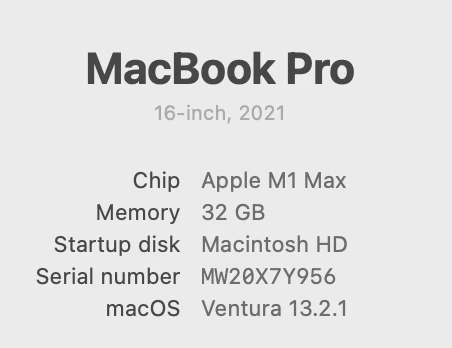
I'm running Premiere pro 23.3,  Media Encoder 23.3, and Mac OS Ventura 13.2.1, computer details also below.
 

Screenshot 2023-06-05 at 12.28.35.png

Screenshot 2023-06-05 at 12.32.53.png

TOPICS
Export
389
Translate
Report
Community guidelines
Be kind and respectful, give credit to the original source of content, and search for duplicates before posting. Learn more
community guidelines
New Here ,
Jun 05, 2023 Jun 05, 2023

Here's the premiere error message:


Screenshot 2023-06-05 at 12.39.20.png

Translate
Report
Community guidelines
Be kind and respectful, give credit to the original source of content, and search for duplicates before posting. Learn more
community guidelines
Advocate ,
Jun 05, 2023 Jun 05, 2023

Try setting your in/out points after the 8th second mark, just to see if there's anything at that timecode that's causing the error. Also try rendering using software renderer instead of hardware accelerated, just another step to pinpoint where the error is coming from.

Translate
Report
Community guidelines
Be kind and respectful, give credit to the original source of content, and search for duplicates before posting. Learn more
community guidelines
New Here ,
Jun 05, 2023 Jun 05, 2023
LATEST

Thanks for the suggestion! Good idea. I've tried that now and it seems like the TIFFs I'm trying to export are the issue (properties attached below). It's odd since my mac mini (which is less powerful) exported this stuff fine. 

Screenshot 2023-06-05 at 12.55.00.png


Translate
Report
Community guidelines
Be kind and respectful, give credit to the original source of content, and search for duplicates before posting. Learn more
community guidelines