
Export Issues with c-log 3 footage
I am a high school Media Arts teacher and my program recently purchased the Canon R8. In the Lumetri Color settings tab under Source Clip we have checked the Override Media Color Space with the "Canon Log3/Cinema Gamut" option.
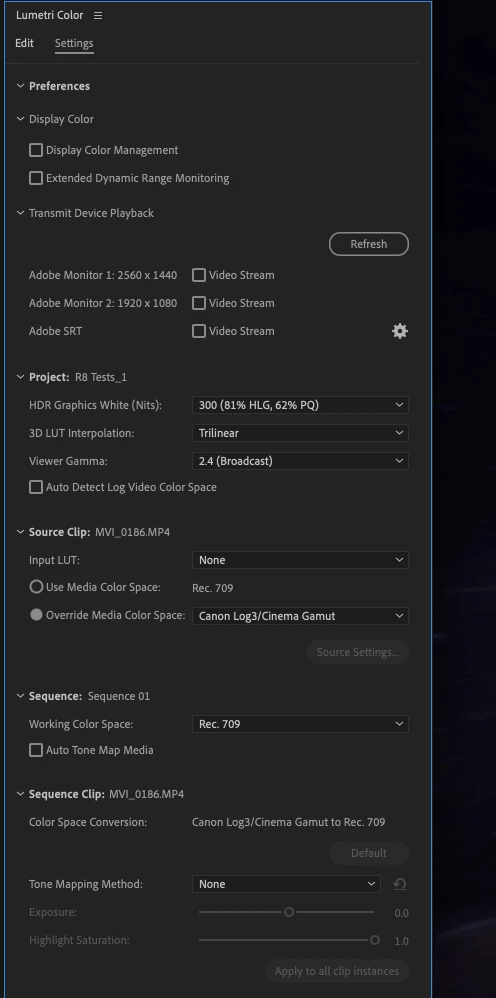
Everything looks great in Premiere, but when we export we are getting a desaturated look that does not match what we are seeing in Premiere. I've posted two screen grabs below, the one on the top is what we are seeing in Premiere, the one on the bottom is the export.
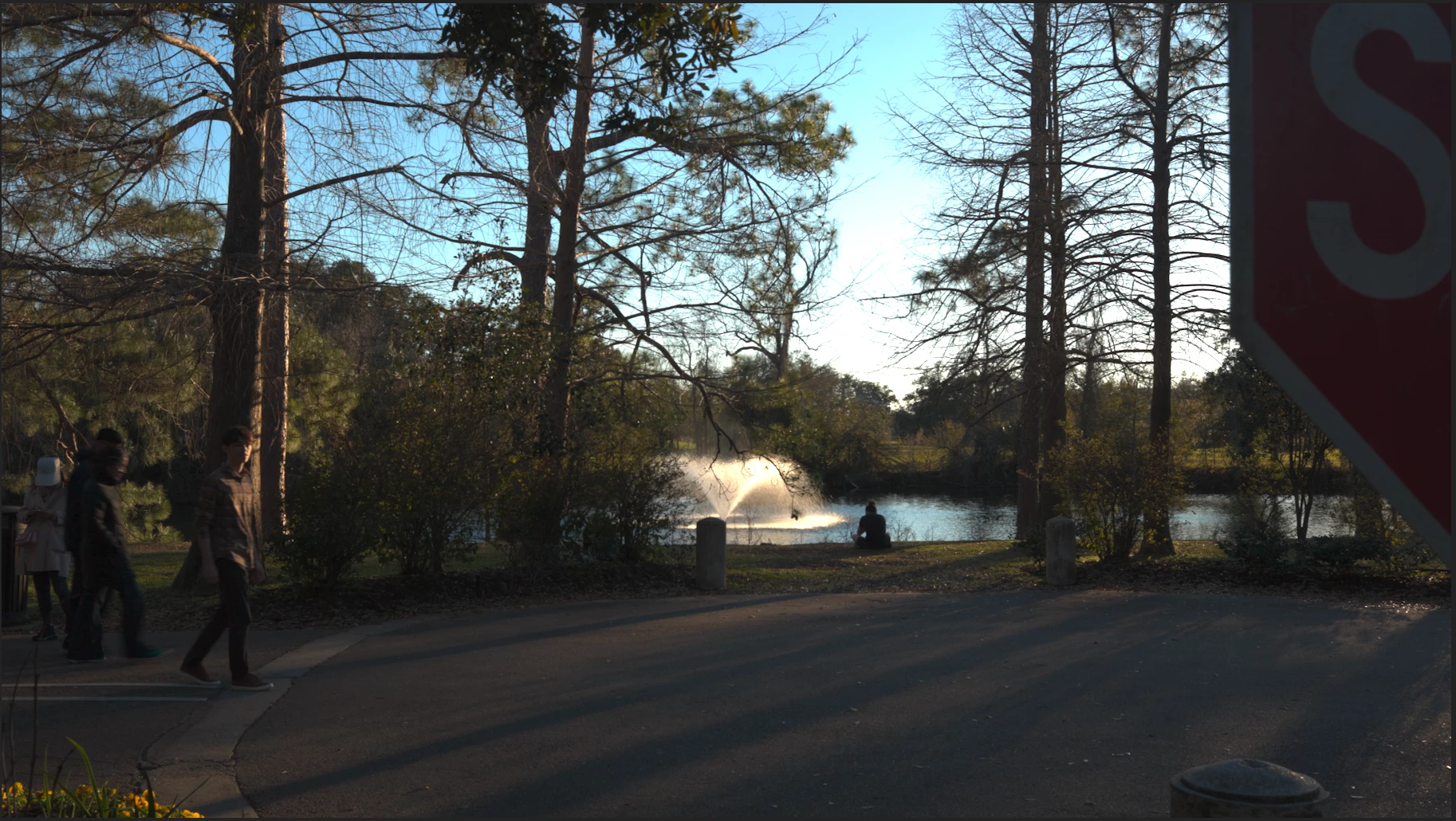
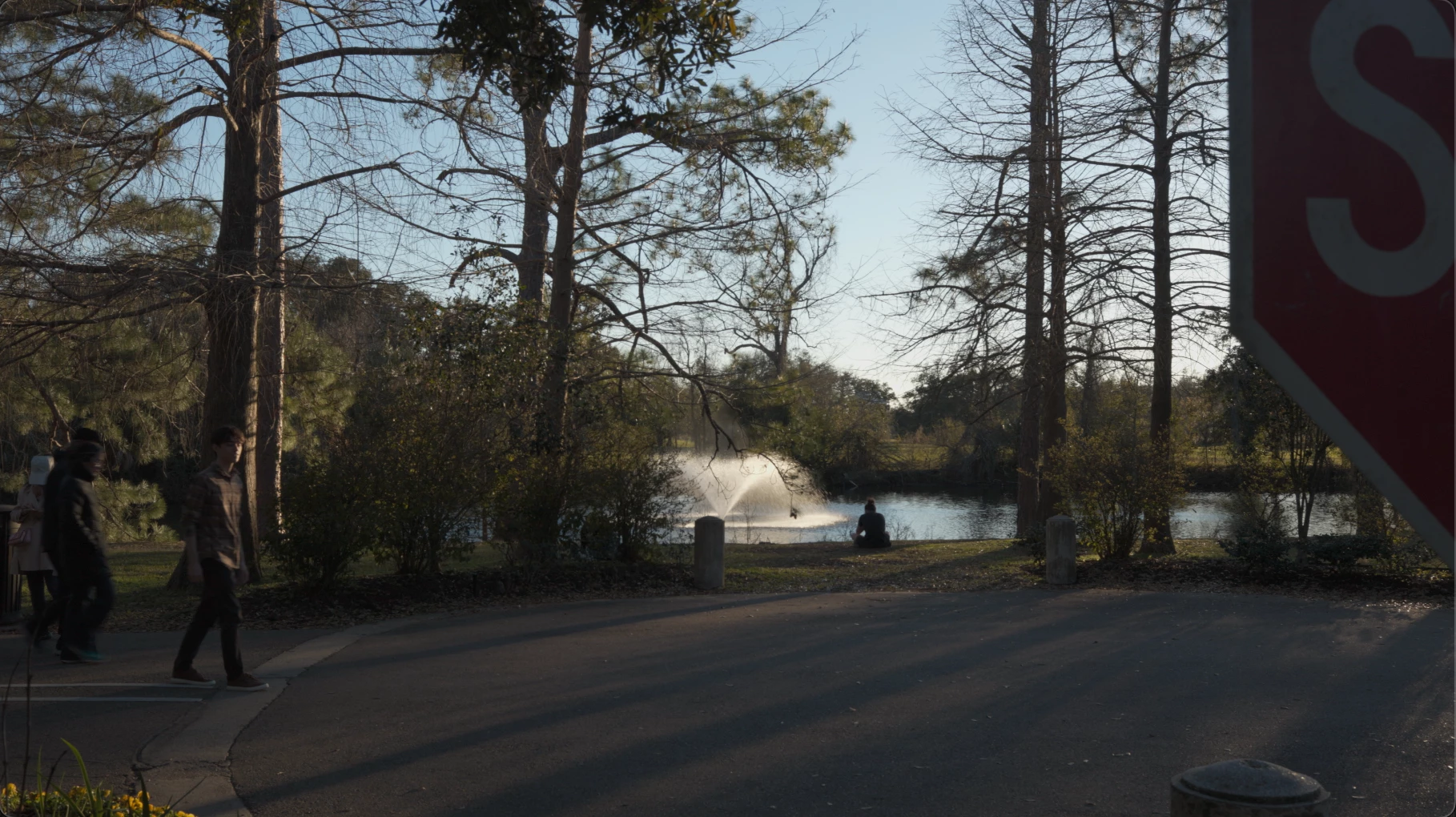
I've tried every export setting I can think of and this keeps happening. I've tried changing the viewer gamma to Quicktime 1.96, I've tried the quicktime gamma compensation lut...I've tried at least 15 different exports and the only thing that produces exactly what I am seeing in Premiere is a Quicktime with no video codec-rgb 8 bit...but the file size is insane, like 10gb for 15 seconds.
I've been scouring the forumns and youtube and I can find plenty of discussion of color space, but no solutions that have actually worked in which the export looks the same as it does in Premiere. There has got to be a way to achieve the same look we're seeing in Premiere with export settings that produce a managable file size...I'm sure it's probably relatively simple, but I can't seem to find all the right settings...PLEASE HELP!
 AdChoices