

SPHH
Known Participant
February 6, 2023
Question

Export with Chapter Markers, then Watch on https://assets.adobe.com/files…

  • February 6, 2023
  • 1 reply
  • 4569 views

Hello everyone,

Target : is to export a video
(keeping the file weight light) WITH CHAPTER MARKERS as a Media File to be hosted/displayed on https://.assets.ABOBE.com/Files/… etc. The functionality to switch from Chapter to Chapter should be included.

Problem : Once exported, the clip doesn’t display any Chapter Markers. I’d like to identify why and how to find a real fix.

I read about any open-source-video-encoder-workarounds ( #handbrake | https://community.adobe.com/t5/premiere-pro-discussions/encoding-chapter-markers/m-p/10594119#M225204 ).
…But, ADOBE, …seriously ?

Hard to believe – from a leading software like ADOBE PREMIERE PRO – there is no way to export any clip WITH CHAPTER MARKERS functionality in order for them to get displayed on the web without YouTube.
The few tutorials found online simply don’t work for, e. g., H.264, etc.

QUESTIONS :

1) If you look at my screenshot, the METADATA/Include_Markers-Option is checked. … So, I probably missed something / What is missing to have the clip correctly displaying the CHAPTER MARKERS once exported as a Media_File ? :
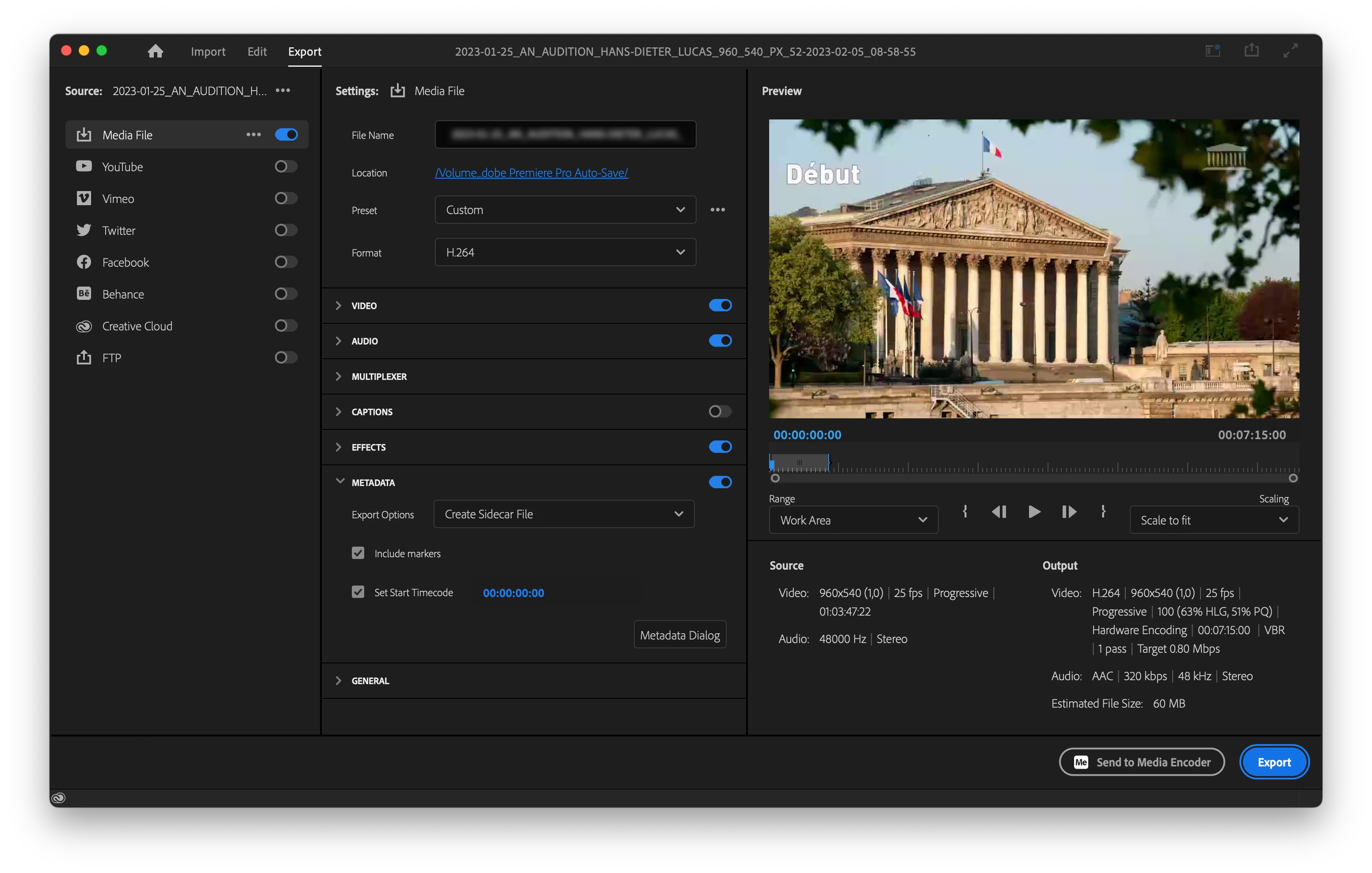


2) Can anyone provide any working step-by-step tutorial to follow ?

3) Is there any restriction in case the Chapter Markers are set to any duration longer than a single frame ?

Thank you guys for taking the time to solve these issues.

🙂

This topic has been closed for replies.

1 reply

Ann Bens
Community Expert
Community Expert
February 6, 2023

Its my understanding the chapter markers are a used in files meant to burn on disks: DVD or Bluray.

SPHH
SPHHAuthor
Known Participant
February 6, 2023

Thank you Ann,


The Chapter Markers Export is supposed to work for YouTube, enabling the user to jump to different Key-Moments ( Moments Clés ) within the clip. You see them in the «More» (more info section) :
https://www.youtube.com/watch?v=B6vsSrGRZcU 


4) The tutorial also shows how-to process a Chapter-Markers-Export for QuickTime, but doesn’t make clear if exporting the Chapter Markers into a single file is mandatory or not. Some comments below rather push to «NOT MANDATORY». Anyone any idea on this point ?

5) When attempting to recreate the same steps on my machine, nor the QuickTime-output (.mov), nor the H.264 (.mp4) clips come out with any Chapter Markers. I’m just wondering why it works in the tutorial and not in real life. … -?-

6) H.264 offers the opportunity to lower the file’s weight (60MB in this case). So, H.264 would definitely be the best choice for me to upload on https://assets.adobe.com/files. Providing finding a fix for 5).

🙂

SPHH
SPHHAuthor
Known Participant
February 17, 2023

Ann, correct. Here's a Youtube tutorial linked from one of the other threads that talks about how Youtube does this. It is not using embedded markers. You use the File -> Export -> Markers function to get a text file that you paste into the "more" description section of the Youtube video. Then Youtube turns these into actual chapter markers in the Youtube video.

https://www.youtube.com/watch?v=4lR9NF9bvLY


I don't think there is a standard for all players, so the feature request would be for one player at a time.


Stan


I sent the idea out there :

https://community.adobe.com/t5/premiere-pro-ideas/let-s-embed-chapter-markers-into-h-264-and-display-in-cc/idi-p/13586310 


It may perhaps make life easier.