Answered
Exported GIF has color artifacts
Premiere Pro'da Animasyonlu gif kaydettiğimde videonun bazı kısımlarında parlama pixellenme olarak kaydediyor bu sorunu nasıl çözebilirim
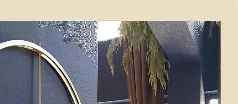

Premiere Pro'da Animasyonlu gif kaydettiğimde videonun bazı kısımlarında parlama pixellenme olarak kaydediyor bu sorunu nasıl çözebilirim
Hi Nesrin,
Sorry for the issue. This is a limitation of the GIF format. The color depth of this format is only 8 bits, which amounts to 256 colors in total. By comparison, the most common media color depth is 24-bit (True Color), which supports about 16 million colors per pixel. This means that GIF files cannot contain as many tonal variations as your source video, resulting in the artifacts you see. I recommend using other formats that support a higher color depth (such as HEVC or H.264) for exporting. You can also use PNG or JPEG image sequences if that supports your application.
Thanks,
Ishan
Already have an account? Login
Enter your E-mail address. We'll send you an e-mail with instructions to reset your password.
 AdChoices