
Participant
May 20, 2017
Answered

Exported Movie Is Stretched Vertically

  • May 20, 2017
  • 2 replies
  • 2285 views

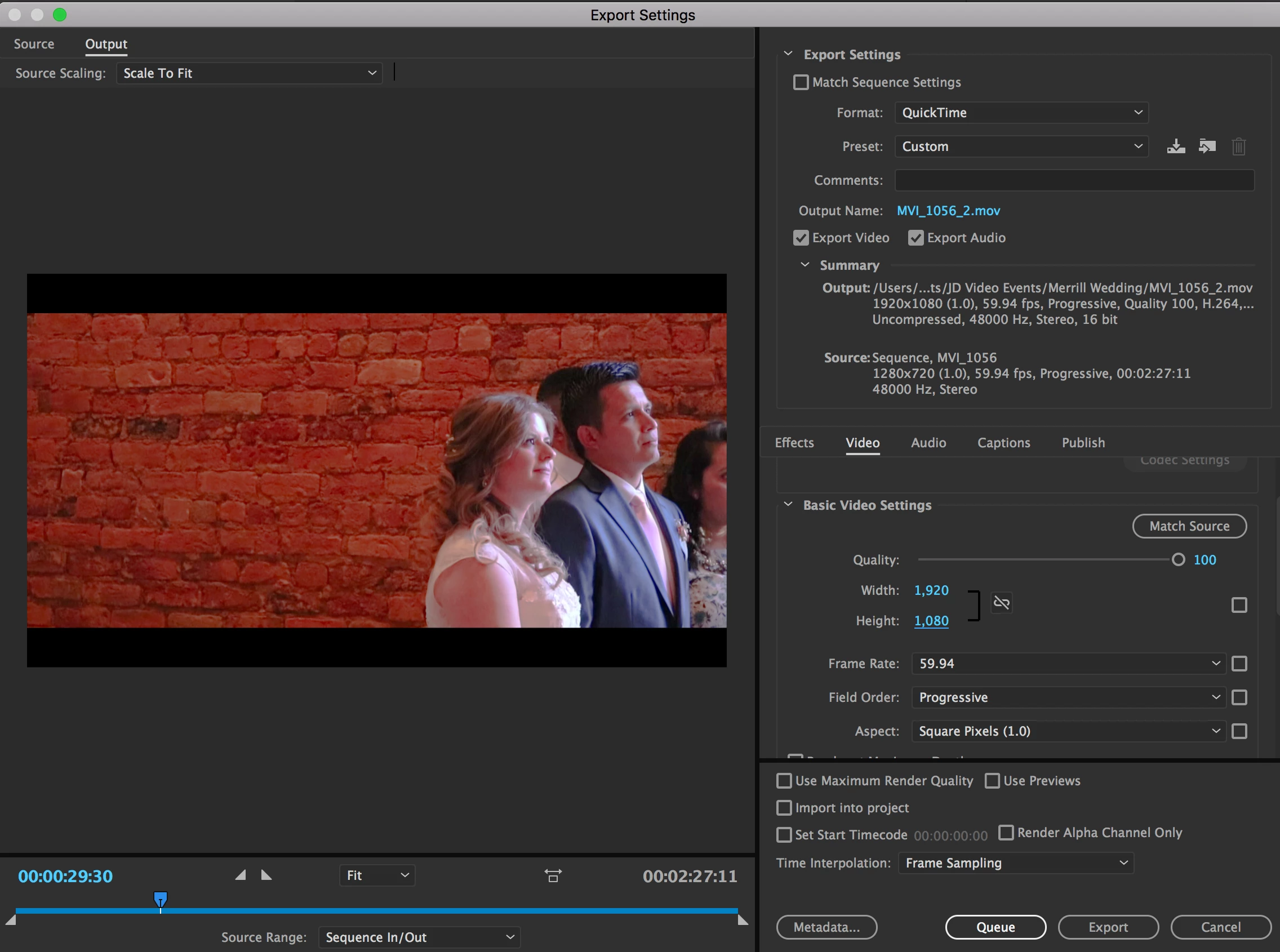
I'm trying to export a movie in 1080. My settings are as follows...
Unfortunately, the video comes out looking like this...
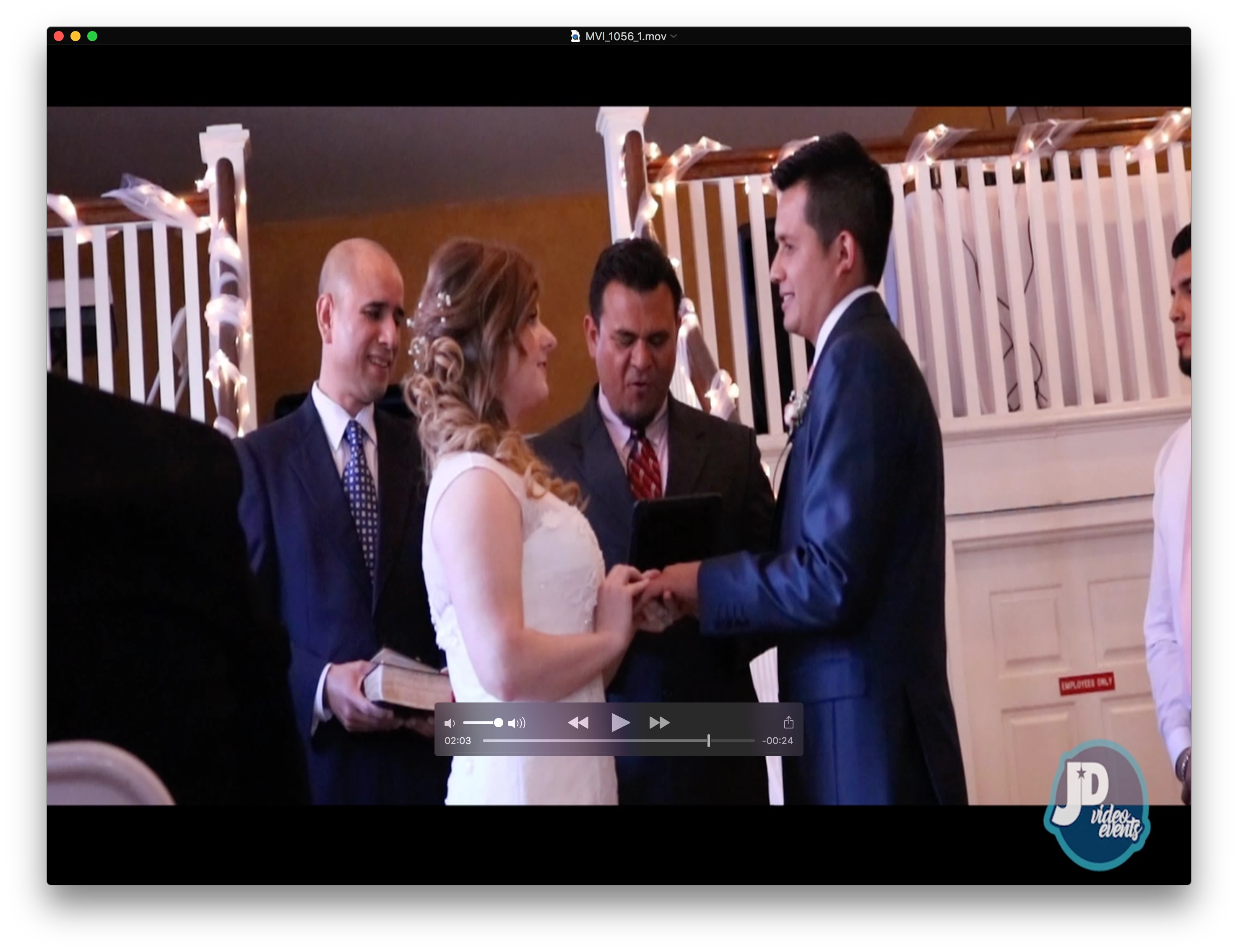
I really don't know what to do. I've tried everything I can think of. But then again, I'm new to Premiere, as I've been using FCPX up until recently.

Can anyone help me figure this out? Even when I toggle the "Aspect Ratio Correction" button, I can't get it to work.

    This topic has been closed for replies.
    Correct answer Meg The Dog

    johnd40413616  wrote

    Not all of the source files are 720p. Some are 1080p

    That doesn't matter. You've apparently edited them on a 720p timeline which downscales them to 720p. The downscaled image will  Then will be enlarged when you export in this way.

    johnd40413616  wrote

    Where do I find the file properties and sequence settings?

    Menu Sequence > Settings and post a screen shot.

    Click on a representative clip of your source material and once selected, right click and choose Properties and post a screen shot.

    MtD

    2 replies

    Inspiring
    May 20, 2017

    1) You are upsizing 720p material to 1080p, is that your intention?

    2) if you take the exported file and import it back into Premiere, does it look correct there?

    MtD

    Participant
    May 20, 2017

    Ann, the black bars are there on purpose. The black bars are part of an image overlayed to give it a more cinematic feel. Where do I find the file properties and sequence settings?

    Meg, yeah, that's my intention. Not all of the source files are 720p. Some are 1080p. I exported the file and imported it back. It doesn't look right. It's completely stretched.

    Meg The DogCorrect answer
    Inspiring
    May 20, 2017

    johnd40413616  wrote

    Not all of the source files are 720p. Some are 1080p

    That doesn't matter. You've apparently edited them on a 720p timeline which downscales them to 720p. The downscaled image will  Then will be enlarged when you export in this way.

    johnd40413616  wrote

    Where do I find the file properties and sequence settings?

    Menu Sequence > Settings and post a screen shot.

    Click on a representative clip of your source material and once selected, right click and choose Properties and post a screen shot.

    MtD

    Ann Bens
    Community Expert
    Community Expert
    May 20, 2017

    Your output image in the export settings does not look correct.

    It has black bars top and bottom

    Post screenshot of file properties and sequence settings.

    On a side not: why do you want to upscale from 720 to 1080. It does not make it look any better. The image quality will degrade.