Known Participant
April 3, 2021
Answered

Exporting in Apple ProRes 422 Results in Fuzzy Picture (Moire Effect)

  • April 3, 2021
  • 2 replies
  • 2834 views

OK, this one is a bit complicated: I have a final film export in Apple ProRes 422 HQ.  I imported that export back into my Premire Pro in order to add foreign language subs to it (as the film is considered for a televison broadcast in that particular country).  

The reason I had to re-import the final export into Premiere Pro is because the film was color corrected on a different machine and exported from that machine.  That ex

port is of great quality.

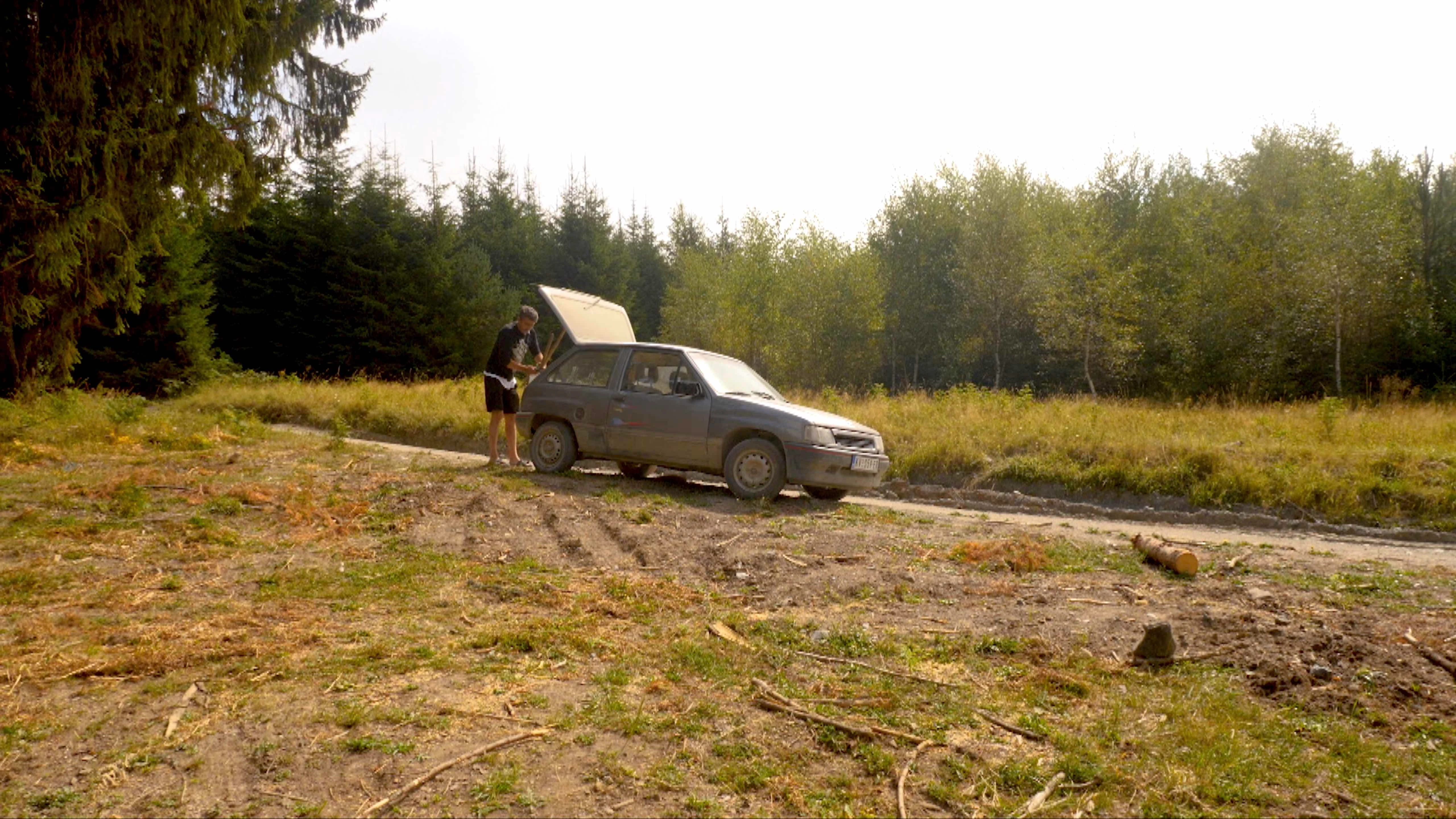
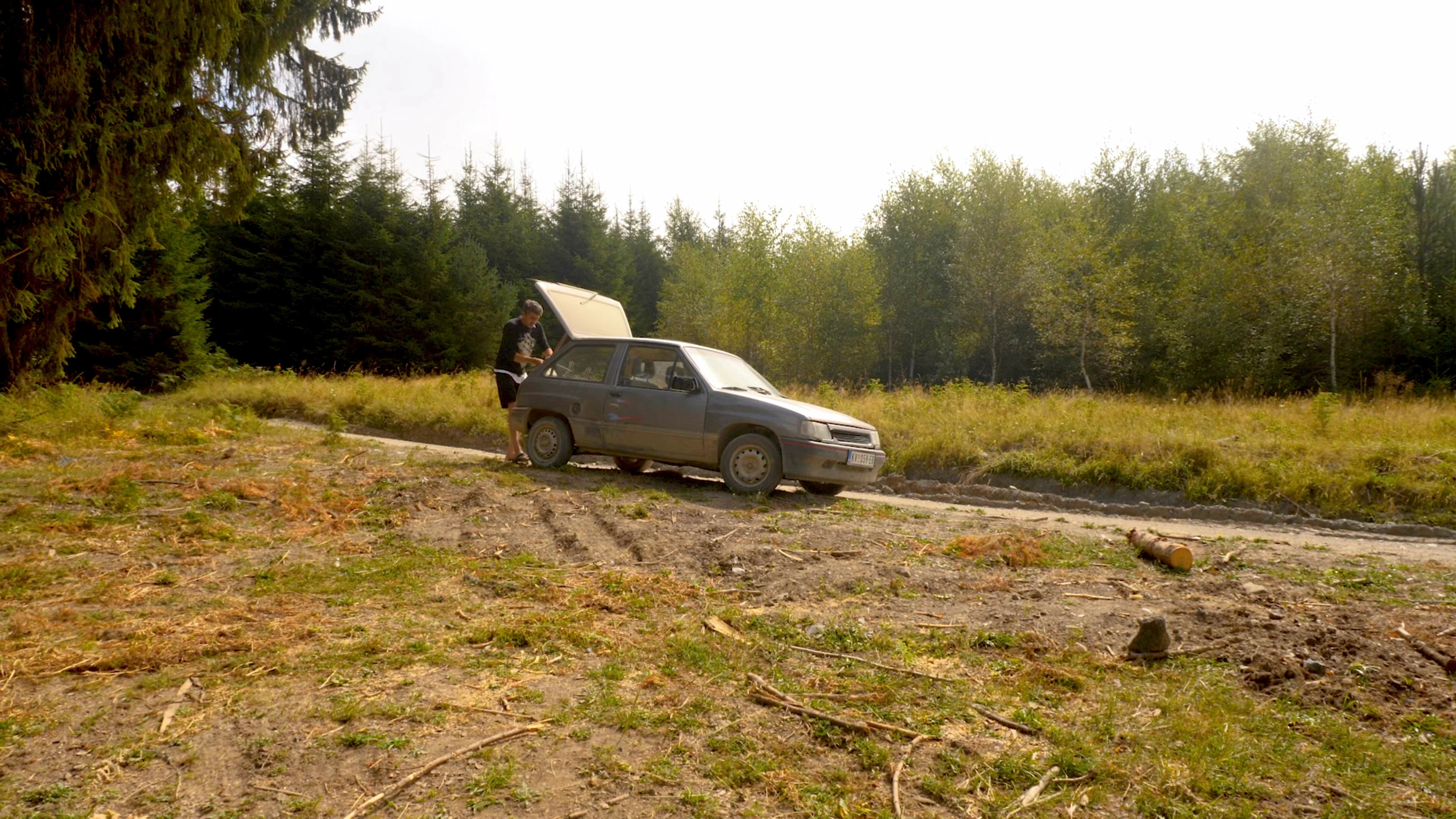
However, when I now re-use it and when I try to re-export it together with subs, also as ProRes 422 HQ, no matter what export combination I use, I consistently get fuzzy picture/moire effects in certain sections.  See attached screen shot of the original file (final export) and re-exported file (pay attention to the front grid of the car).  Any thoughts what may be happening?
This topic has been closed for replies.
Correct answer Ann Bens

And pardon me, I just realized that attached the still from incorrect export settings.  Use this one: 


Turn off max depth and max render and try again.

Please post the properties of the source file. Use Mediainfo in treeview.

2 replies

Ann Bens
Community Expert
Community Expert
April 3, 2021

That is not moire.

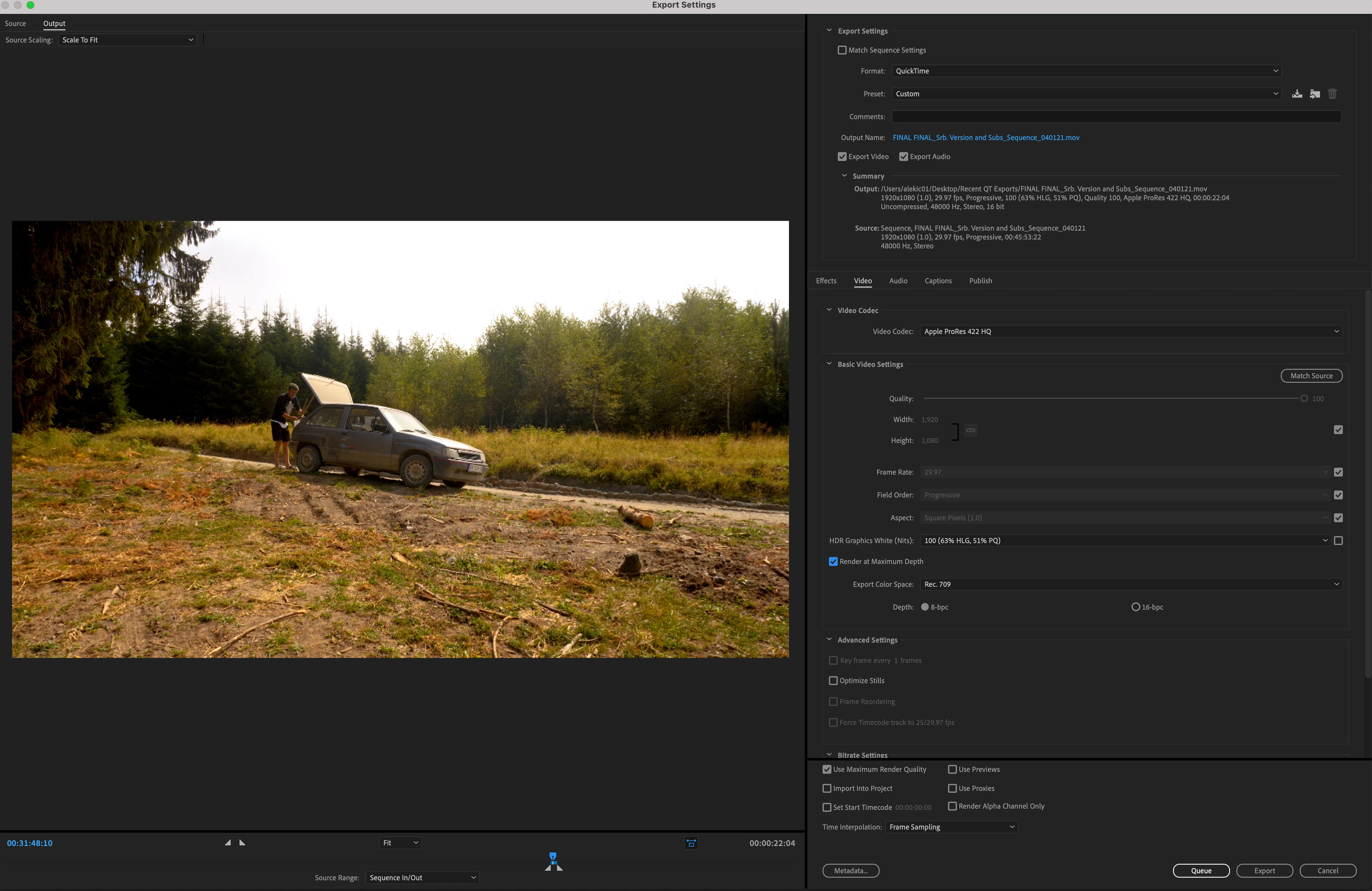
Post screenshot export settings with left tab to output with image (not black).

Known Participant
April 3, 2021

I was apparently lacking words - yes, interlacing is more appropriate.  In any case, here is the screen shot of one of the export settings I tried (which I thought should be best).  I am not sure what exactly you mean by "left tab to output with image (not black)," but I assume that you wanted me to include an image from the sequence, so I did. 

Known Participant
April 3, 2021

And pardon me, I just realized that attached the still from incorrect export settings.  Use this one: 

Inspiring
April 3, 2021

Likely you exported it in lower resolution or as interlaced instead of progressive