Participating Frequently
May 8, 2022
Answered

exporting individual clips

  • May 8, 2022
  • 1 reply
  • 15294 views

I have a sequence which has been split up into multiple parts. I want to export each part individually as a seperate video file. 

I have watched the following video and followed the instructions however mine still exports the entire sequence as one video file.

I am using Premier Pro 2022. How do I do this?


This topic has been closed for replies.
Correct answer Phillip Harvey

That doesnt work I still get only a single file.


@Grant243576717eby Is your video actually cut up into different selects or are they all through edits? If they are just through edits then you would still get a single file. Even if you are rendering with handles that overlap the other clips it would still end up counting as a through edit.


This is a through edit: when you've made a cut but it's still the exact same thing and you could just delete the cut to join them back together. Rendering and replacing these two separate clips would give you one clip.
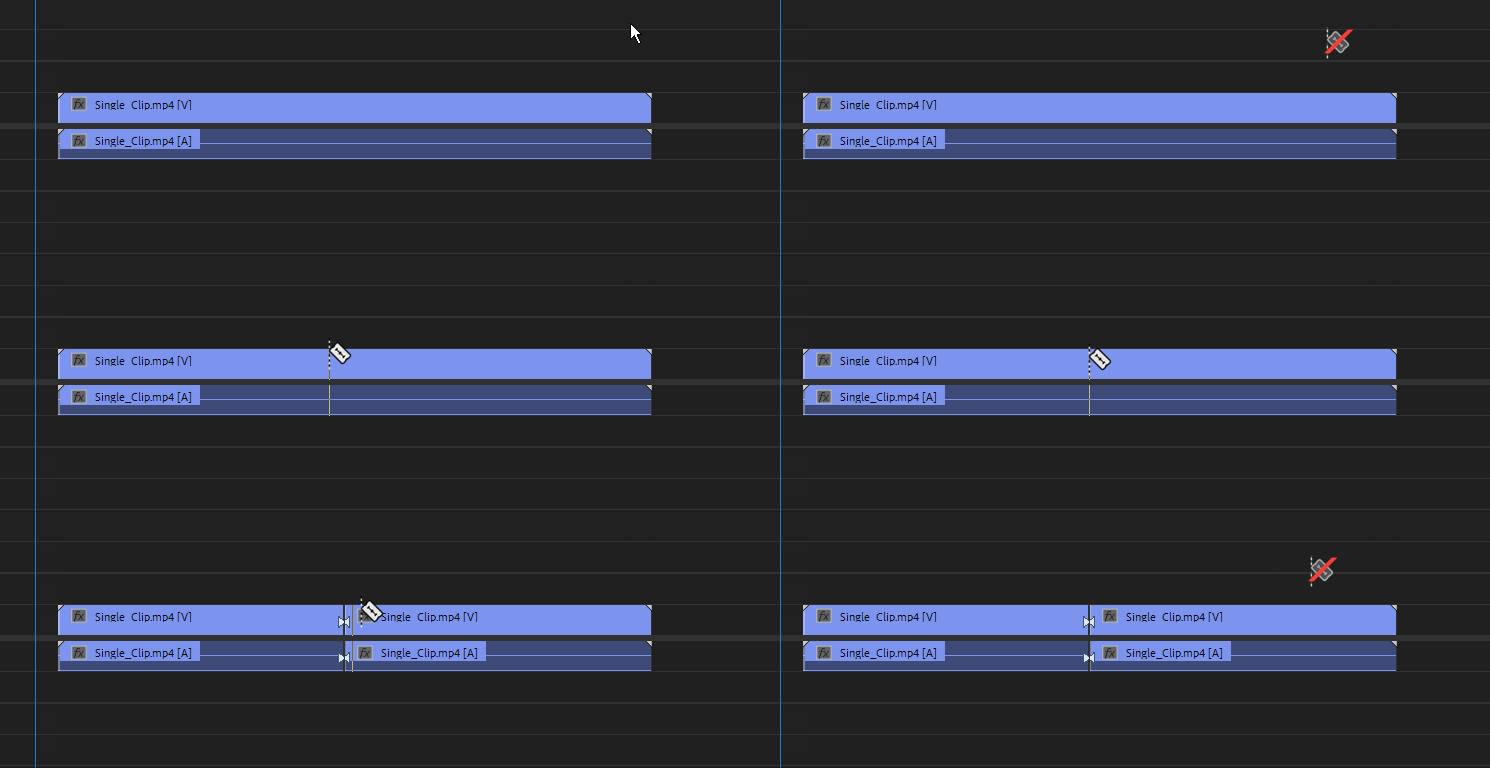
If this is the case I'm not entirely sure that this is the best method to approach breaking the clip up. You might want to use something like Lossless Cut so that you can break the clip up without re-encoding.

1 reply

Ann Bens
Community Expert
Community Expert
May 8, 2022

Your timeline, is it one file with multiple cuts or are they all different clips?

Participating Frequently
May 8, 2022

My timeline is one file with multiple cuts.

Community Expert
May 9, 2022

Yes I was using a through edit. So a single file that was cut up into pieces using CTRL-K.

I shall try the lossless cut route.

Thank you all for your help with this.


It might not be quite as convenient but the benefit of Lossless Cut is going to be that you aren't losing any quality with a re-encode since you are only cutting the clip into pieces. And you'll still end up with the same file size footprint as the original. The render and replace method might make more sense for you if you are taking a big clip, let's say 1 hour for example, and trimming that down into like 5-10 minutes of selects. Then maybe it makes sense to do the re-encode thing.